

This article will guide you to solve the DR5/D5 hash board problem. Take DR5 as an example.
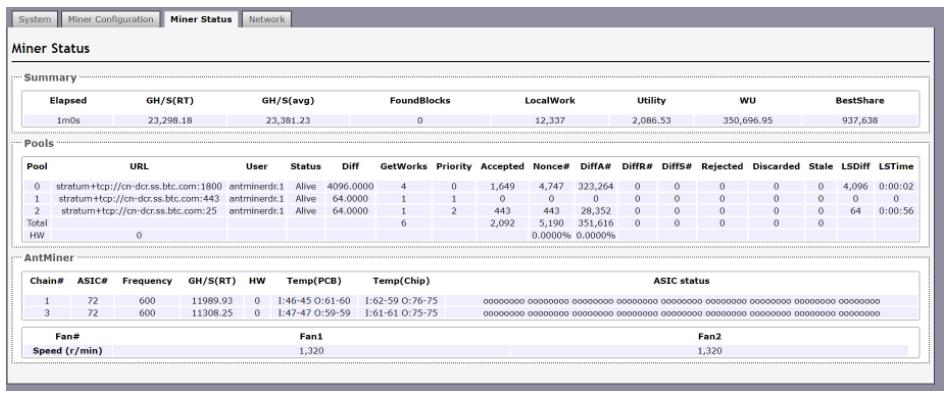
1. Check the following pictures to know the sequence of the hash boards shown in the status of the miner.
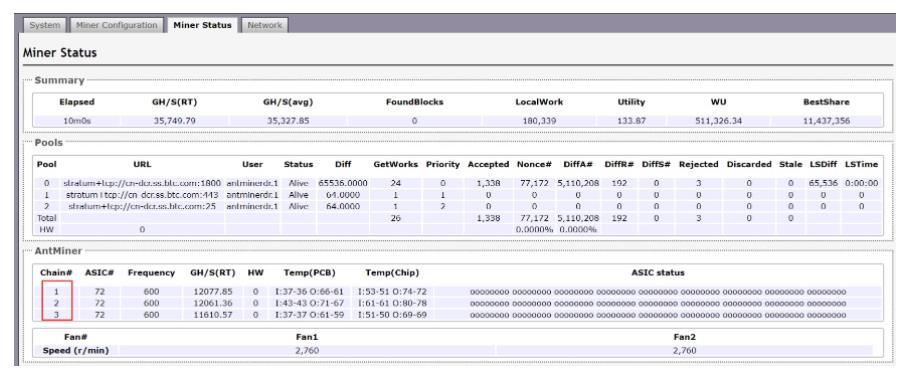
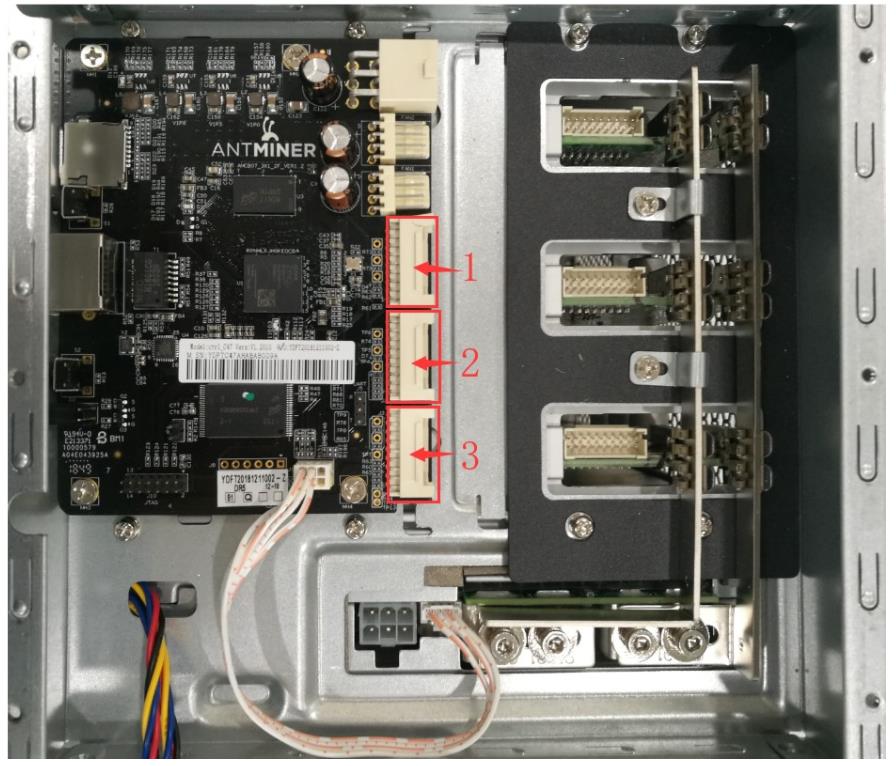
2. You need to know what a good hash board looks like.
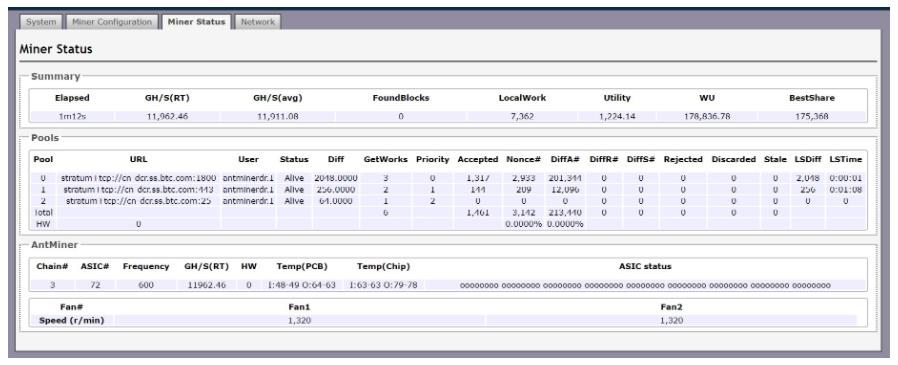
When powering the miner and connecting to one hash board, 72 ASICs can be seen on the miner status interface, and the hash rate is about 11~12T.
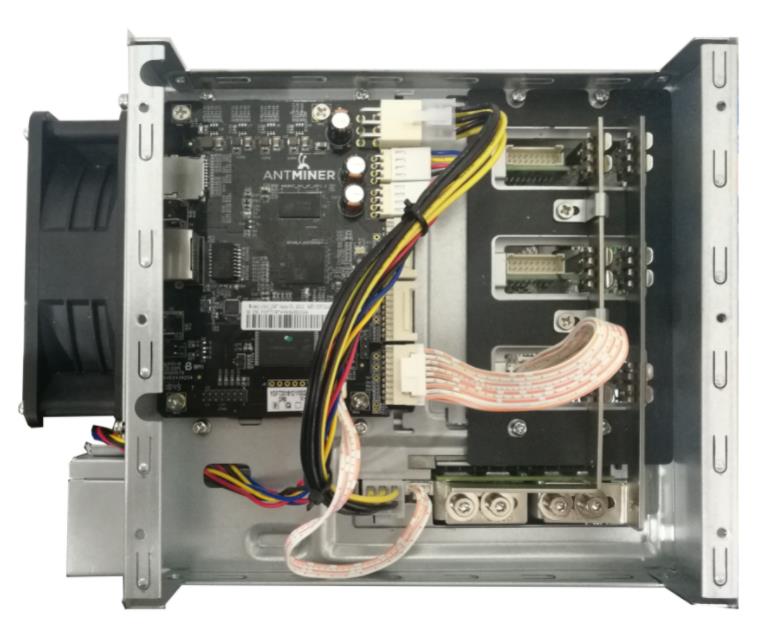
3. Identify the faulty hash board
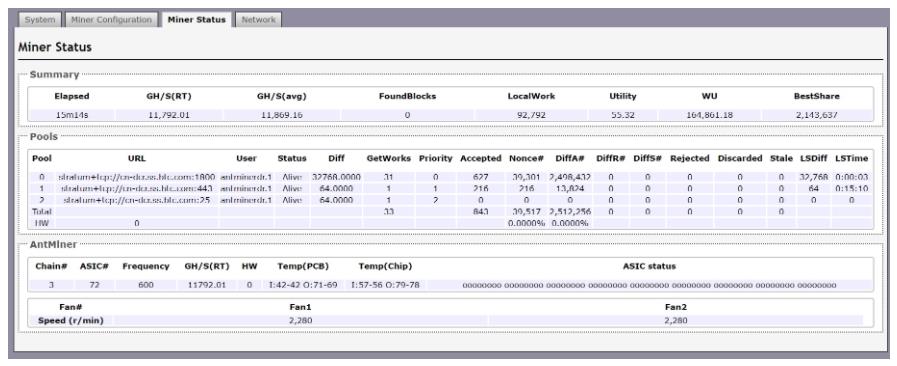
If you see the status of the miner as shown in the figure below,
This means that the second Hash board is malfunctioning. Please follow the instructions below:
(1) Replace the cable.
Turn off the power of the miner and replace the cable connected to the second Hash board. After powering on again, if the status of the miner shows normal, the cable is damaged or the cable is not plugged in before.
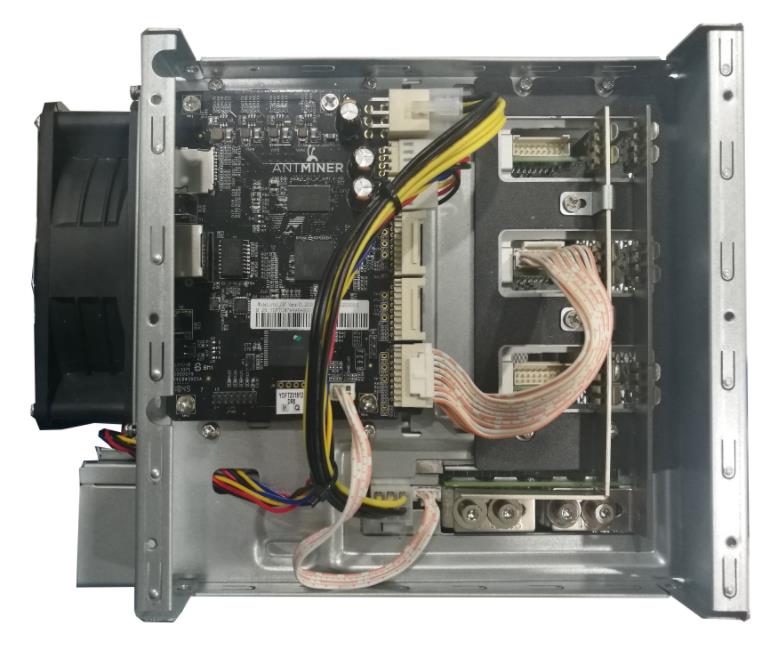
(2) Switch the cable.
Power off the miner and use one of the other two wires to switch, for example, connect the 3rd wire to the 2nd hash board for testing.
If the miner status shows normal, there is a problem with the controller port.
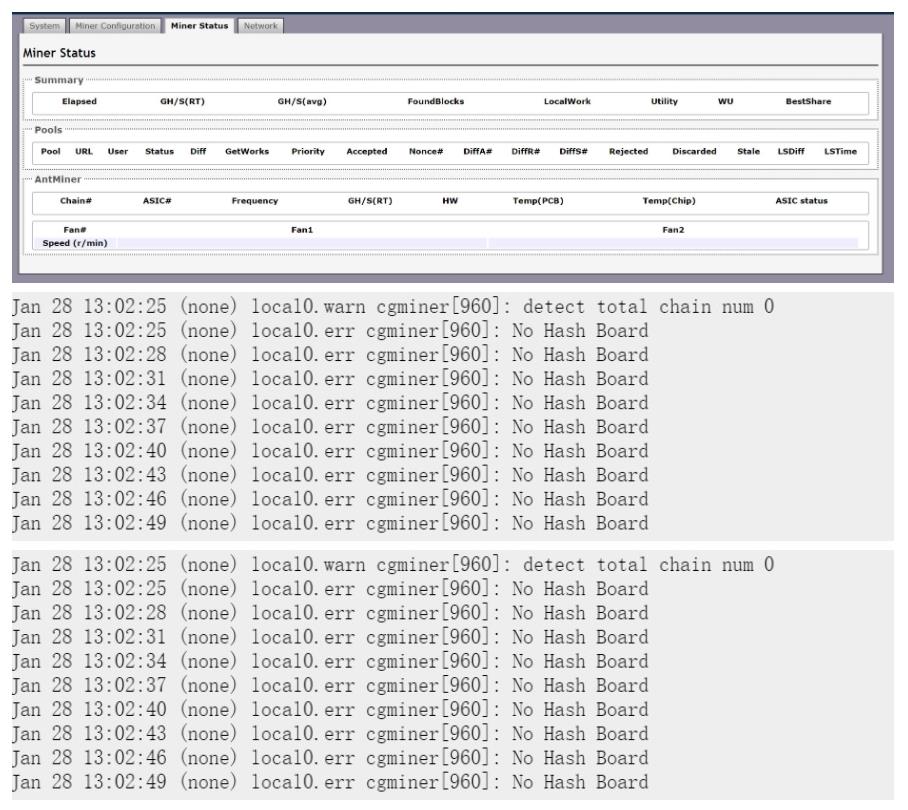
If the miner status shows no hashrate, "xx" or ASIC ≠ 72, the hash board is defective.
When you have detected which part is malfunctioning, please click on Antminer repair tools and parts to select suitable replacement parts.
If you still cannot resolve this issue, please contact us for further assistance.
 China Mainland Hong Kong
  Business Hours: (GMT+8) 08:30-20:00 Mon to Sat
  Company Phone: +86-023-72227777
