

1. Login: https://www.antpool.com/
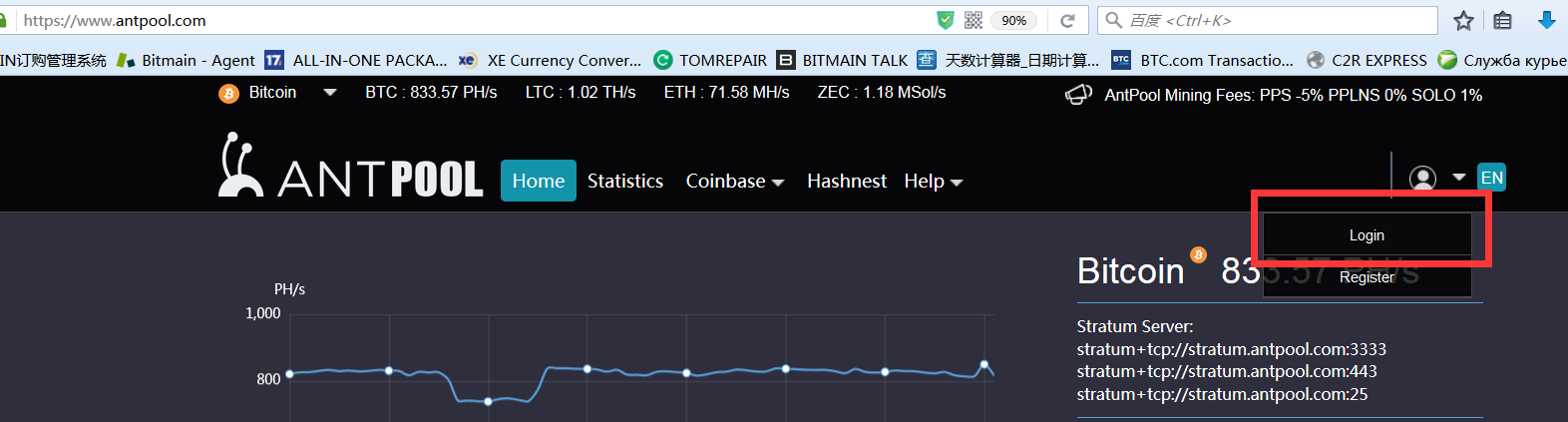
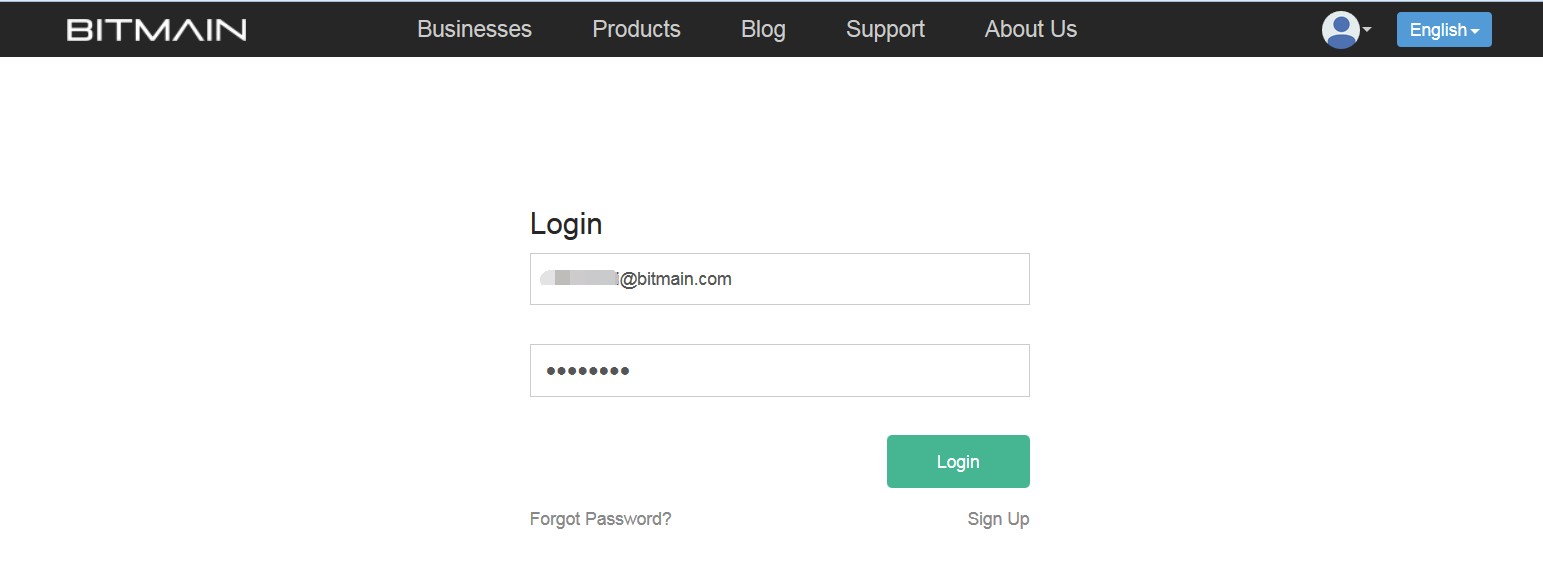
2. Enter your Bitmain.com username and password to log in to the Antpool or register a new account.
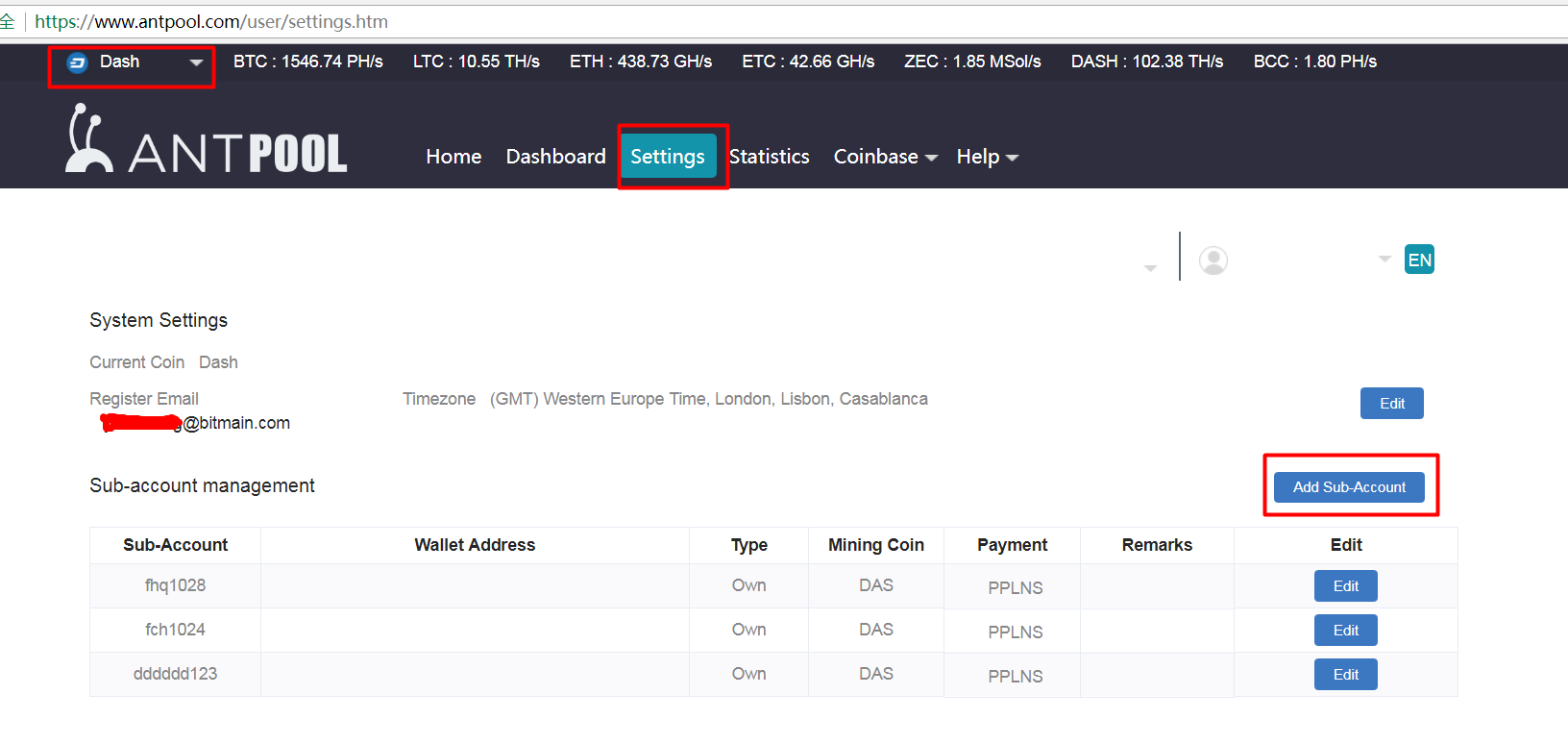
 3. Click the "Dash" at the upper left corner of the page. Go to the "Settings" tab and add a sub-account via the button on the right.
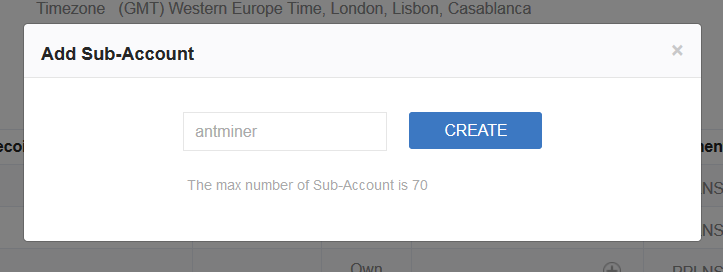
 The sub-account must contain only letters or numbers.
4. Enter the default IP address of the Antminer-enter the login page, enter the user ID: root, password: root.
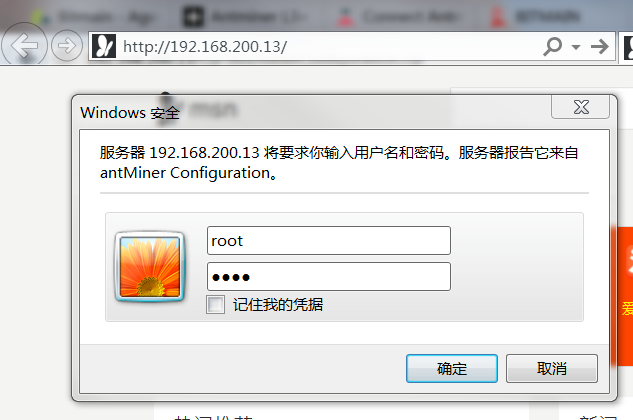
5. Click Miner Configuration to fill in 3 groups of mining pools. If the first group is dead, then it will automatically point to the second group. The following is the configuration of Antpool:
Stratum+tcp://stratum-dash.antpool.com:6099
Stratum+tcp://stratum-dash.antpool.com:443
Stratum+tcp://stratum-dash.antpool.com:25
Worker format: sub-account.miner name
Example: If your sub-account is "antminer," then your miners can be set to antminer.1, antminer_1, antminer.2, etc. The miner order will be sorted by the miner's name.
Password: (Blank). If you change the address in bulk, please fill in as 123.
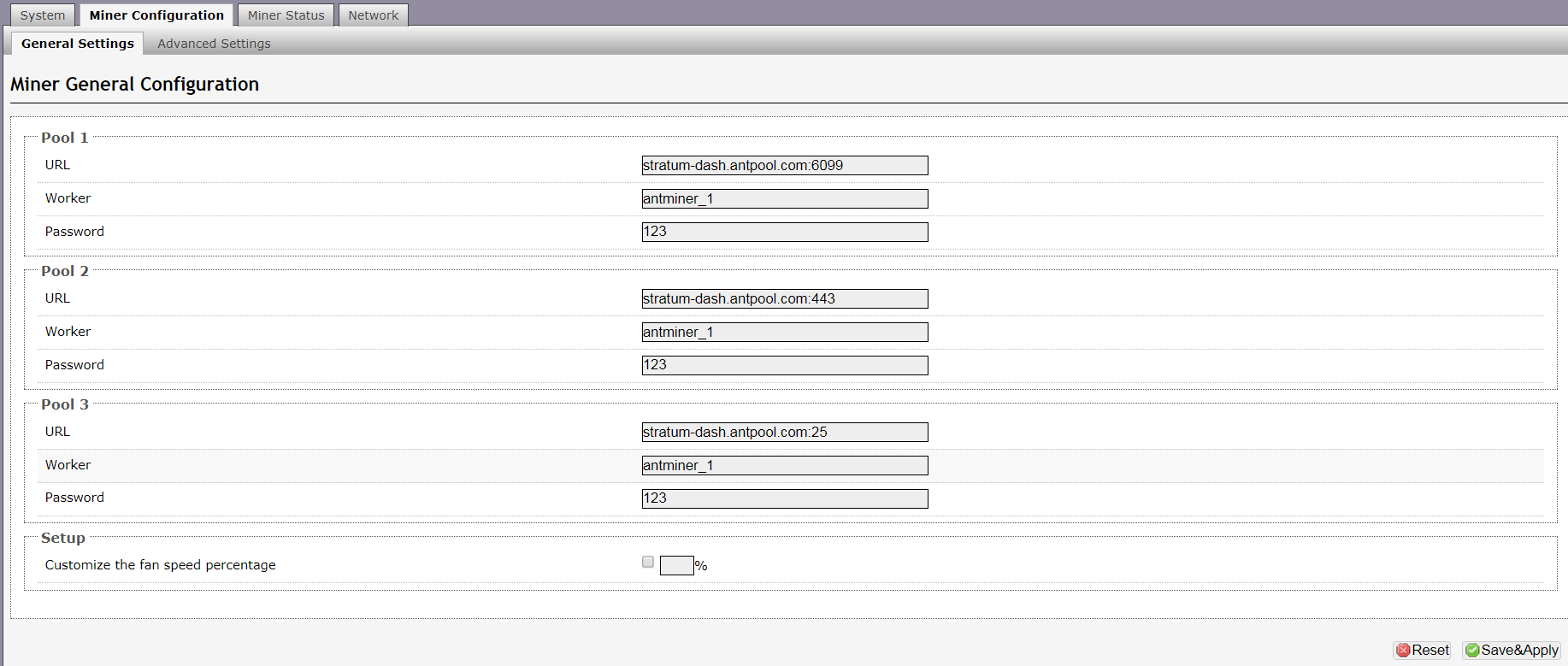 Click Save & Apply to mine, the miners will be restart.
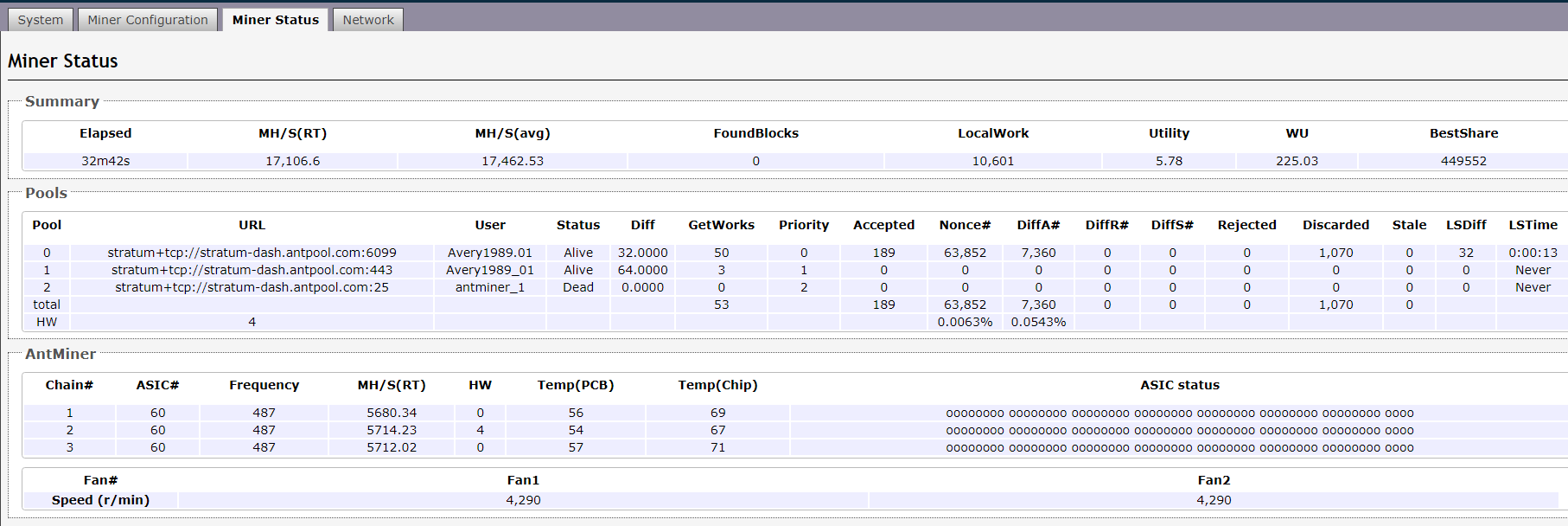
6. Enter the miner state, refresh a few times to prevent a slow response. You can check the speed on this page and confirm whether the miner is working properly.
 China Mainland Hong Kong
  Business Hours: (GMT+8) 08:30-20:00 Mon to Sat
  Company Phone: +86-023-72227777
