

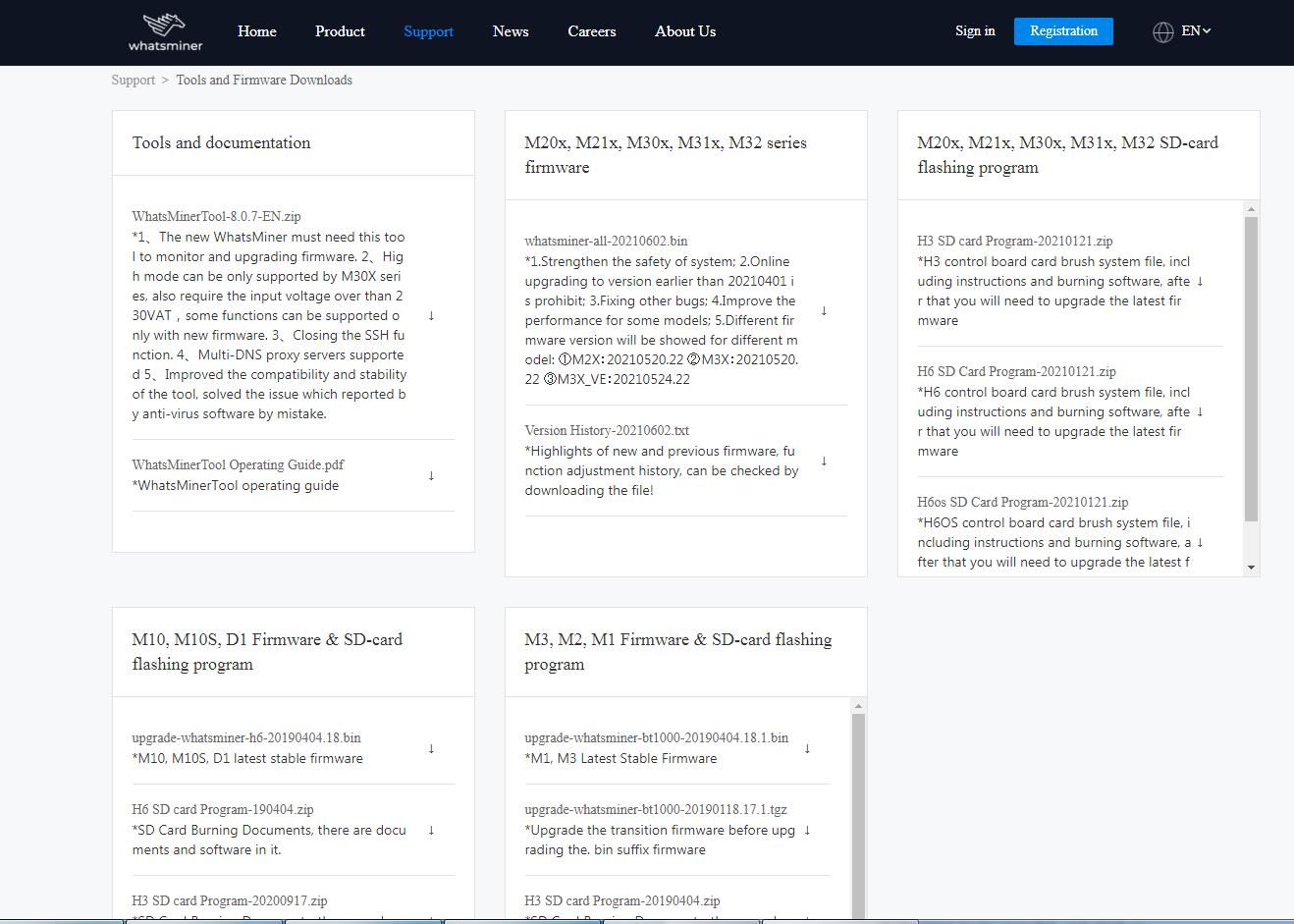
1. Firmware download link
https://www.whatsminer.com/server/firmware.html
Click the firmware download link, and the browser will automatically jump to the firmware download site of the official website, as shown below:
 2. Select firmware files
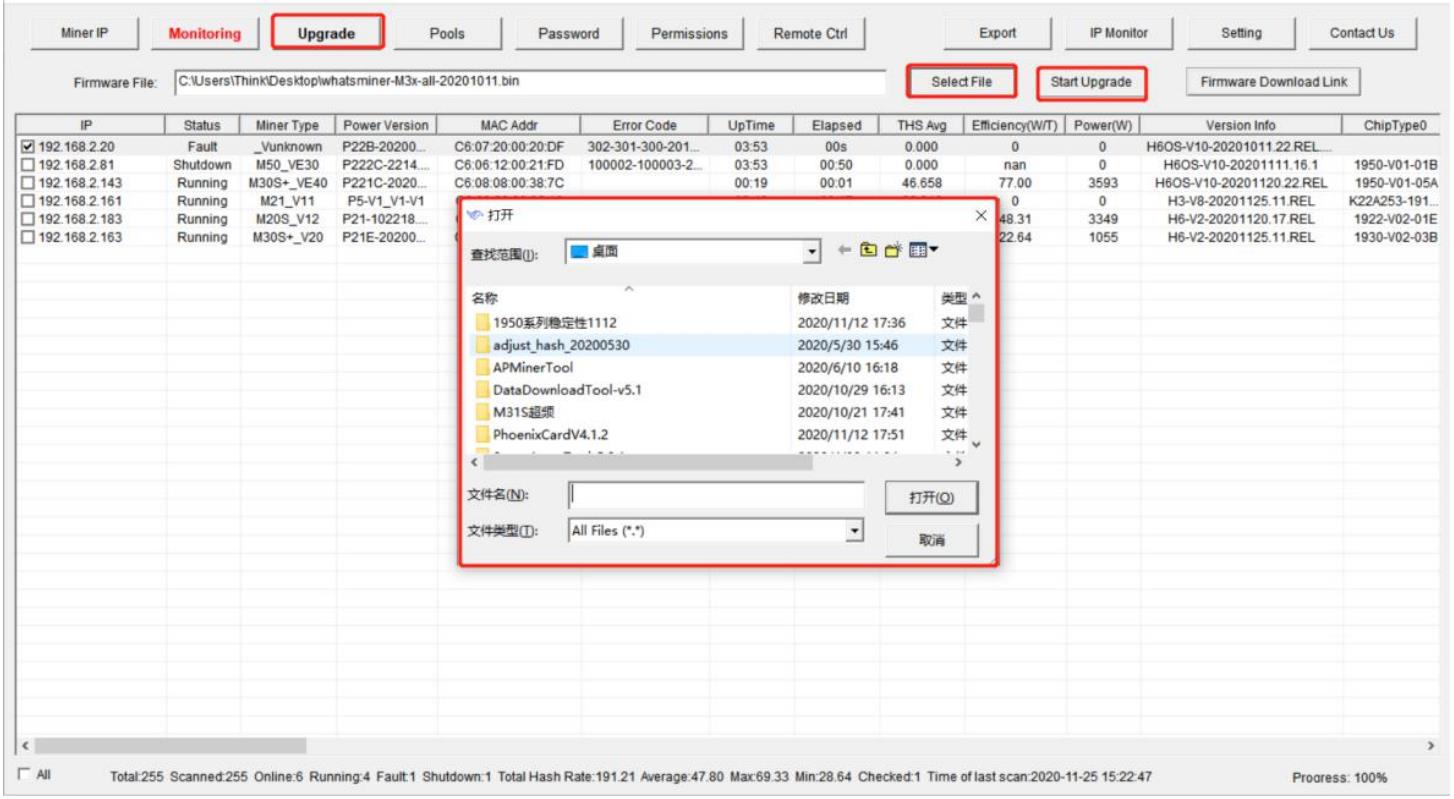
Click on the [Upgrade] button, click on the [Select Firmware] button and select the firmware file to upgrade in the bullet-box displayed, as follows:
 3. Start to upgrade firmware
Select the firmware file, check the IP of the miner to be upgraded, and click on the [Start Upgrade] button to upgrade, as follows:
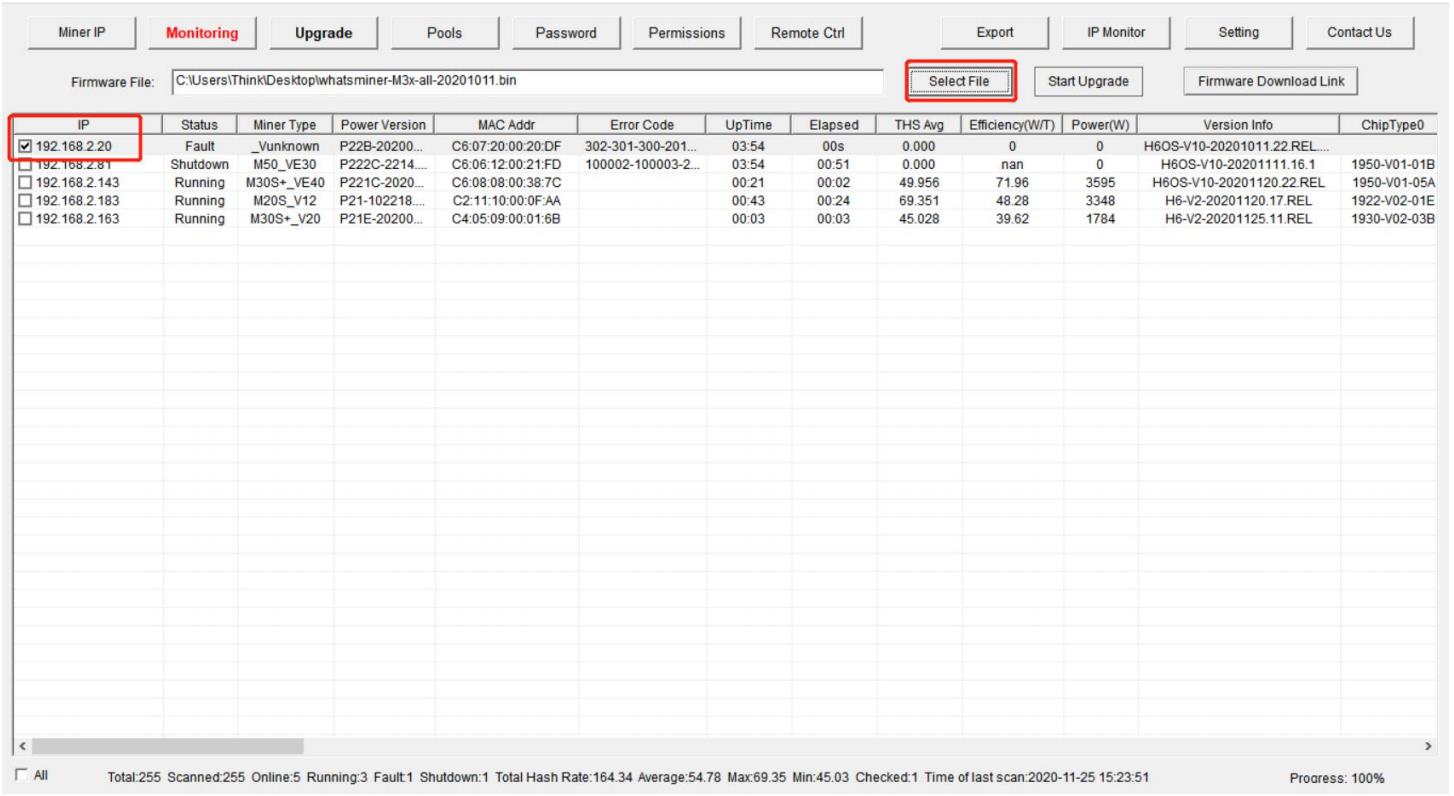 When the dialog box pops up, click the OK button. The status shows "success" and the upgrade is successful; otherwise, it shows "failure".
 China Mainland Hong Kong
  Business Hours: (GMT+8) 08:30-20:00 Mon to Sat
  Company Phone: +86-023-72227777
