

1. Management backstage garbled
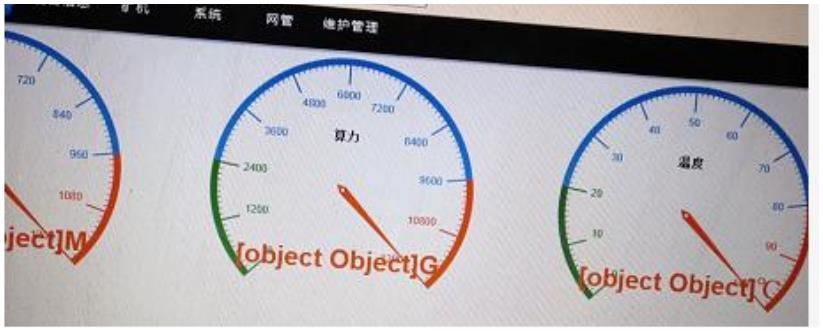
When garbled codes appear in the management backstage, they can be solved by simple device processing, which usually does not affect the hash rate. If you use network management tools to configure the device, it will not affect device management; You can solve it in the following two ways:
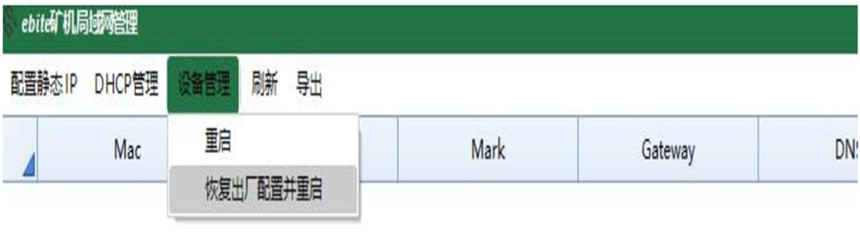
Restore factory settings: It can be restored through "LAN Usage"-"Device Management"-"Restore Factory Settings" in the management software "EbiteMinerMini";
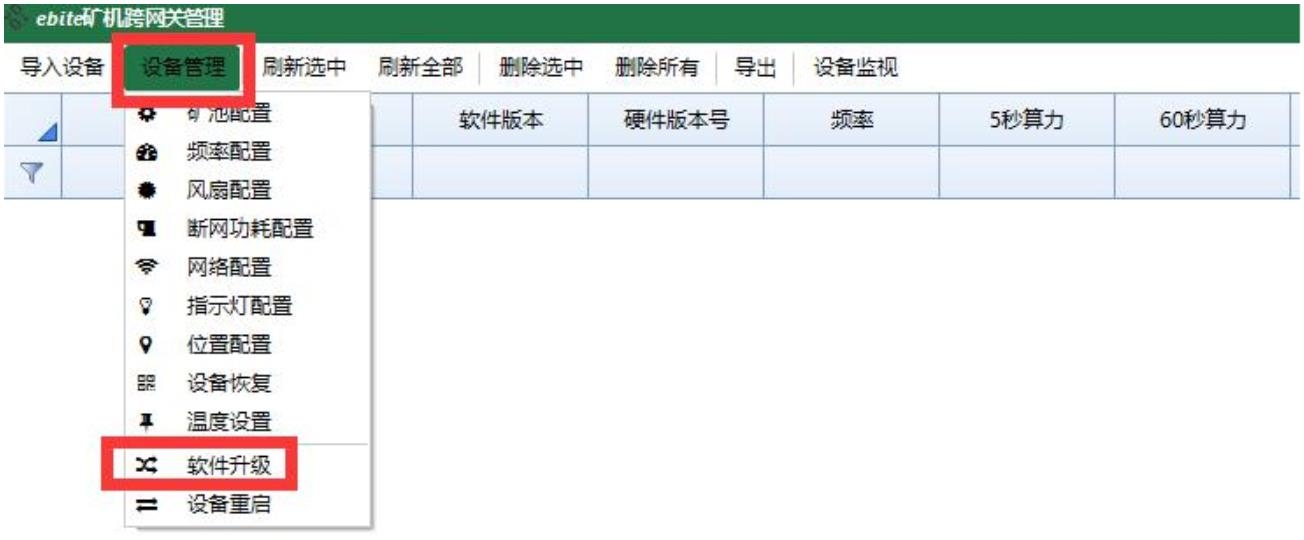
Firmware upgrade: The above processing is invalid. It can be processed by firmware upgrade and can be restored through the management software "EbiteMinerMini"-"Cross-gateway use"-"Device management"-"Software upgrade";
2. Cannot log in to the management backstage

Some customers reported that they could not log in to the miner management backstage normally. Entering the IP address showed that they could not log in. There are generally two situations for this problem:
1. The browser authentication certificate has expired, and the website certificate needs to be updated to restore it.
2. The browser does not support it. Usually, the 360 browsers cannot log in. It is recommended to choose Firefox or the IE browser with the WINDOWS system to log in.
 China Mainland Hong Kong
  Business Hours: (GMT+8) 08:30-20:00 Mon to Sat
  Company Phone: +86-023-72227777
