

First, you need to download the firmware from the official website.
Operation step description:
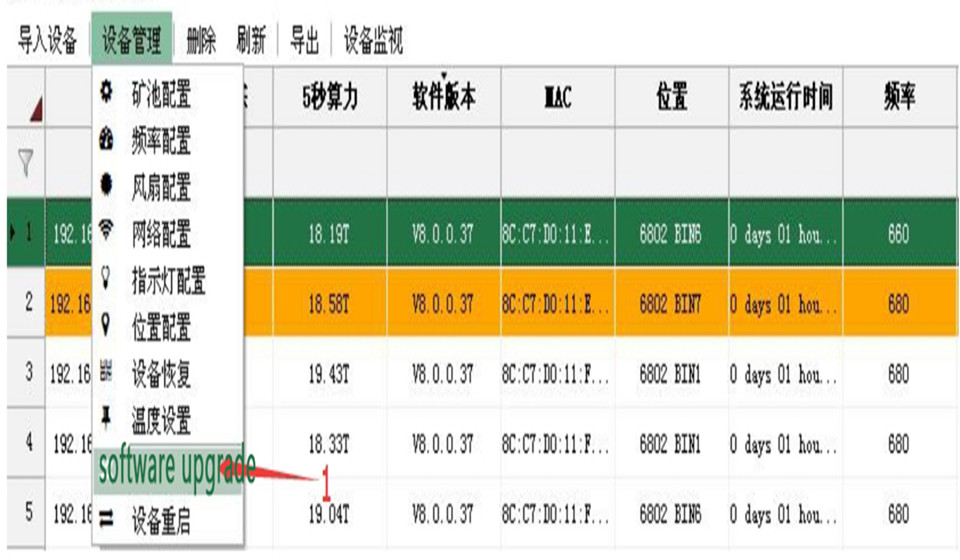
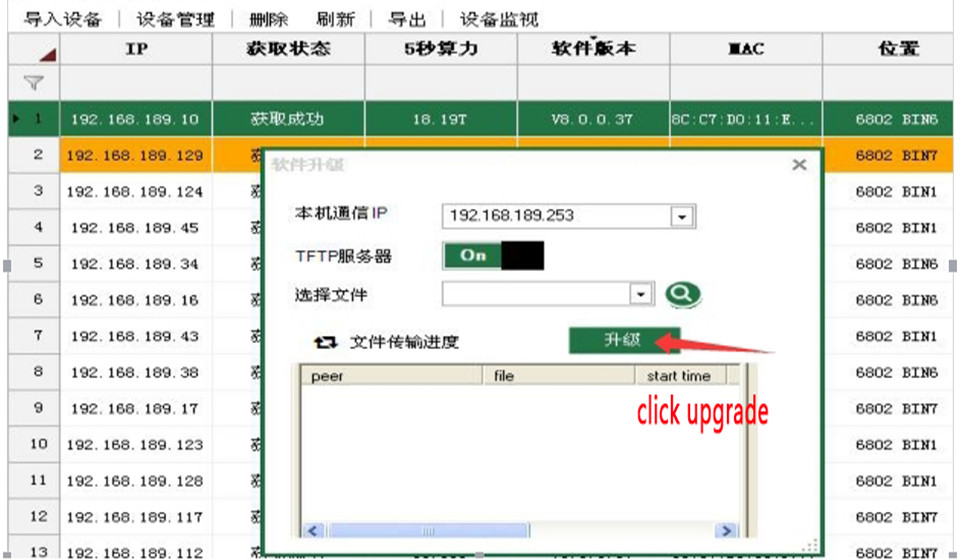
Step 1: After selecting the miner to be upgraded, operate according to the above figure, first click 1 (software upgrade).
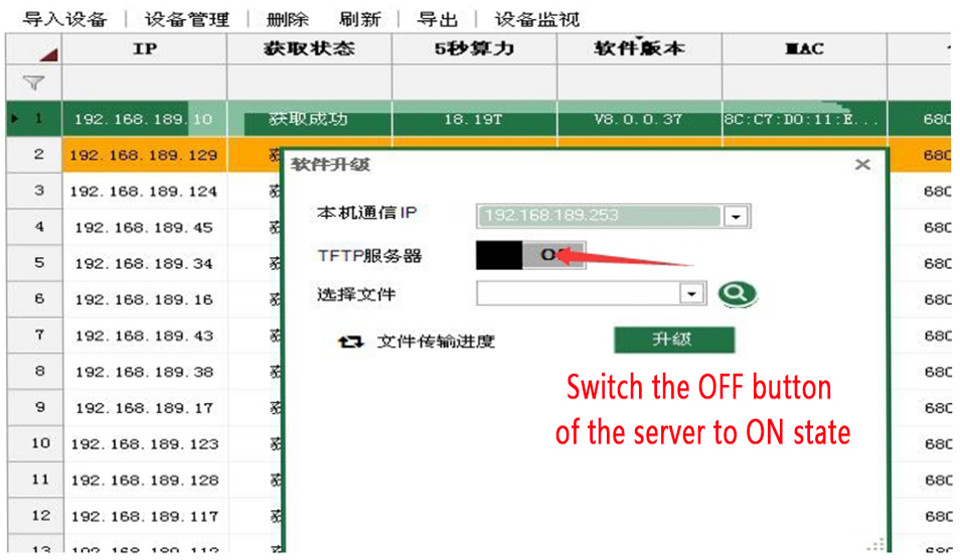
Step 2: After clicking, you will see this interface, and then switch OFF to ON state.
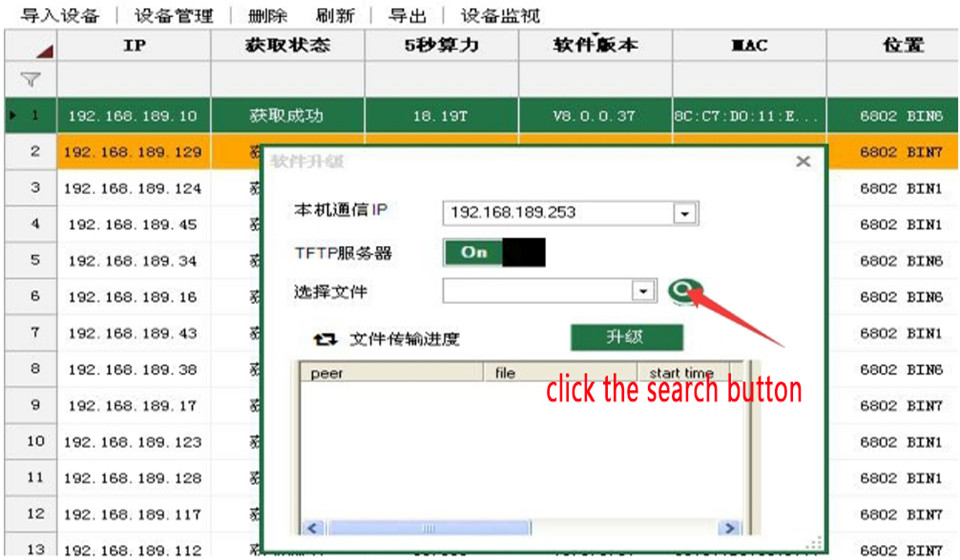
Step 3: After changing to the ON state, click the search button.
Step 4: Then select the firmware to be upgraded.
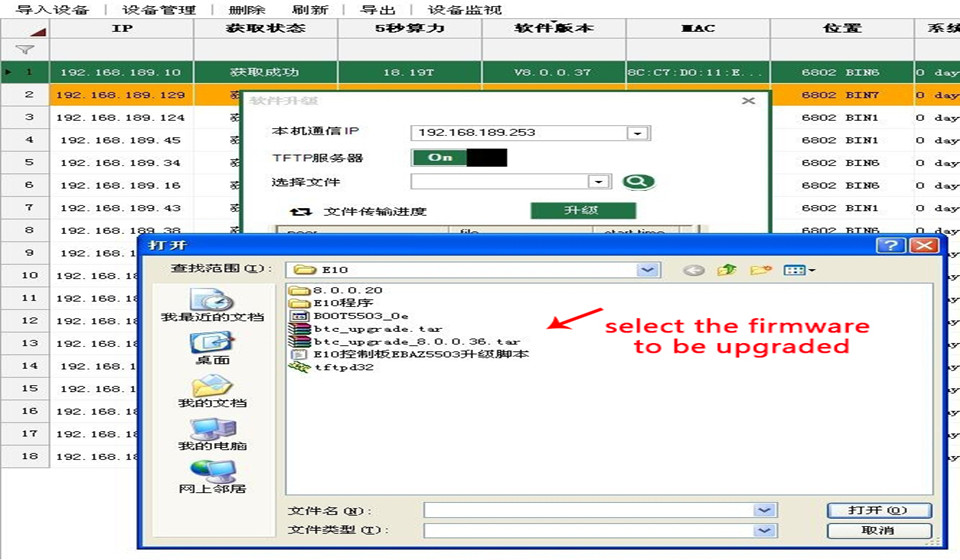
Step 5: After selecting the firmware to be upgraded, click upgrade. After the upgrade is completed, shut down the miner and restart it.
 China Mainland Hong Kong
  Business Hours: (GMT+8) 08:30-20:00 Mon to Sat
  Company Phone: +86-023-72227777
