

When configuring Innoslicon A4, you need to change the IP address of your computer so that you can enter the configuration interface of Innosilicon A4 smoothly. Requirement: To change your computer IP address, you need a computer with Windows 7 or 10. Your Innosilicon A4 miner will need to be connected to the network.
Steps:
Please complete all tasks in the order listed:
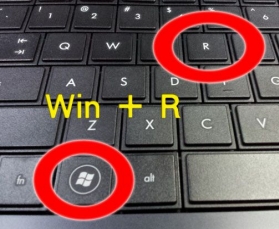
1. Press the button (Windows + R) :
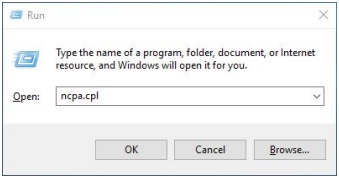
2. Write (ncpa.cpl) in the executer window and press the button (ENTER)
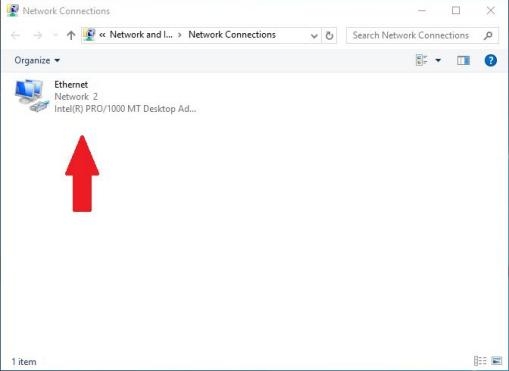
3. Identify your network connection that is active and click the right mouse button on your connection.
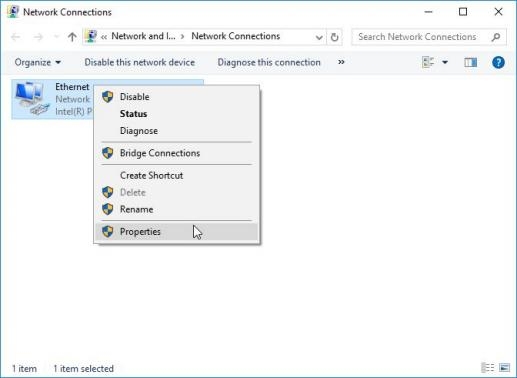
4. Click on (Properties.)
5. Double click on the indicated line: protocol internet version 4 (TCP/IPv4.)
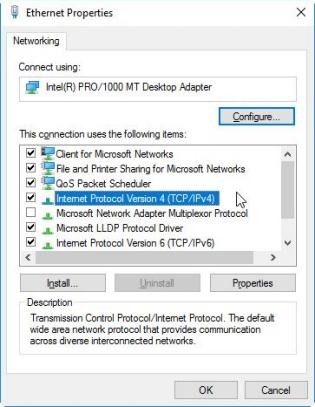
6. If you are using an automatic IP address, change it to 192.168.1.11. Clicking the Subnet Mask check box will automatically become 255.255.255.0
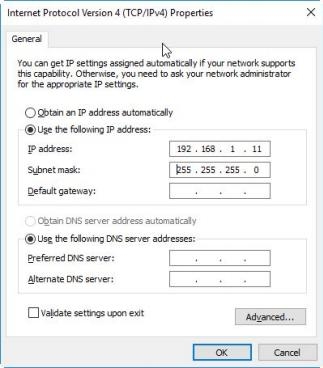
7. Press the OK button twice to confirm the changes.
8. Open your web browser and enter the following address: 192.168.1.
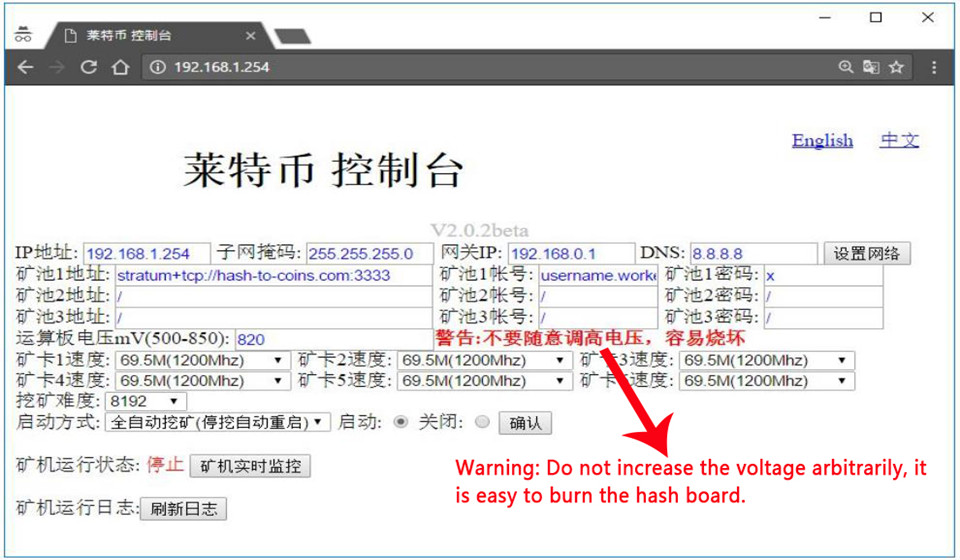
9. Press the button: English.
10. You are now in the configuration interface of your A4 DOMINATOR.
 China Mainland Hong Kong
  Business Hours: (GMT+8) 08:30-20:00 Mon to Sat
  Company Phone: +86-023-72227777
