

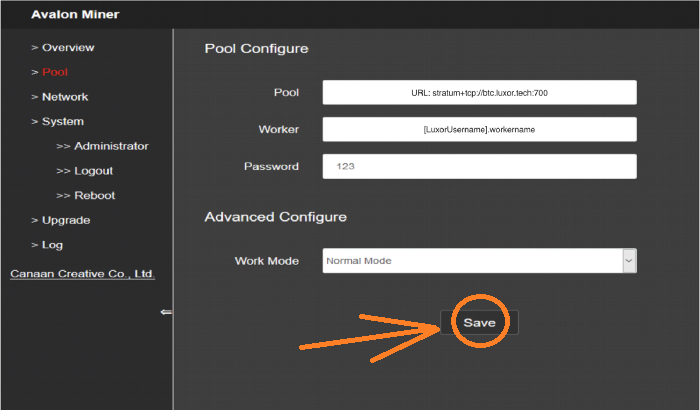
Question: Everything is up and running in the miner, but once I enter the miner backstage and enter the pool and username of the mining pool, I cannot save it. It just enters the default pool attached to the miner, and I cannot change any settings in the miner, so how do I do it?
Solution:
1. Change the mining pool information through the miner app
Download the FMS application on the Avalon official website and change the mining pool information through "Avalon FMS Firmware Upgrade."
2. Refresh the firmware and change the information of the mining pool
Download the mining machine firmware through Avalon's official website, and then change the mining pool information on the dashboard through the browser.
3. Manually enter the mining pool URL in the advanced settings
Is the save button grayed out when you try to save the pool? Or it has no save button at all? You can find it under "Advanced Configuration." If it is grayed out, maybe you need to enter the pool URL before saving the pool information manually.
 China Mainland Hong Kong
  Business Hours: (GMT+8) 08:30-20:00 Mon to Sat
  Company Phone: +86-023-72227777
