

This instruction applies to the Antminer (S9 series) models, and other miner models produced simultaneously can be used as a reference.
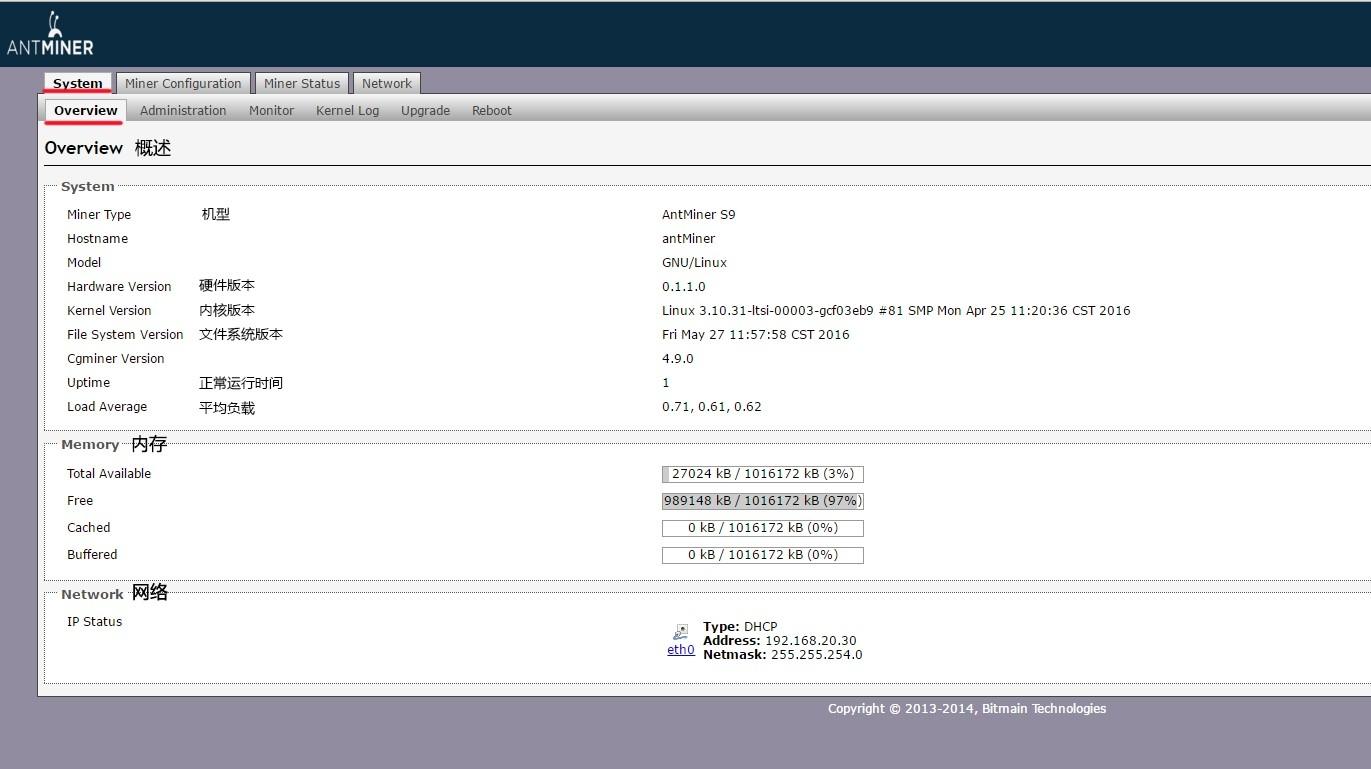
1. Homepage: Here, you can see the model, firmware version (file system version), running time, memory status, network connection, etc.
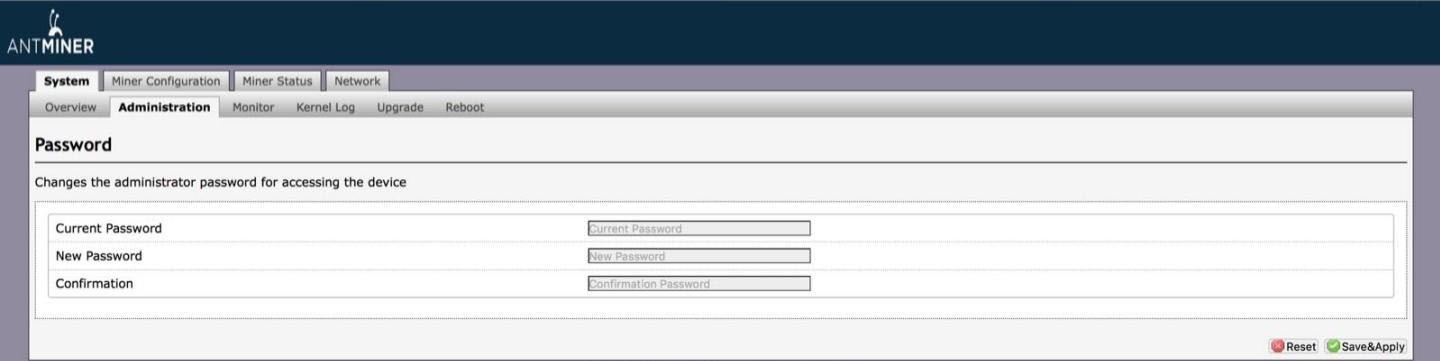
2. Administration: Here, you can modify the login password of the miner; if you forget the password, you can only restore the miner to the factory settings.
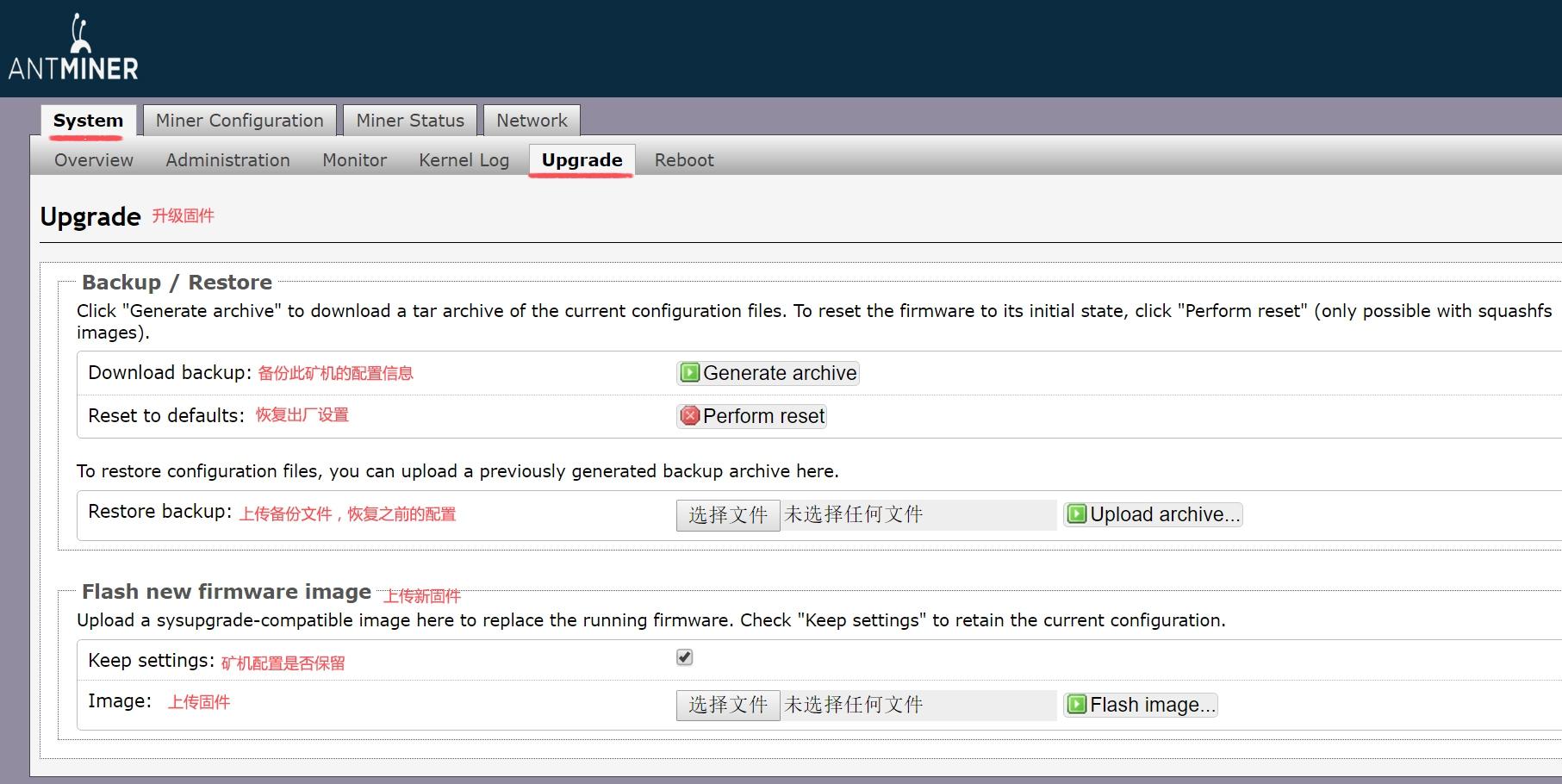
3. Upgrade page: Here, you can upgrade firmware, backup configuration information, restore configuration information, and restore factory settings.
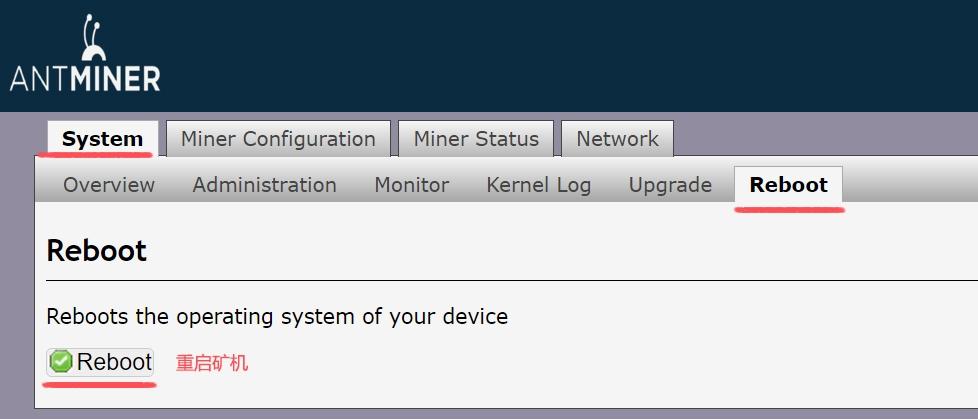
 4. Miner restart, you can soft restart the miner on this page.
5. Here, you can modify the miner’s pool and miner.
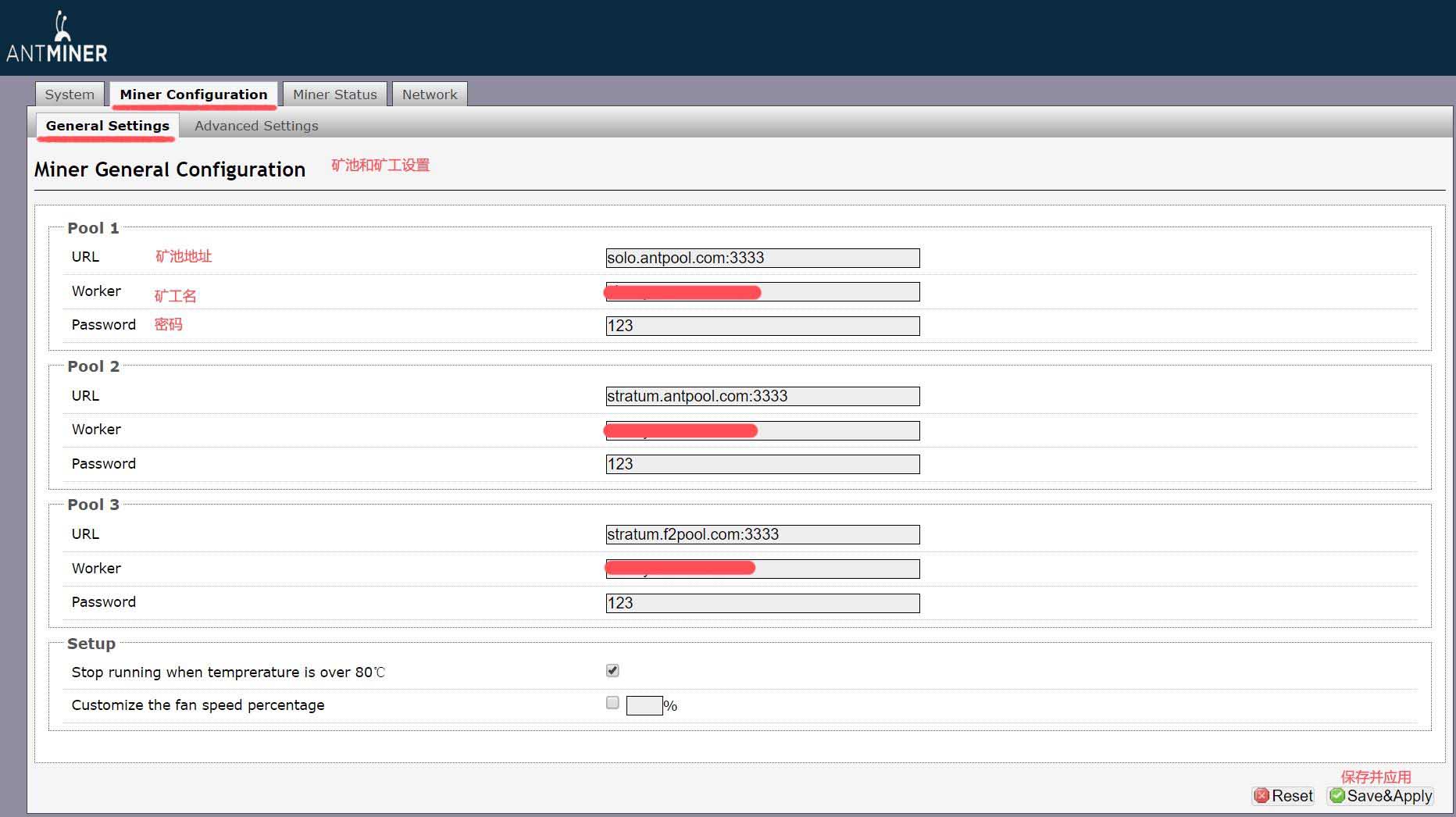
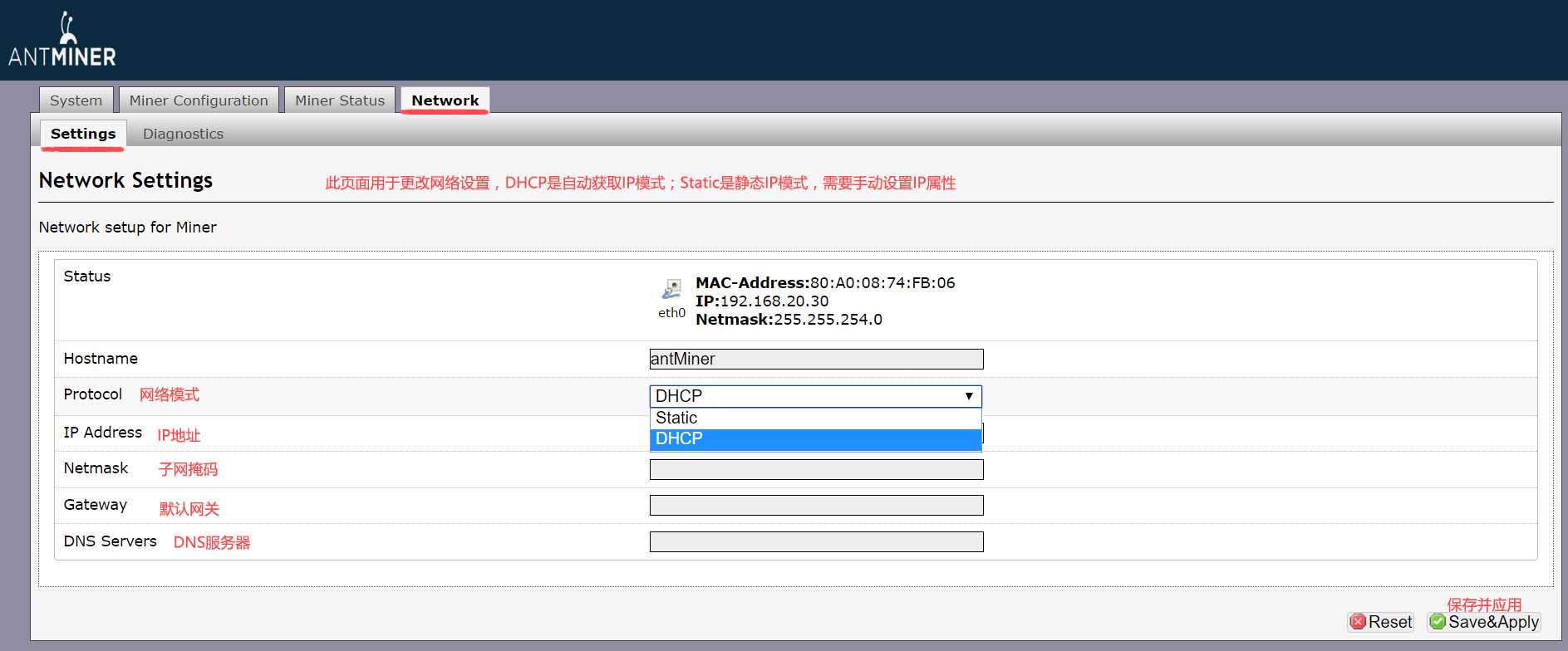
6. Network settings.
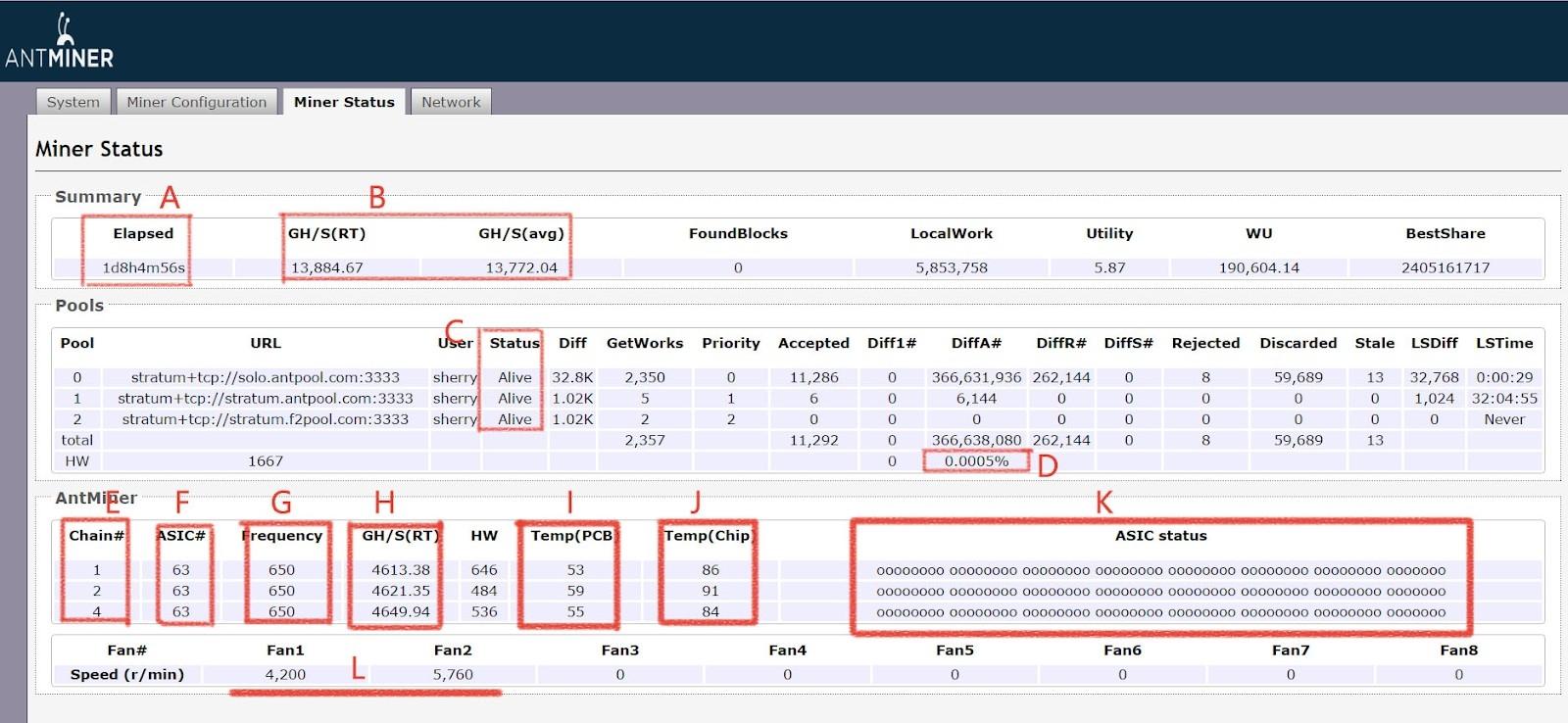
7. Running status
A: Running time
B: Miner hash rate
C: Mining pool status, Alive is connected
D: Error rate
E: Hash board serial number
F: Number of chips
G: Operating frequency
H: The hash rate of a single hash board
I: Hash board temperature
J: Chip temperature
K: Chip status (displaying X or-means there is a problem)
L: Rotation speed of two fans
HW: The number of hardware errors. Ignore this. Just look at the error rate of D, look at the proportion of errors, and don't look at the specific data.
 China Mainland Hong Kong
  Business Hours: (GMT+8) 08:30-20:00 Mon to Sat
  Company Phone: +86-023-72227777
