

If a miner has a low or abnormal hash rate and needs to upgrade the firmware, you can use a batch firmware upgrade;
1. Operation method:
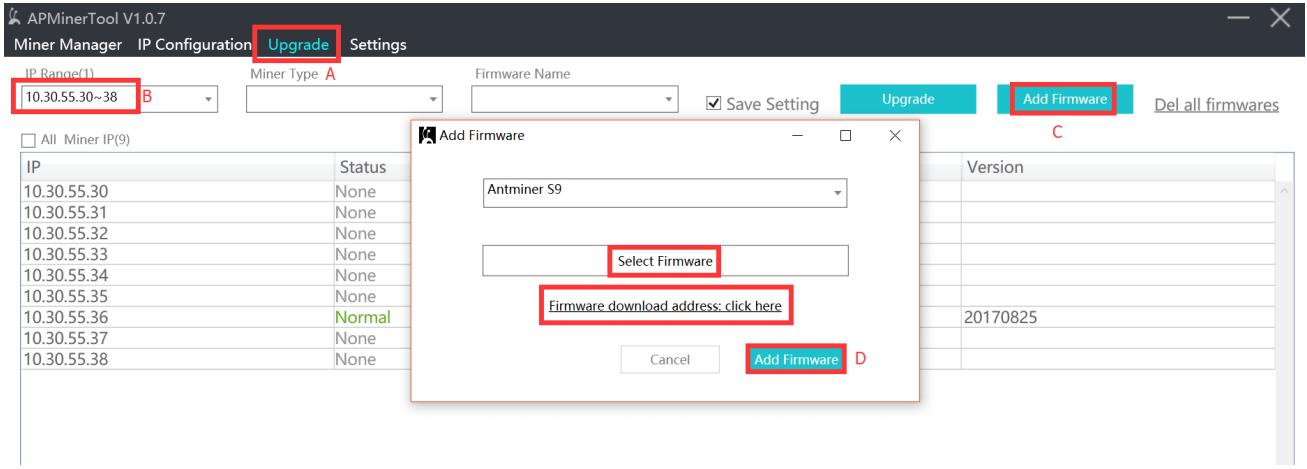
A: Click the "Upgrade Firmware" button;
B: Select the IP segment where the miner to be upgraded is located, and tick √ in front of the miner to be upgraded;
C: Add firmware; if the firmware has not been downloaded, select "Firmware Download Address" to download, and then click "Select Firmware" after downloading; if the firmware has been downloaded, you can directly click "Select Firmware." The firmware does not need to be decompressed; just choose to use it directly;
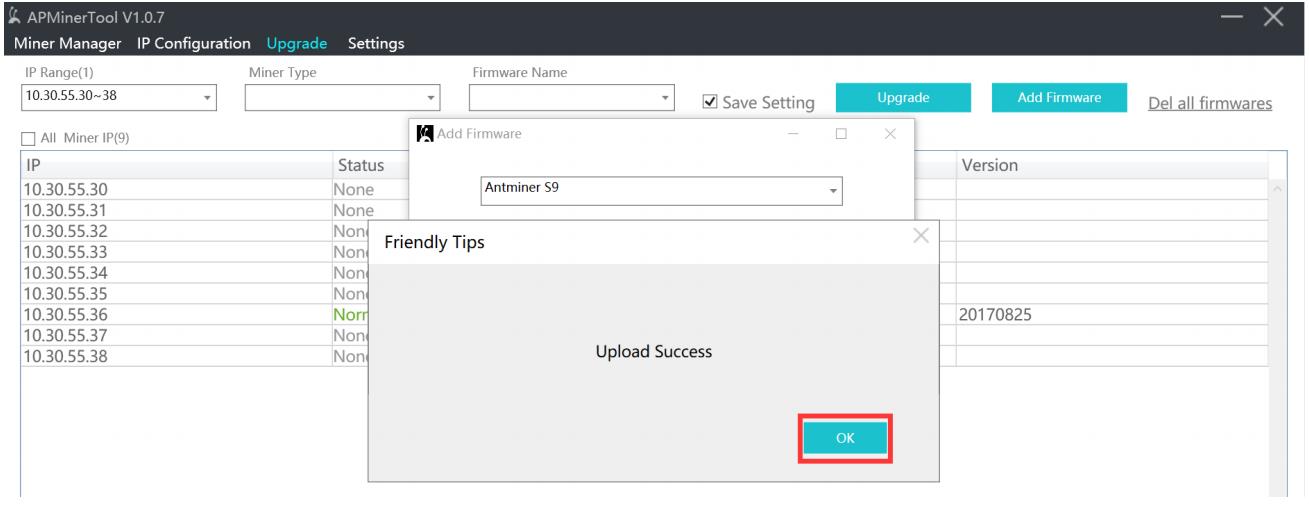
D: Click "Add Firmware," and a pop-up box will prompt "Upload Successful";
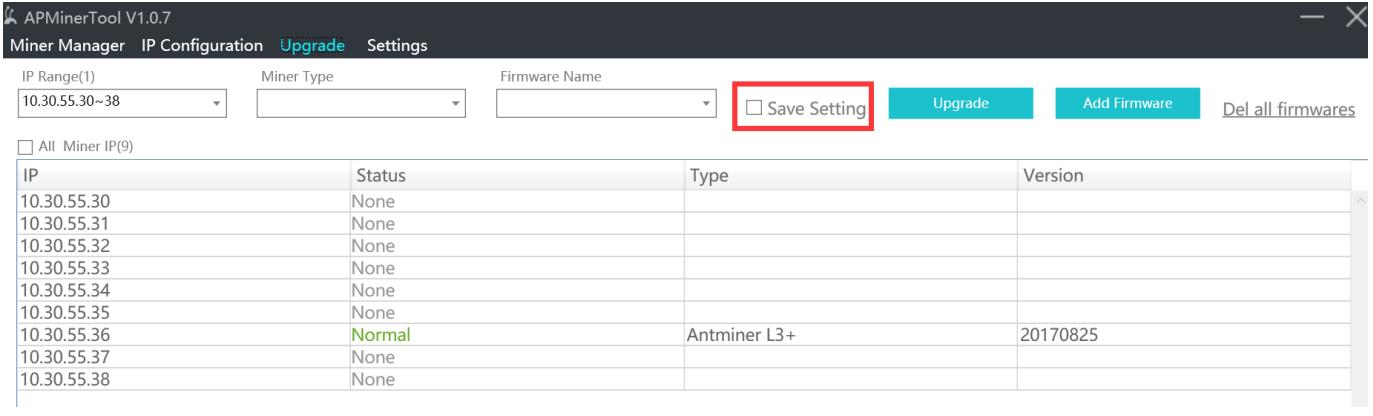
2. If you want to keep the configuration, you can leave the software by default. If you don't want to keep the configuration, you need to remove the √ before "Save setting." Under normal circumstances, the firmware upgrade is without retaining the configuration.
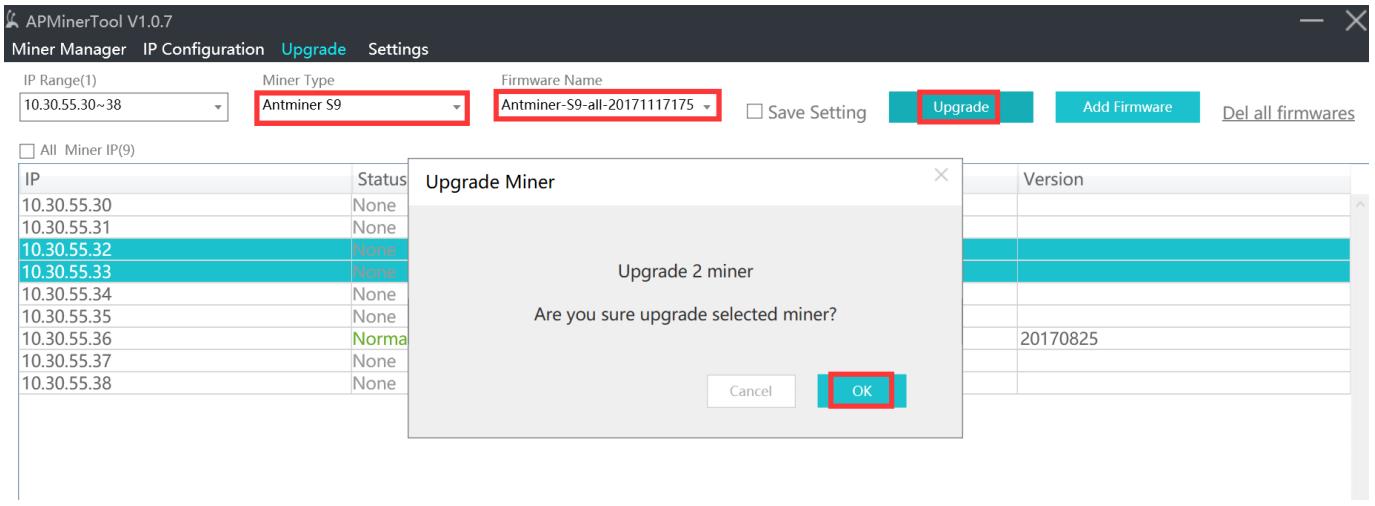
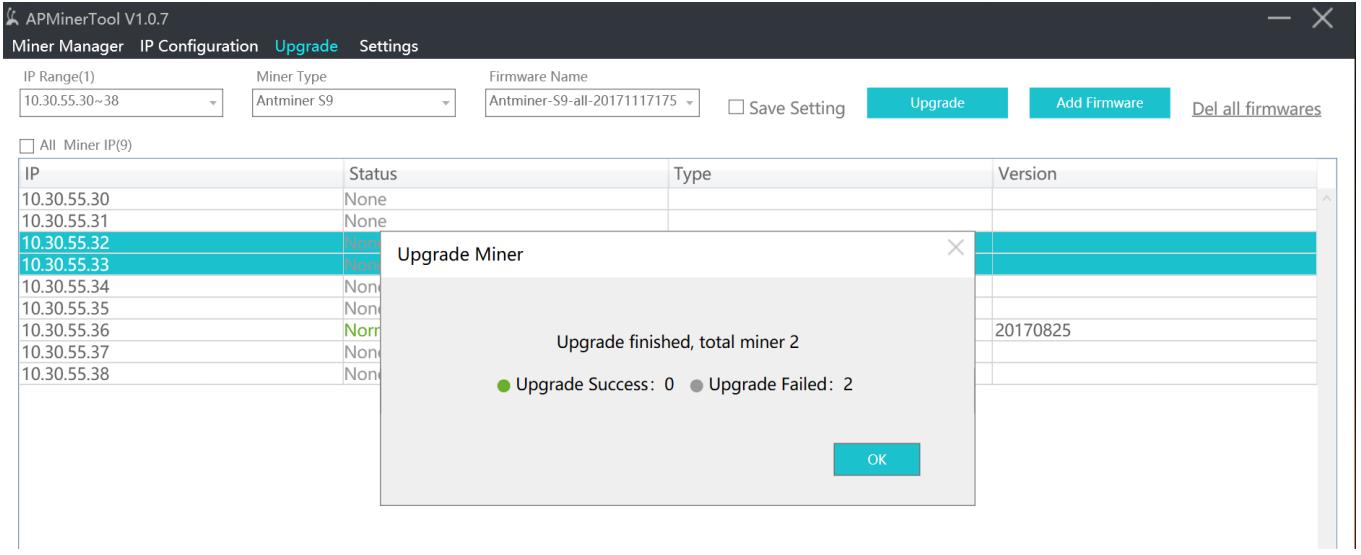
 3. Select the miner type, firmware name, click "Upgrade," a pop-up box will prompt the number of miners to upgrade, confirm the number and click "OK"; the upgrade process will take about 2 minutes, wait for two minutes and a pop-up box will prompt the upgrade success or upgrade result of failure.
 China Mainland Hong Kong
  Business Hours: (GMT+8) 08:30-20:00 Mon to Sat
  Company Phone: +86-023-72227777
