

During the operation of the Antminer S19e XP Hydro ASIC miner, the kernel log reported "chain avg vol drop from 2100 to 2.45". It was detected that there was a problem with the PSU voltage output, and the target set voltage of 21V could not be reached, and it gradually dropped to 2.45V.
(Note: 2100 in the log represents 21V, and 2.45 only represents 2.45v)
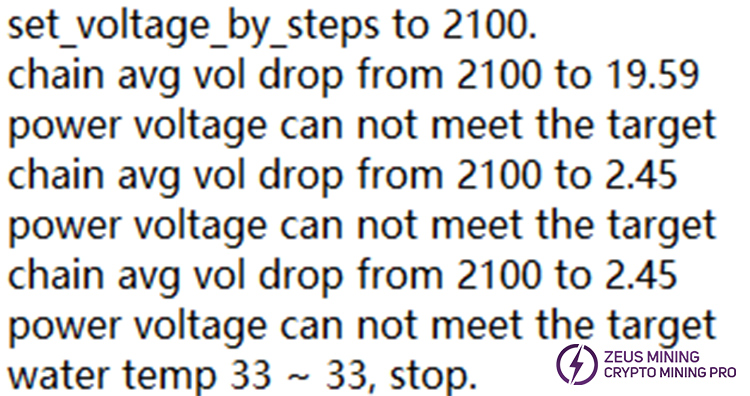
The hash board should show "chain_asic_num 204" in the normal log, that is, each hash board has 204 chips. However, the power supply voltage had an output failure, causing the three hash boards to lose power and report 0 asic. The cause of the power outage needed to be found and resolved before the normal hashrate of the miner could be restored.
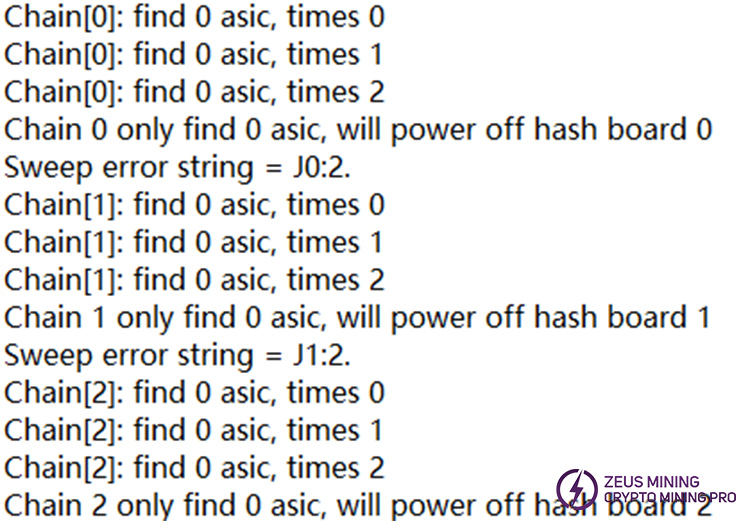
Antminer S19e XP Hydro PSU Troubleshooting:
1. It is recommended to first try flashing the control board firmware via a card to see if it resolves the power supply issue.
a. The first step is to flash the S19 firmware:
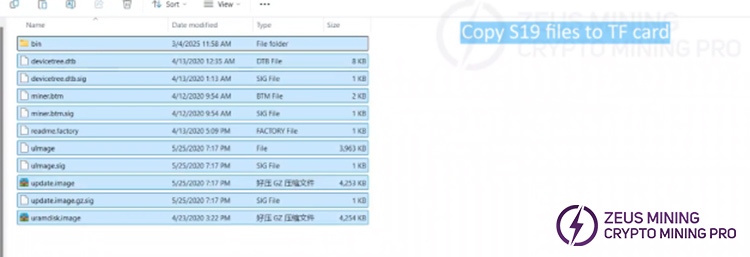
• Format the TF card and copy the S19 firmware to the TF card;
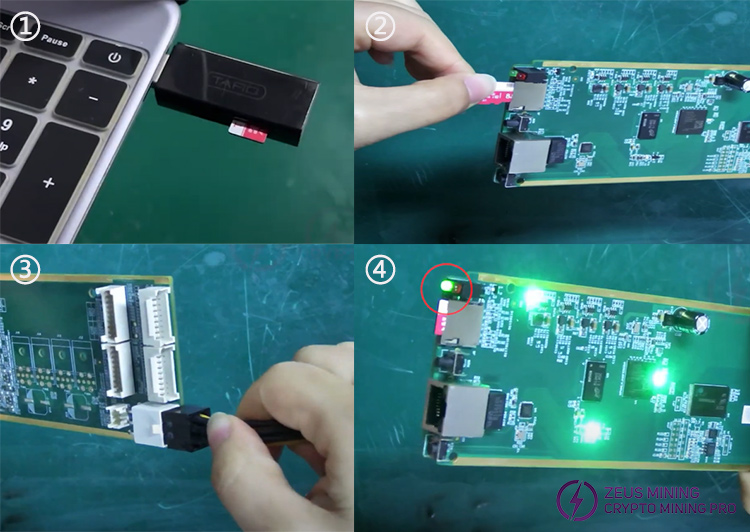
• After copying, remove the TF card, insert it into the control board, and power it on;
• Wait for the control board's indicator lights to turn on until the red light goes off and the green light stays on, indicating that the S19 firmware has been successfully flashed.
b. The second step is to flash the S19e XP Hydro firmware:
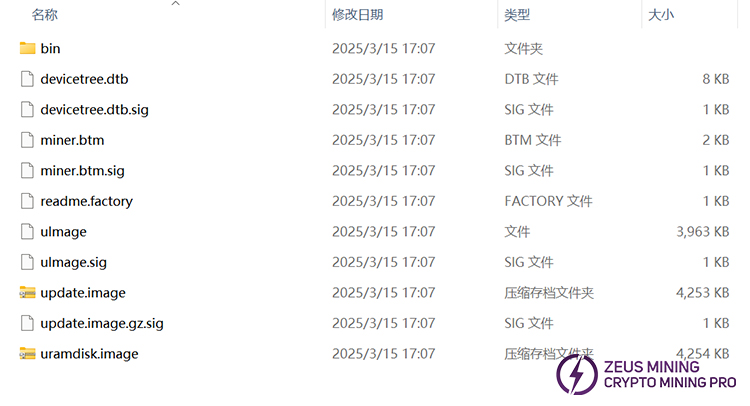
• Format the TF card again and copy the S19e XP Hydro firmware to the TF card;
• After copying the S19e XP Hydro firmware, insert the TF card into the control board and power it on;
• Wait for the control board's indicator lights to turn on until the green light goes off and the red light stays on, indicating that the S19e XP Hydro firmware has been successfully flashed.
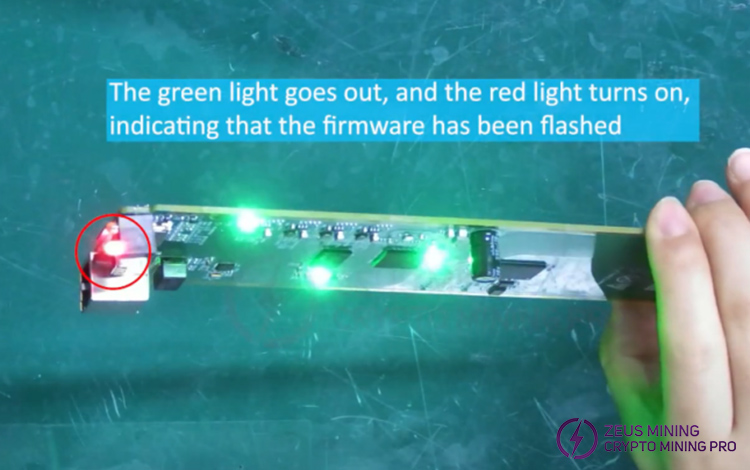
c. The third step is to power on the control board, connect the network cable, and open the BTC software on our computer. (Note: The network of the computer and the control board must be the same.) Click "Scan" and wait for about 10 seconds to locate the current control board. If the miner type displayed is "Antminer S19e XP Hydro," it indicates that the control board firmware has been successfully flashed.
Reference video:
2. If the logs still report a power supply issue after flashing the control board firmware, continue troubleshooting by checking the voltage adjustment cable to see if it is damaged or loose, which may cause the PSU to fail to output voltage. If the voltage adjustment cable is found to be faulty, it is recommended to remove it from the connection points on the control board and PSU, and replace it with a new 4-pin voltage regulation cable.
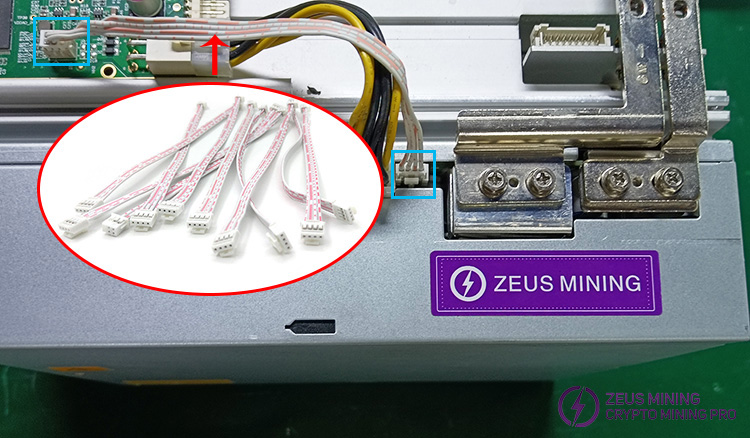
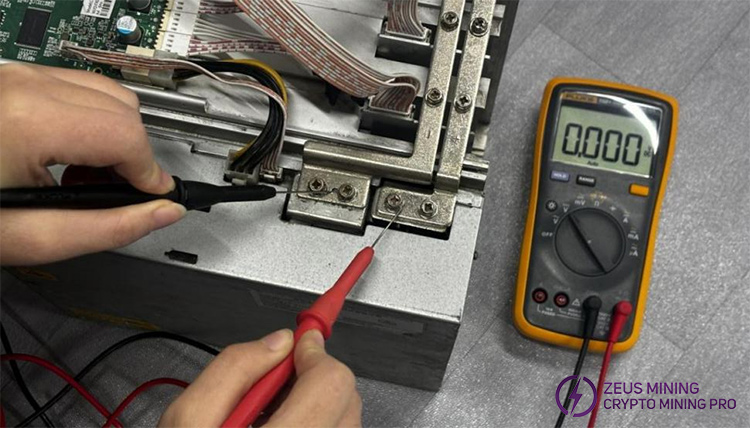
3. If the issue persists after replacing the 4-pin voltage regulation cable, please power on the miner again. As shown in the reference image below, place the red/black probes of the multimeter on the positive/negative terminals of the conductive copper strip, respectively, and check whether the power supply output voltage reaches 21V.
4. If the voltage output remains abnormal, it indicates that the PSU may be damaged and requires repair. If the damage is severe and cannot be successfully repaired, it is recommended to replace the APW11 power supply.
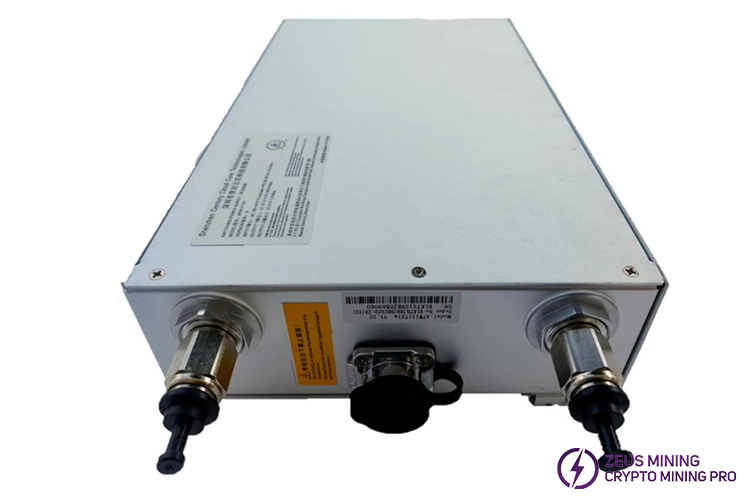
Based on the above content, we have conducted a step-by-step troubleshooting of the Antminer S19e XP Hydro power supply voltage output failure to help users solve the problem and keep the water-cooled ASIC miners running normally.
 China Mainland Hong Kong
  Business Hours: (GMT+8) 08:30-20:00 Mon to Sat
  Company Phone: +86-023-72227777
