

Antminer S19 Pro+ Hydro miner suddenly shows a hash rate of 0GH/s? This is undoubtedly one of the most undesirable situations for miners, which means that the hash rate income is completely stagnant. As a high-performance hydro model, the reasons for the zero hash rate failure involve many aspects, including problems common to other air-cooled miners and risk points unique to its water cooling system. This article aims to explain the systematic troubleshooting ideas to help you quickly identify the root cause of the problem and take corresponding measures to get your S19 Pro+ Hydro miner back on the hashrate battlefield as soon as possible.
Fault status analysis
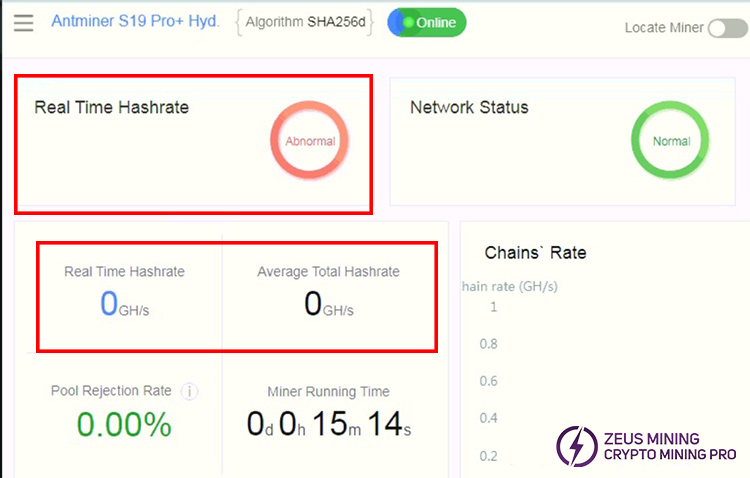
1. Enter the Antminer S19 Pro+ Hydro background management interface. It shows that it has been running for 15 minutes, and the network status and miner temperature are normal. The miner's complete hash rate should be approximately 198TH/s, however, the real-time hash rate is abnormal and displayed as zero.
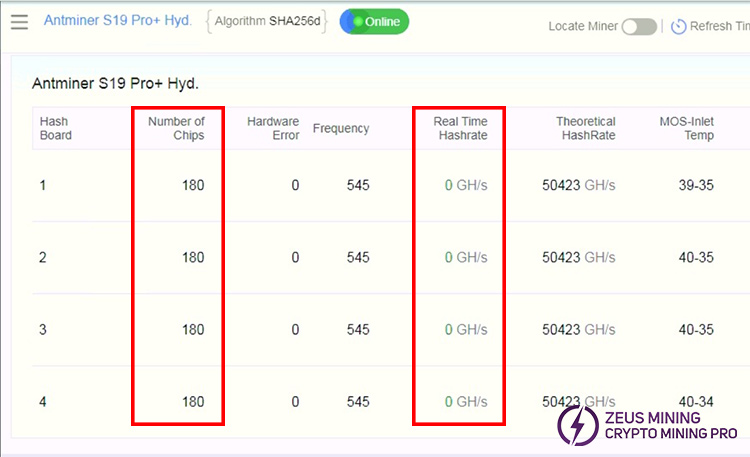
2. As shown in the figure below, the management interface shows 4 complete hash boards. Each board has 180 asic chips detected and is in the normal state. The theoretical hash rate of the board should be 50423GH/s. The actual hash data is 0GH/s.
Step by step troubleshooting and repair
1. Use the diode position of the multimeter to check whether the 5 MOS tubes on the hash board are damaged.
• First, turn off the power of the miner, remove the miner shell, take out all the hash boards, check and repair them one by one.
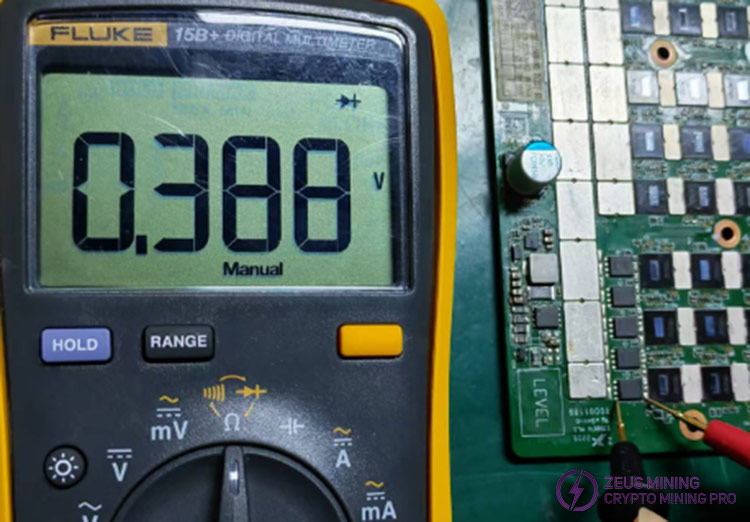
• The meter test pen measures the S and D poles of the MOS tube. The reading is between 150-750, as shown in the figure below, which is normal. Otherwise, it means that the MOS tube is damaged and needs to be replaced.
2. Check whether the ground value of the LDO chip is normal
• If the DS value of the MOS tube is normal, continue to detect the ground value of each domain LDO chip.
• There will be two 1.2V and 0.8V ground capacitors next to each domain ASIC chip on the front of the hash board. The troubleshooting sequence begins with the last domain and proceeds to the first domain.
• According to the operation in the figure below, place the red pen on the negative pole of the domain and the black pen on the end of the capacitor with voltage (the other end is grounded). The ground value is determined based on the normal hash board value results.
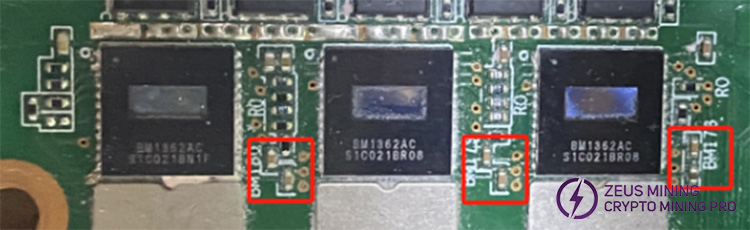
• For example: When the 0.8V ground capacitor of the 58th domain is abnormal, remove the 0.8V LDO chip of the 58th domain. Then, retest the value of the ground capacitor in the 58th domain to check for any abnormalities. If it returns to normal, replace the 0.8V LDO chip.
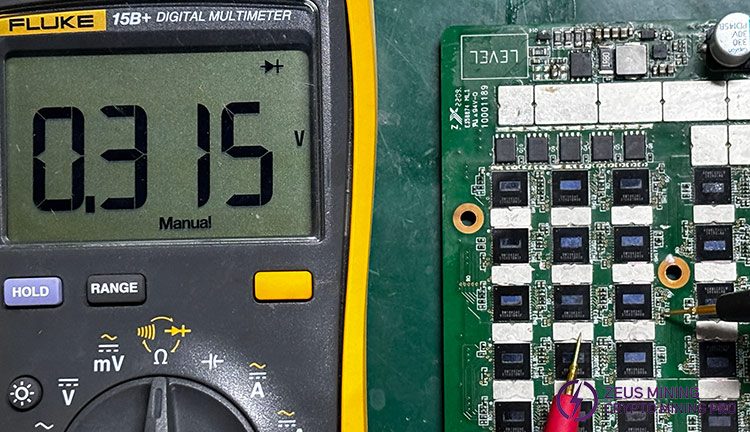
• If the ground value is still abnormal. Then set the temperature of the hot air gun to about 400°C and the wind speed to 40. Remove the 173th ASIC chip of the 58th domain. Please wait for the pad to cool, and then clean it with a circuit cleaning agent.
• Test the value of the ground capacitor again to see if it returns to its normal value. If it returns to normal. It means that the 173th ASIC chip is faulty and can be repaired by directly replacing the fault.
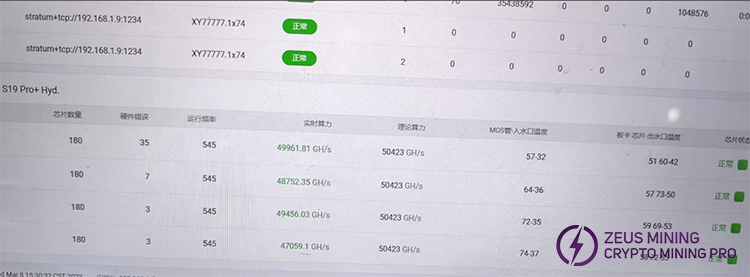
According to the above troubleshooting guide, the Antminer S19 pro+ hydro miner can resume regular operation. ZEUS MINING continues to provide Antminer troubleshooting articles to help both new and experienced users solve various problems. Please stay tuned to restore your mining equipment to regular operation and extend its service life.
 China Mainland Hong Kong
  Business Hours: (GMT+8) 08:30-20:00 Mon to Sat
  Company Phone: +86-023-72227777
