

How to solve Antminer S9 firmware upgrade failed and recover the firmware download?
During the operation of the miner, the hash rate will appear low, or the operation will be unstable.
For example, no data in the background:
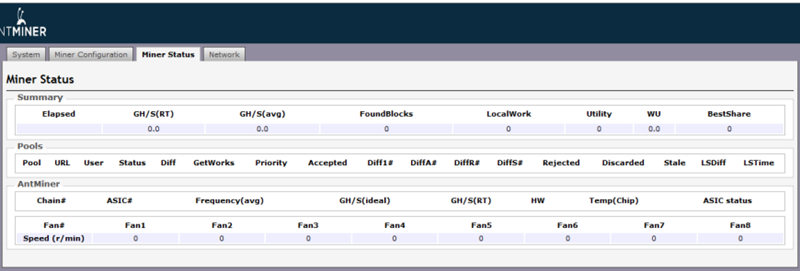
Low hash rate or no hash rate:
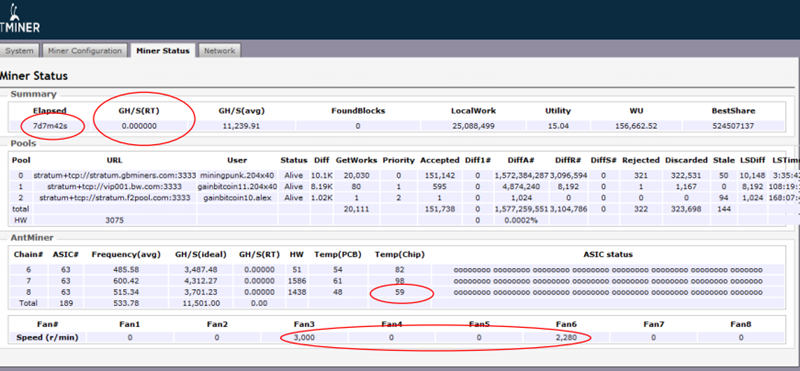
Hashboard error rate is too high:
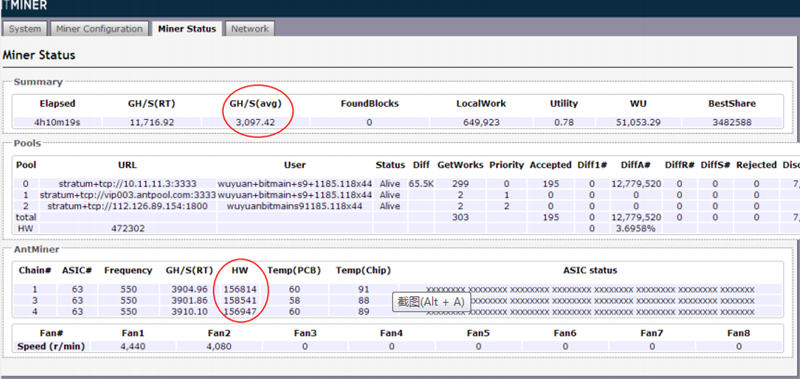
These faults can usually be solved by upgrading the firmware. However, errors may also occur during the upgrade process.
For example, the firmware upgrade may fail, rendering the miner unusable and unable to be updated again.
In this case, we need a mandatory recovery control board.
Most miners need to remove the control board to perform mandatory repairs. It requires the lowest level of firmware to recover.
Taking Antminer S9 as an example, we provide a method to download and restore the original firmware:
First, we need to download the recovery firmware program. Download link:
S9 downgrade recovery firmware
What we need to do next is:
1: Remove the control panel of the mining machine.
2: Transfer the "j4" beside the TF card slot to another pin.
3: Unzip the downloaded firmware package and copy it to the root directory of the TF card.
4: Insert the TF card into the control board.
5: Turn on the power. After about 1 minute, the control board indicator will flash 3 times, indicating that the recovery has been completed.
6: Remove the TF card, restore the "j4" pin, and then install the control board into the miner.
7: Run again and upgrade to the new firmware.
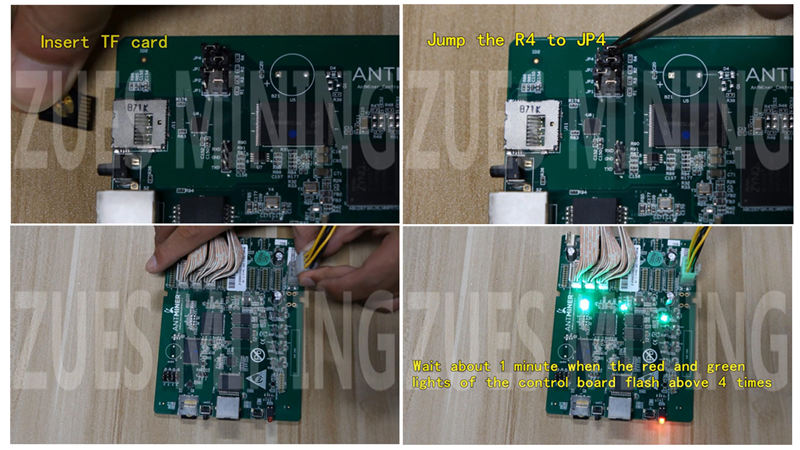
For detailed procedures, please refer to our video tutorial:
Antminer S9 control board down frequency repair firmware video tutorial
Related maintenance tools:
Test Fixture For Antminer S9 Series
 China Mainland Hong Kong
  Business Hours: (GMT+8) 08:30-20:00 Mon to Sat
  Company Phone: +86-023-72227777
