

First, remove the cover from the control panel. (Remove the screws as shown below, press the round button, and lift the top cover to remove.)
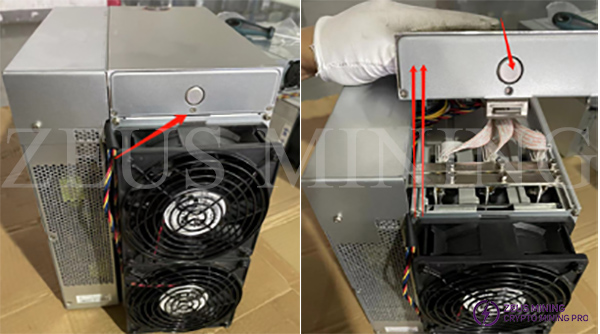
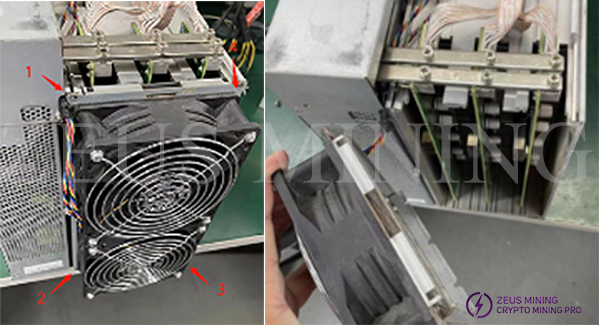
After removing the upper cover, remove the fixing screws of the rear fan baffle to remove the rear fan assembly.
(Note*: When removing components, please note that the fan cable is still connected to avoid damage.)
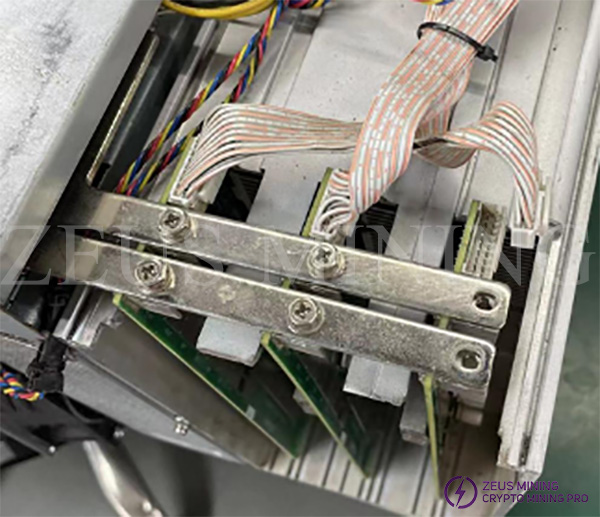
Next, after removing the rear fan assembly, unplug the data cable and remove the screws for the hash board and copper busbars.
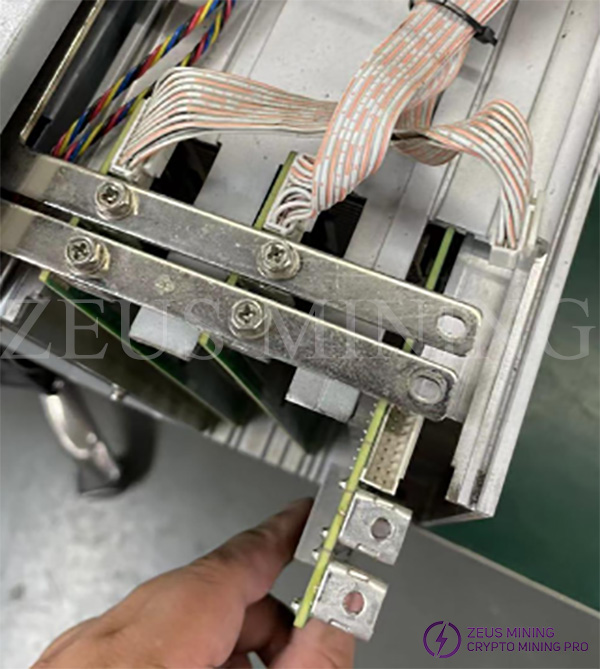
Finally, pull the hash board out.
 China Mainland Hong Kong
  Business Hours: (GMT+8) 08:30-20:00 Mon to Sat
  Company Phone: +86-023-72227777
