

Solo mining, with its unique independence and challenges, has attracted an increasing number of people who hope to obtain their digital assets through SOLO mining. If novice or experienced users urgently need a detailed and practical guide to SOLO bitcoin mining and hope to obtain bitcoins at their own pace, this article will unlock a detailed full-process strategy for you.
Decomposed steps of solo bitcoin mining
Step 1: Own a BTC SOLO Miner, such as Bitaxe SupraHex701. Of course, we can also choose other Home Bitcoin Miners according to our actual situation, such as Bitaxe Gamma 601, Lucky Miner LV08 / LV07 / LV06, etc.
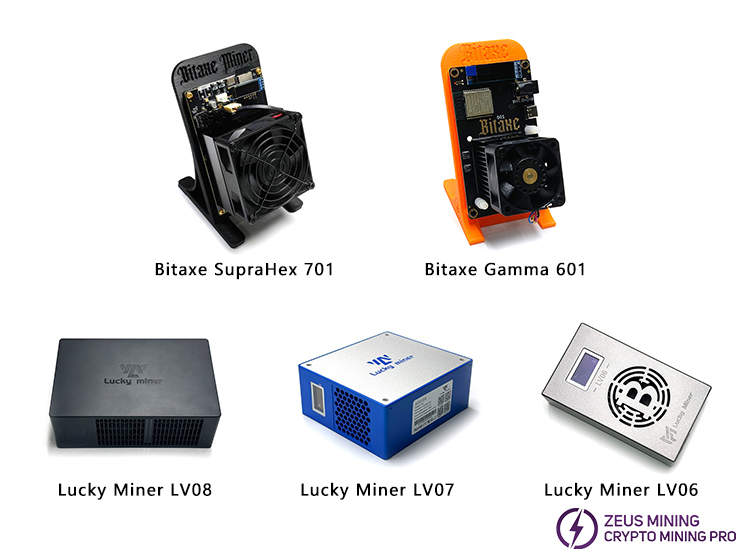
Step 2: To conduct SOLO mining, we must set up a full node.
For example, for Bitcoin, we can choose Bitcoin Coin or Bitcoin Knots to set up the node; for Dogecoin, we can choose Dogecoin Core. Next, I will use Bitcoin Core as an example to explain in detail how to set up the node.
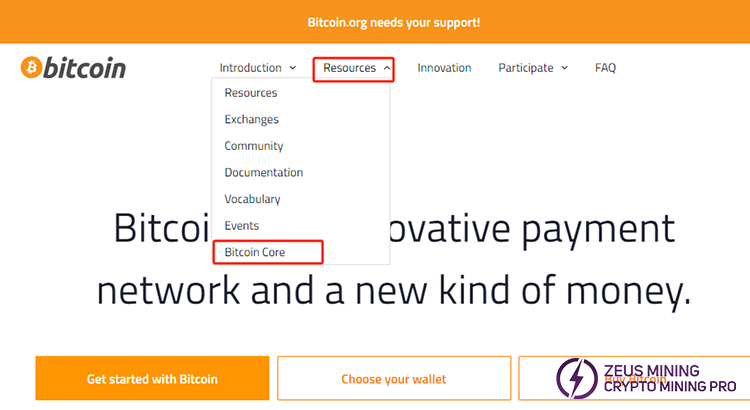
1. Visit bitcoin.org, hover the mouse over Resources, and click on Bitcoin Core to enter. Download the latest version of Bitcoin Core that is compatible with our operating system. Before downloading, ensure we have enough bandwidth and 7GB of storage space to support the blockchain's size. We can also set it according to the "Full Node Guide" in the content.
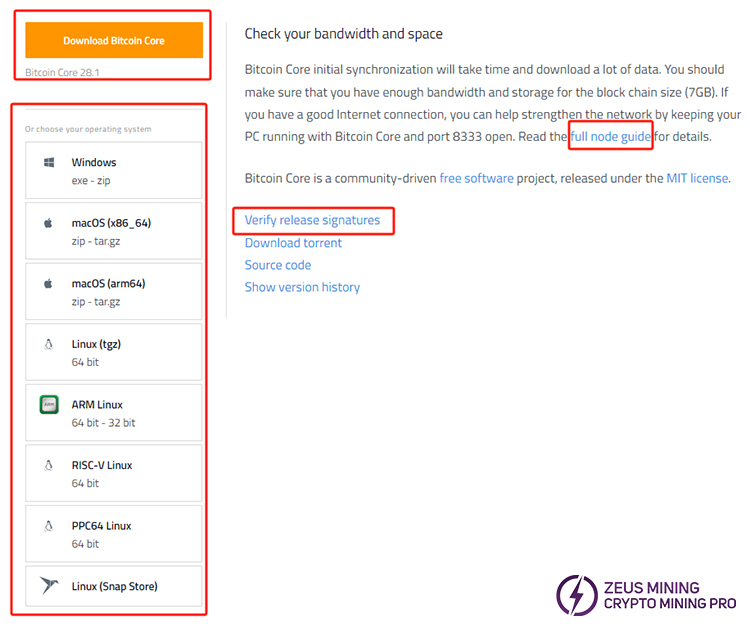
Note: If you know how to use PGP, click the "Verify release signatures" link on the download page to download a list of signed SHA256 file hashes. This is a widely used encryption technology.
The key signature fingerprint is as follows: 01EA 5486 DE18 A882 D4C2 6845 90C8 019E 36C2 E964
We should verify in a trusted way whether these keys belong to their owners. Ensure that only authorized users can access the data, and use PGP to verify the sender's signature. Use PGP or other utility programs to calculate the SHA256 hash value of the archive we downloaded, and make sure the calculated hash value matches the hash value listed in the verified release signature file.
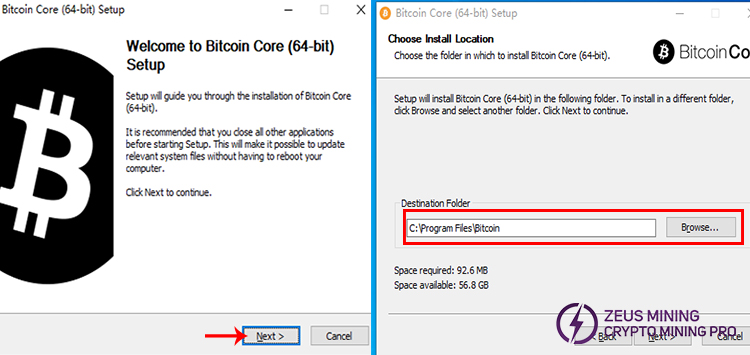
2. Taking Windows 10 as an example, after downloading the file to the computer storage disk, double-click the icon to start it. Click "Yes" to confirm the operation of the Bitcoin installation program.
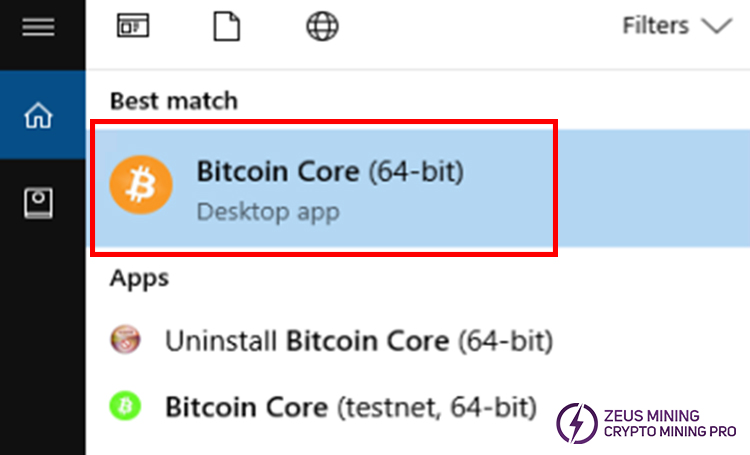
3. Press the Windows key, then enter "bitcoin". When the Bitcoin Core icon appears (as shown below), click on it.
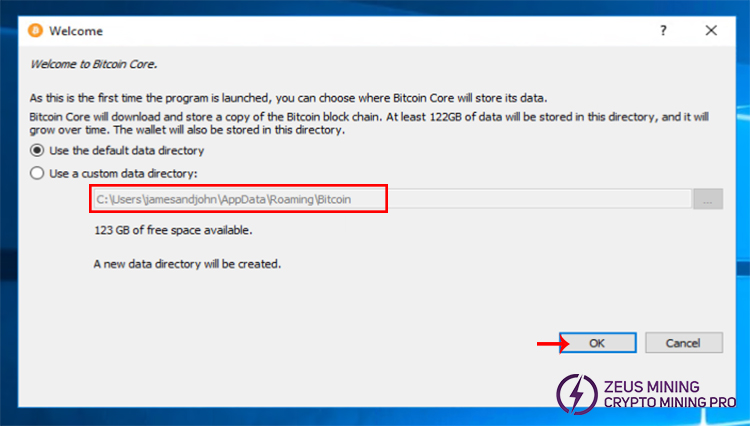
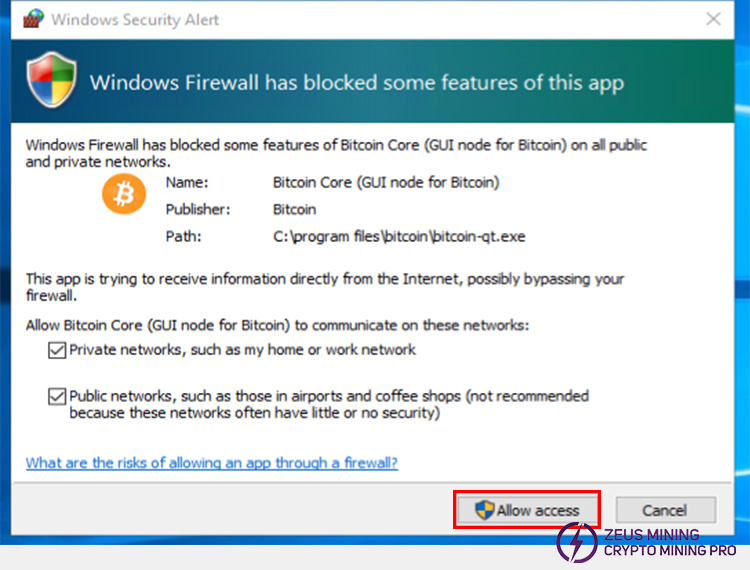
4. Select a directory to store the Bitcoin blockchain and wallet. The firewall may block Bitcoin Core from establishing outbound connections, but it is safe to allow Bitcoin Core to use all networks.
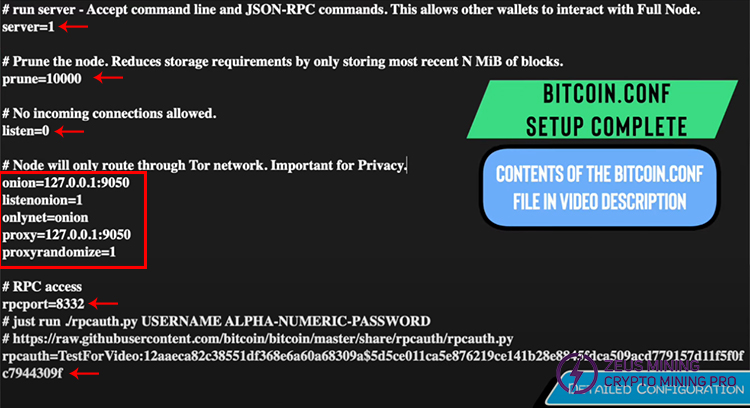
5. Accept command-line and JSON-RPC commands, which allow other wallets to interact with the full node. For the specific steps of setting up the BTC node, please follow the official video. Configure Bitcoin Core, for example:
server=1
prune=10000
listen=0
onion=127.0.0.1:9050
lstenonion=1
onlynet=onion
proxy=127.0.0.1:9050
proxyrandomize=1
rpcport=8332
rpcauth=XXX
6. Save the configuration file and restart Bitcoin Core. Synchronize the full blockchain node, which may take at least a few days for the first time. After the synchronization, our node will verify transactions and blocks in real time. Bitcoin operates based on a set of Proof of Work (PoW) consensus rules, and nodes are crucial for executing these rules.
Step 3: Configure the miner to start mining.
For detailed steps, please refer to the settings of the Bitaxe SupraHex 701 miner setup tutorial.
• Start the miner and connect to the Internet. On the "Settings" page in the computer background, set the mining configuration to connect to our Bitcoin Core node. Enter the previously configured node, the RPC username, and password set in Bitcoin.conf file. As follows:
Stratum URL: http://127.0.0.1:9050
Stratum Port: 8332
• Then fill in the wallet address and password, and we can check the amount of BTC mined in the Bitcoin wallet at any time. Click here to see how to create a BTC wallet for transactions.
• If all the configurations are correct, our Bitaxe device will start mining.
• Pay close attention to the miner's performance, including the hash rate, temperature, and power consumption.
Step 4: Optimization and maintenance
1. Set reasonable parameters for the miner to achieve efficient operation. Technical means such as downclocking or overclocking can be used to adjust the performance parameters specifically to obtain the best working efficiency, according to different hardware characteristics and operation objectives.
2. Ensure that the equipment's working environment has good ventilation conditions and clean up the accumulated dust inside the mining equipment in a timely manner to avoid dust accumulation affecting heat dissipation and operation.
3. Continuously pay attention to and upgrade the mining version promptly. This can not only enable the miner to fully use the latest function optimizations but also enhance system security through security patches and effectively prevent potential risks.
Note: Setting up a full node independently is an entirely independent mode, which is in line with decentralization and is suitable for people with strong technical skills and rich experience, and there is no need to pay any handling fees. In addition to setting up a node independently, we can also use a server that supports Solo mining to operate, such as ckpool, which can save more time for setting up the node, does not require downloading the blockchain, and is easy to operate, making it suitable for novices. However, this method may incur a small service fee.
The above describes the process of using a SOLO miner to mine Bitcoins. However, the environment and rules of Bitcoin mining are constantly changing. Continuously paying attention to industry trends and optimizing our mining operations can help us progress on this path.
Disclaimer:
This article is for sharing only and does not constitute any investment advice or invitation to investors. Based on the information in this article, this website does not assume any responsibility for the actions taken by readers.
 China Mainland Hong Kong
  Business Hours: (GMT+8) 08:30-20:00 Mon to Sat
  Company Phone: +86-023-72227777
