

Dogecoin was founded in 2013, inspired by the popular internet Shiba Inu meme. It is an open-source peer-to-peer digital currency that uses the same underlying technology as Litecoin, featuring fast transaction speeds and low fees. To become a complete owner of Dogecoin, we must first create a wallet that supports DOGE transactions.
Generally, wallets are divided into "custodial" and "non-custodial," depending on whether we are the sole holder of the wallet's private key. Additionally, wallets can be classified as "hot wallets" or "cold wallets" based on whether they are connected to the internet. In this article, we use the MyDoge wallet as an example: a free and secure self-custodial Dogecoin wallet.
I. How to obtain a Dogecoin wallet?
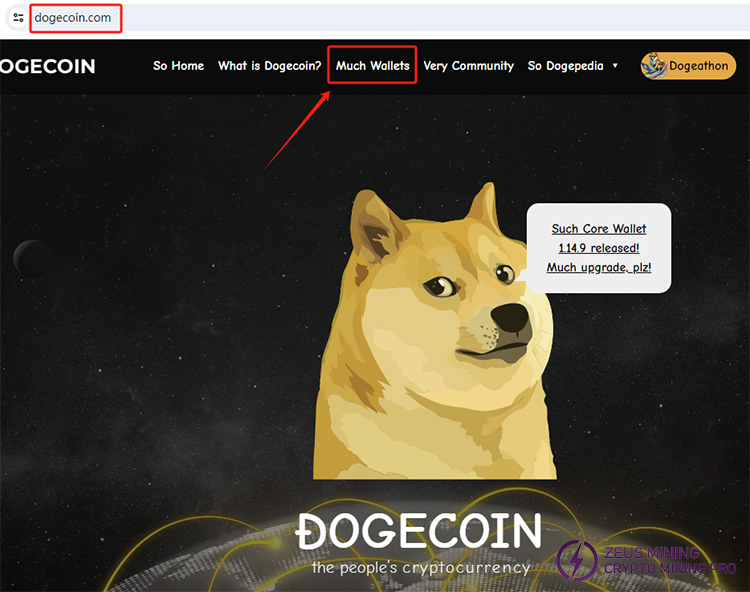
1. Search for Dogecoin on our computer or mobile phone, enter the official website, and click "Much Wallets" to see some Dogecoin wallet software. Please select the appropriate platform (Android, IOS, Linux, MacOS, Windows, etc.) and install the software wallet we want.
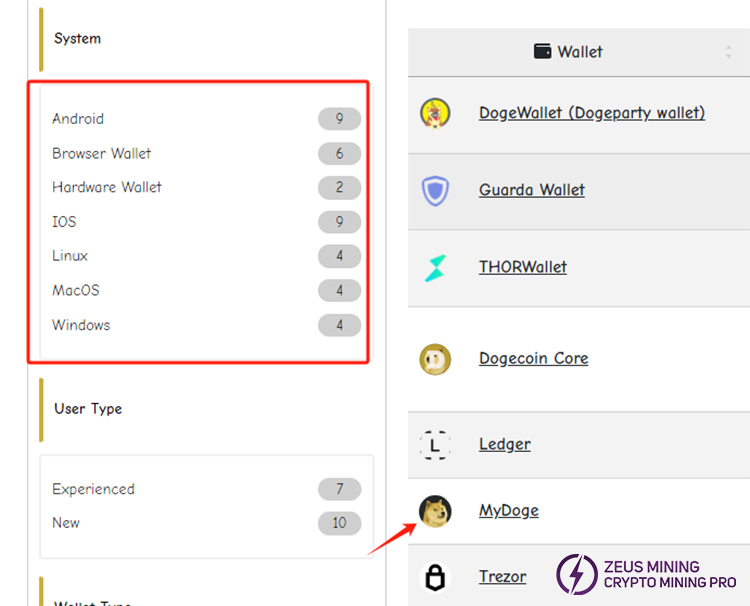
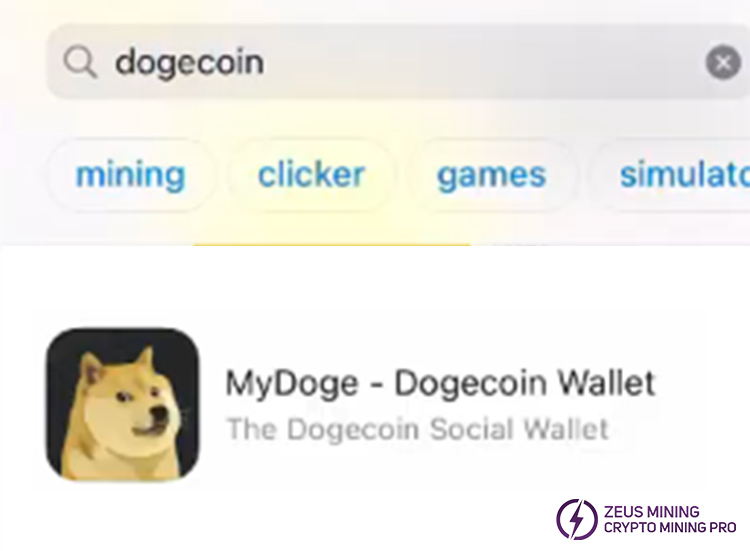
2. On a mobile device, we can also choose to search and download in the app store, enter "Doge Coin", or directly search for the wallet software we want to download
II. Steps to create a Dogecoin wallet
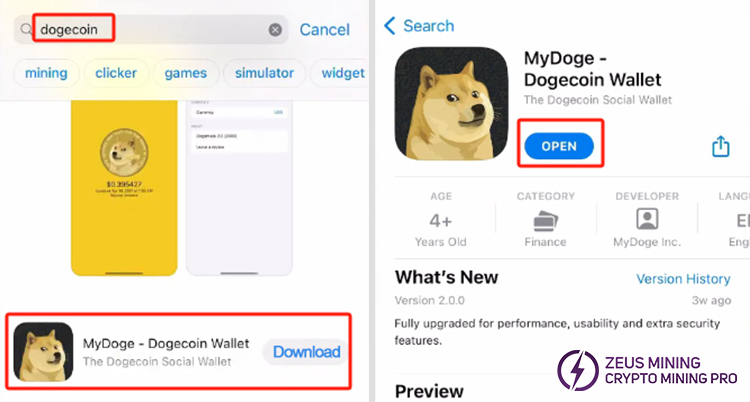
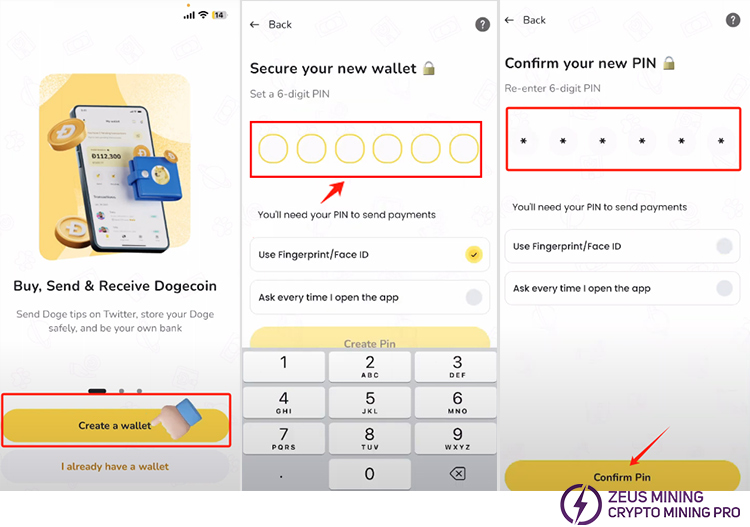
1. All Dogecoin software wallet types have a similar installation, even the web version. Here, we will demonstrate how to use the Mydoge app on mobile. Click the "Download" button and double-click to open it when finished.
2. After jumping into the first interface of the program software, click "Create a wallet" to create a new Dogecoin wallet. We need to set a 6-digit PIN code to protect the wallet. After entering it again, click the "Confirm PIN" button at the bottom.
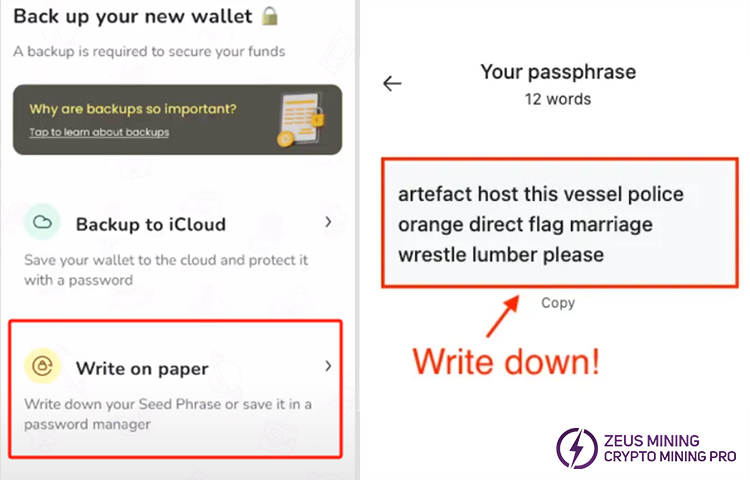
3. Go to the next page, and there are two options to back up the newly created Dogecoin wallet. The first option is to save it to the cloud and protect it with a password. The second option is the seed phrase, which is 12 words. We can write down the phrase for the wallet's safety and back it up in a safe place.
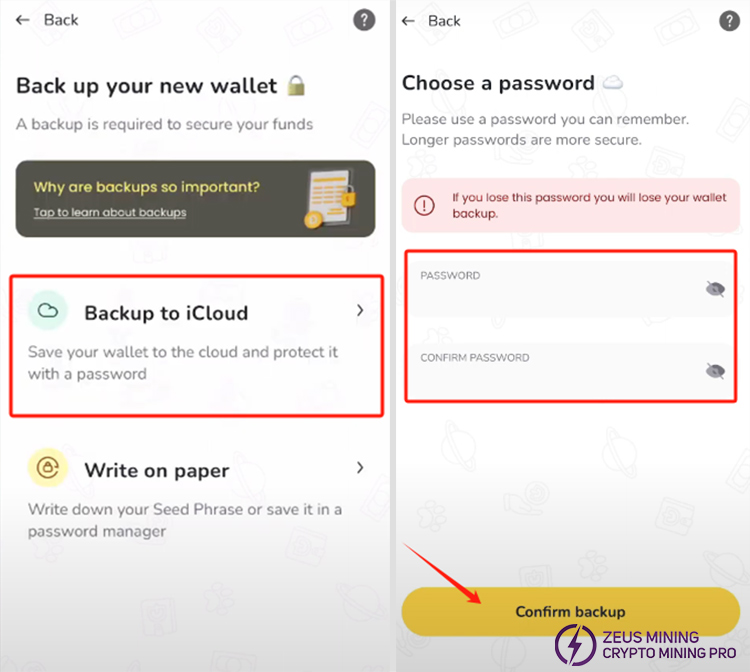
4. After saving the phrase, we return to the page and click the first option. We need to fill in a strong password and confirm it again. It is best to set a password that is easy to remember. Finally, we click "Confirm backup" to back up the password to prevent forgetting. If the password is lost, the wallet will be unusable.
5. Go to the next page and click "Sign in". After successfully creating a Dogecoin wallet, we can send, receive, and purchase Dogecoin.
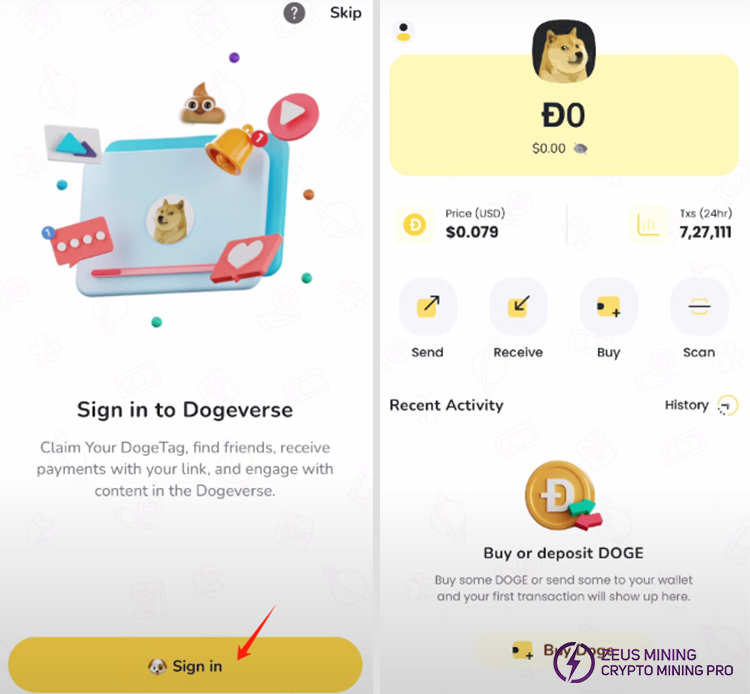
6. If we want to receive Dogecoin from others, click Receive to send our wallet address to our friend.
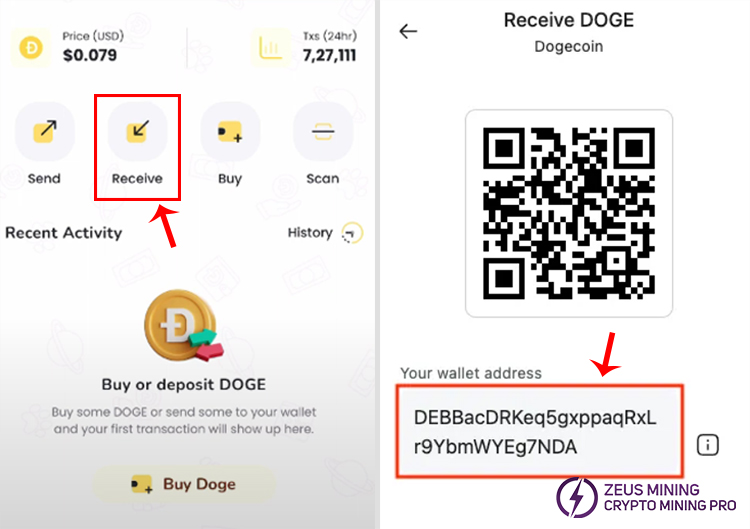
According to the above content, we can have our own Dogecoin wallet. To ensure the safety of funds, we must download a correct and secure Dogecoin wallet. Before making a significant transaction, we must check whether the other party's address is valid. We must keep the backup phrase and password properly to avoid losing our assets due to losing the key.
>>Top 8 Best Cryptocurrencies To Mine In 2025
FAQ:
Is Dogecoin worth buying?
Dogecoin price fluctuates wildly and depends on market sentiment rather than actual value. It is suitable for short-term speculators with a high risk appetite; it needs to be considered carefully if it is a long-term investment. Participating only with funds you can afford to lose is recommended.
What is the best way to hold Dogecoin?
We should have a secure, self-custodial Dogecoin wallet to protect our Dogecoin. The wallet will store the private key that controls the currency on the blockchain, ensuring that we control our crypto assets.
Disclaimer:
This article is for sharing only. For more details, please refer to the official website of the wallet address. Based on the information in this article, this website does not assume any responsibility for readers' actions.
 China Mainland Hong Kong
  Business Hours: (GMT+8) 08:30-20:00 Mon to Sat
  Company Phone: +86-023-72227777
