

The 2025 upgraded version of the ASIC miner silencer is designed for Antminer, Whatsminer, Avalon, Iceriver, and other miners. It is a new version of silencer equipment with efficient heat dissipation and low noise. It uses a DC brushless variable frequency motor and supports ten wind speed adjustments. The noise is as low as 45 decibels, and the power consumption is only 80W-430W. This tutorial provides detailed instructions on installing a silencer to achieve the best noise reduction and heat dissipation effect and extend the miner's life.
I. Introduction to the structure of the silencer
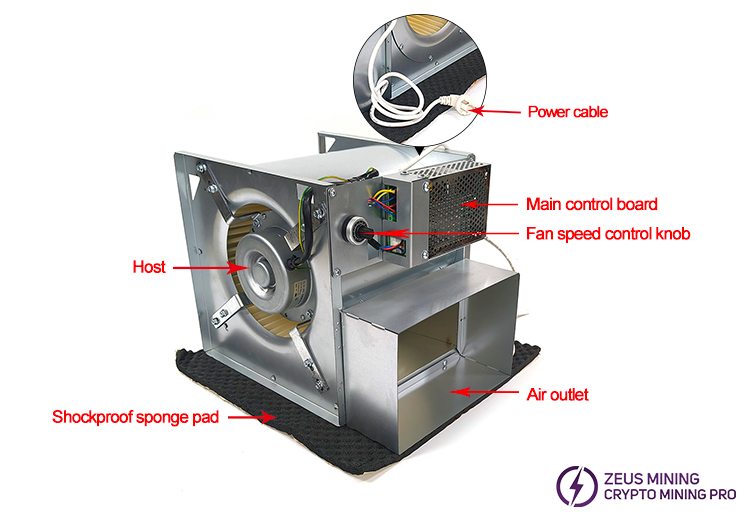
The 2025 upgraded version of the ASIC miner silencer consists of the host, power cable, fan speed control knob, main control board, air outlet, and shockproof sponge pad.
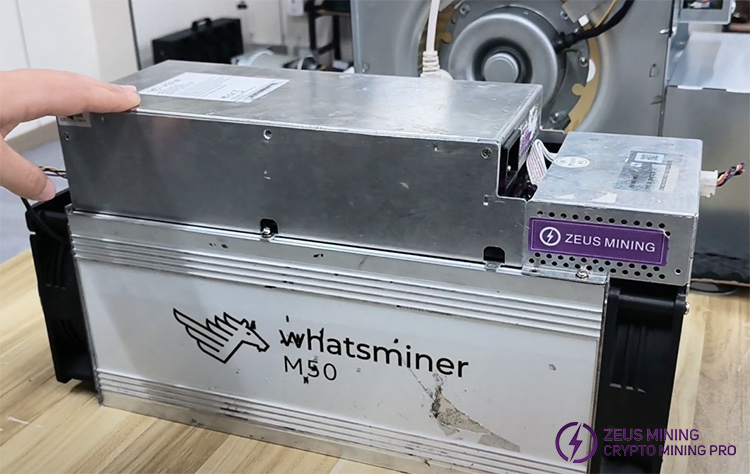
II. How to install the 2025 upgraded ASIC miner silencer accurately and quickly? (taking the Whatsminer M50 miner as an example)
Step 1: Accessories preparation
① Fan duct cover*1
② Insulation tape*1
③ PSU fan simulator*1
④ Cooling fan simulator*2
⑤ Metal clamp*1
⑥ Aluminum foil tube*1
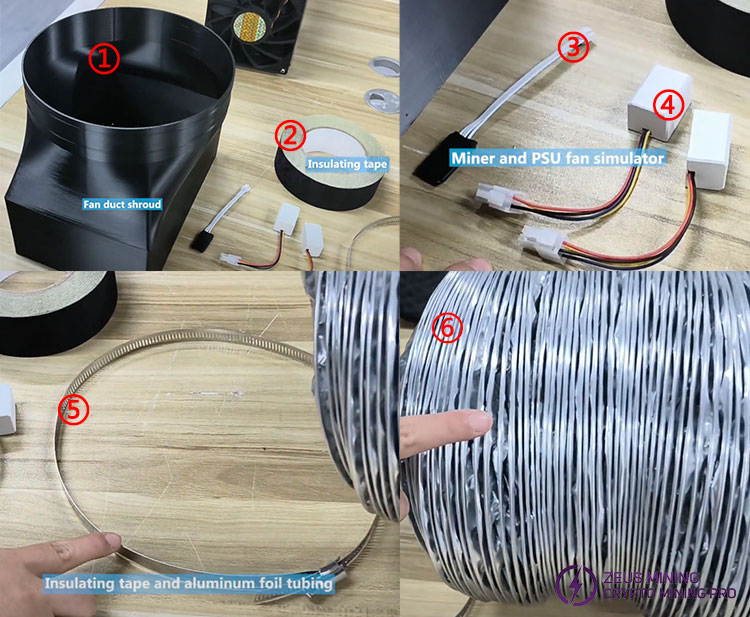
Tips: The fan simulator should be used with the corresponding miner to achieve the best noise reduction effect of the silencer.
Step 2: Modify the miner
1. Remove the cooling fan connection plugs from the M50 air inlet and outlet. After using an electric screwdriver to unscrew all the screws that fix the fan to the miner, remove the cooling fans on both sides. Install the cooling fan simulator on the M50 mining equipment control board to deceive the M50 detection system.
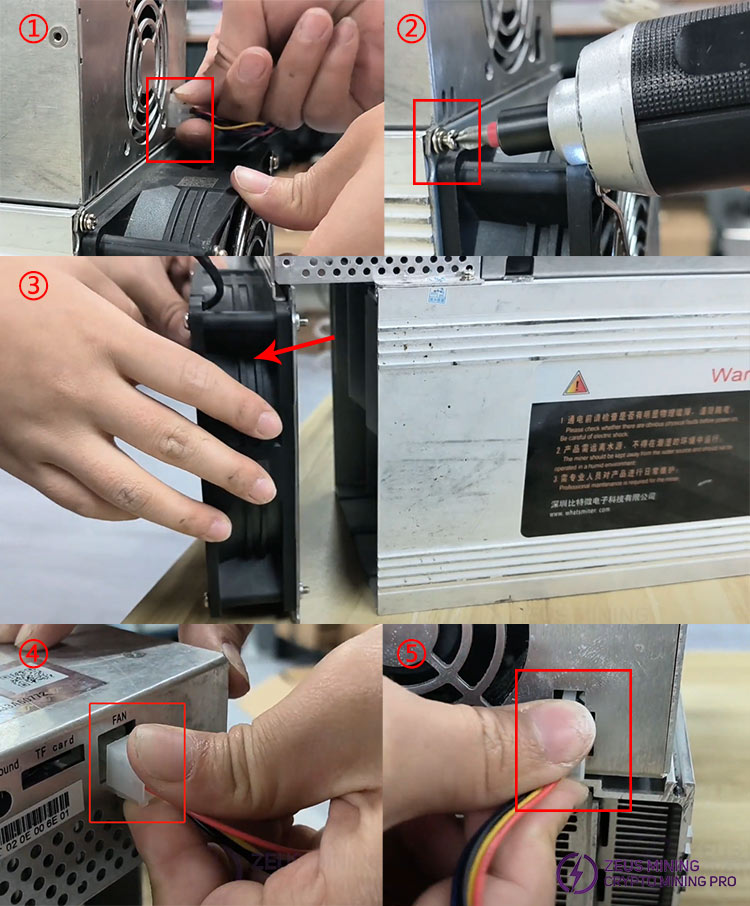
2. Disassemble the power supply housing of the miner. Remove the fixing screws of the PSU cooling fan, remove it, and insert the PSU fan simulator. Finally, put the protective cover back in place.
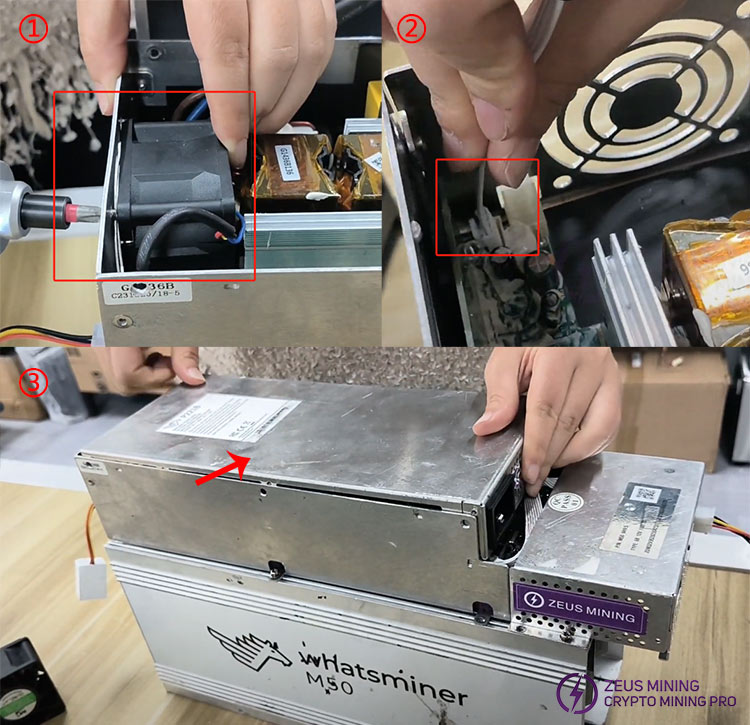
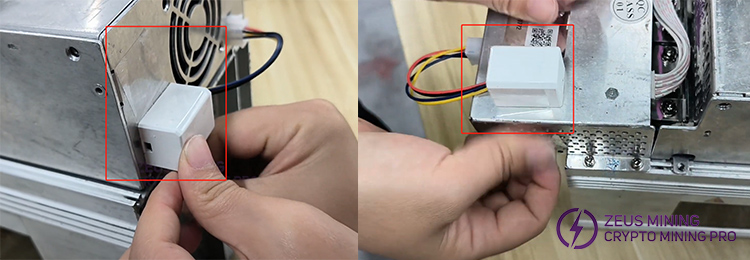
3. Fix the cooling fan simulators on both sides of the M50 to the PSU housing with transparent tape so that they will not shake due to the wind from the silencer and cause noise.
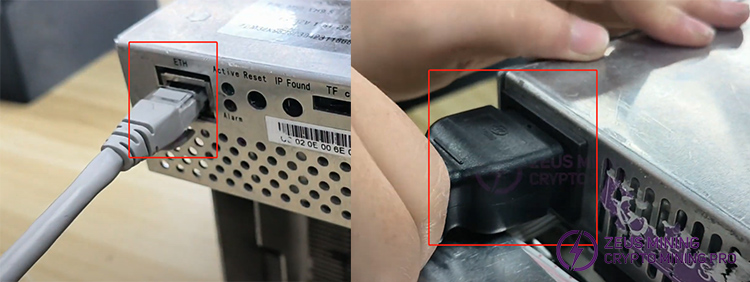
4. Insert the mining device's Ethernet network cable and power cord connector.
Step 3: Install the silencer
1. Align the miner's air inlet with the outlet where the new version of the silencer is inserted. Slowly and smoothly push the fan duct cover to cover the mining machine's outlet.
Note: The silencer can be installed on the miner's air inlet or outlet; choose one side.
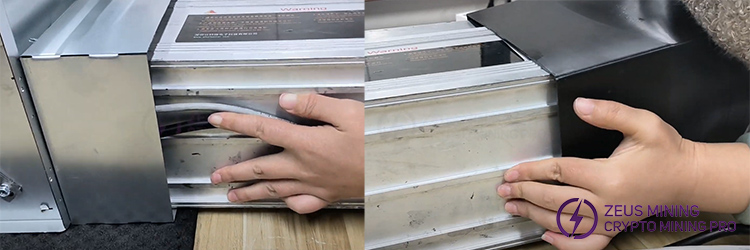
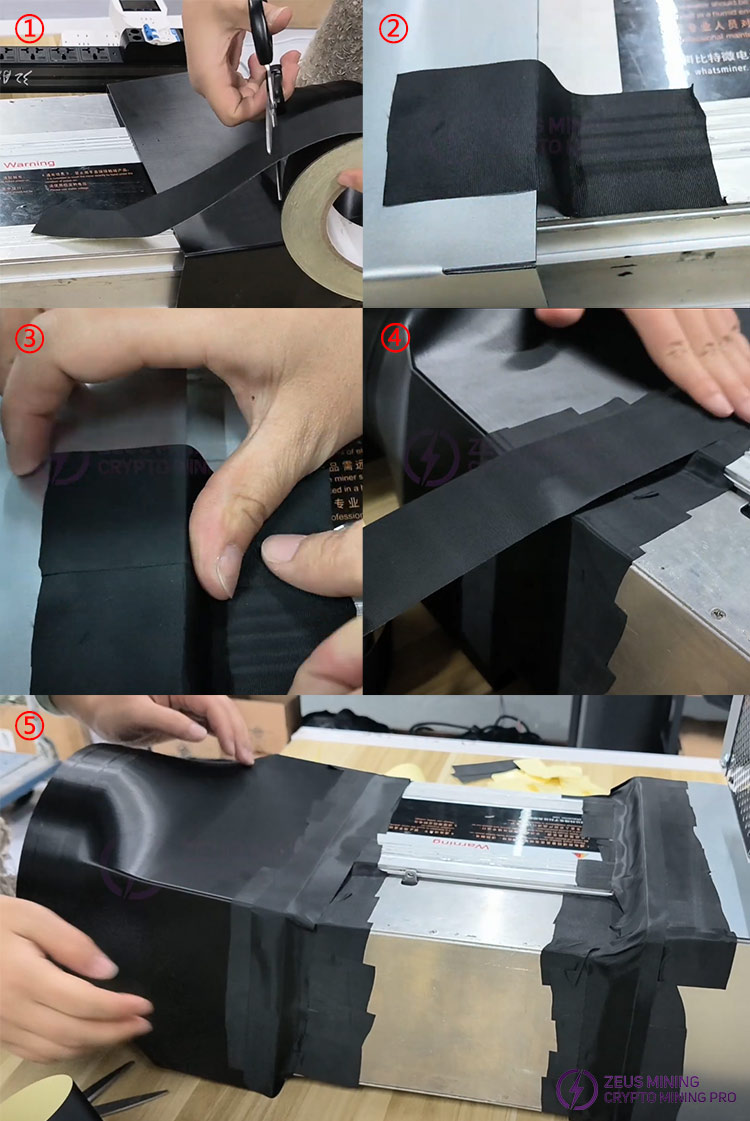
2. Cut about 12-15cm of insulating tape and stick it seamlessly along the connection between the silencer and the miner. Cut the tape according to the length of one circle, and reinforce it horizontally to ensure complete sealing. Repeat the same operation at the connection between the duct cover and the miner.
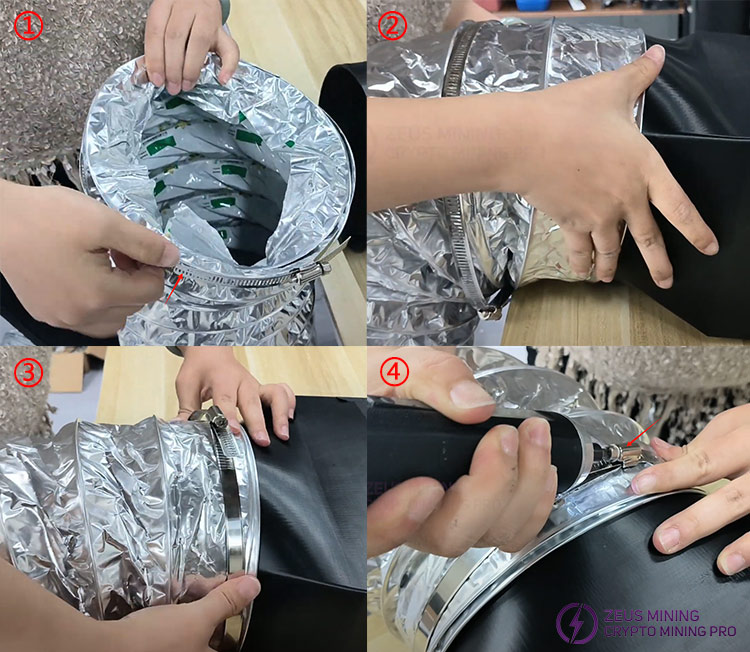
3. After the aluminum foil pipe is covered with a metal clamp, align the pipe opening with the opening of the air guide cover, and use an electric screwdriver to tighten the metal clamp to prevent air leakage.
Step 4: Run silencer and miner
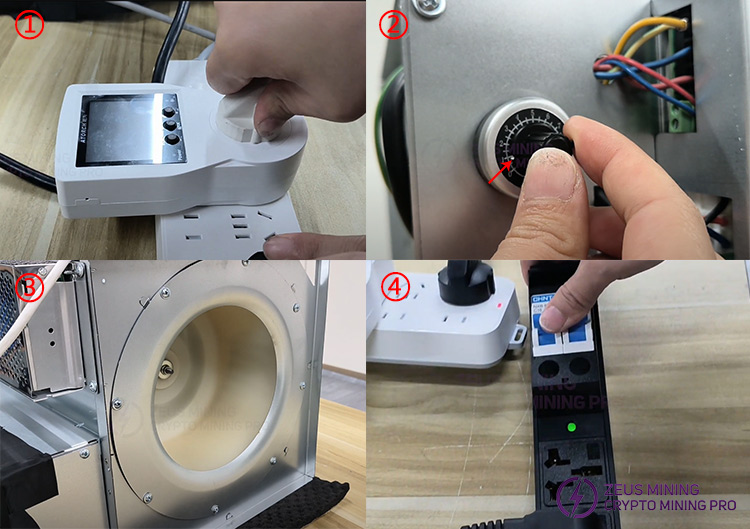
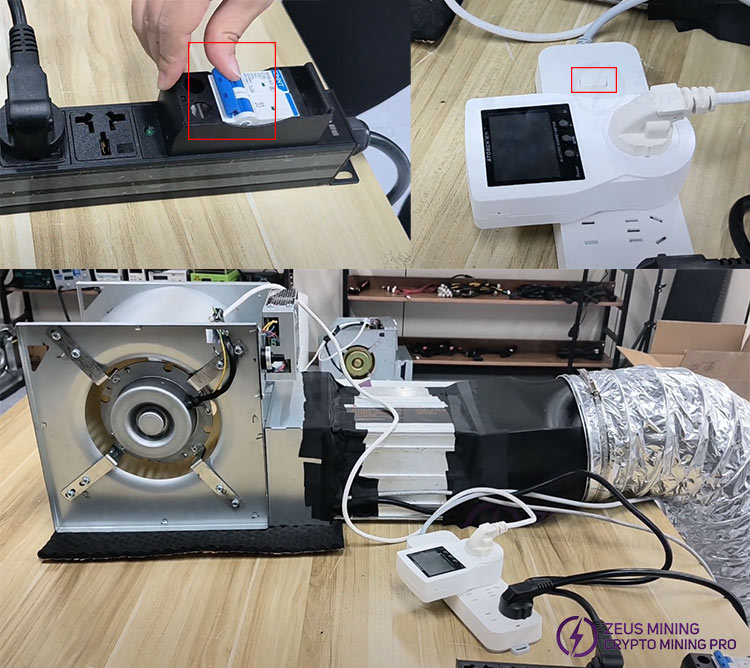
1. First, plug the silencer into the power supply and start the silencer. Adjust its wind speed knob to the lowest gear, and the fan starts to rotate. Then, turn on the miner.
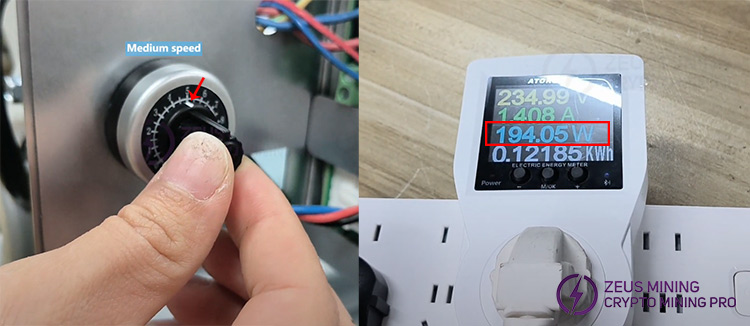
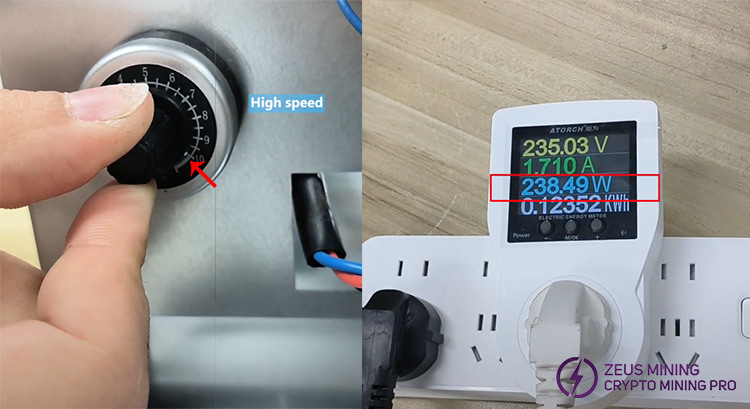
2. Slowly turn the knob to adjust the wind speed, and set it according to the ambient temperature of the miner to keep it at a normal operating temperature. The power consumption of adjusting the mid-range wind speed is about 194W, and the high-end is as low as 240W.
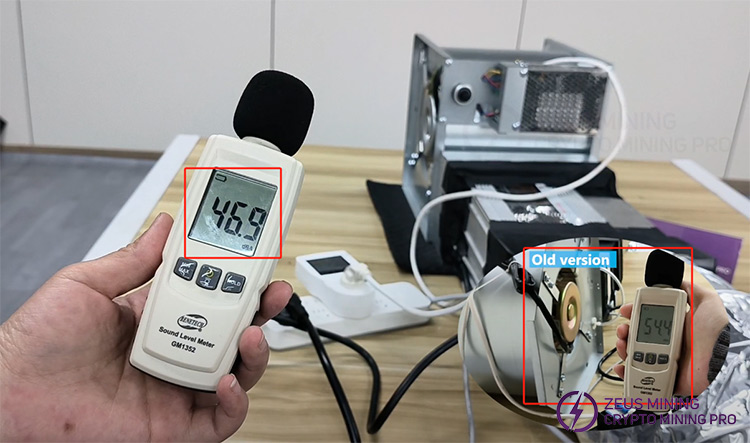
3. The measured noise is about 45dB, which reduces the Whatsminer M50's original 75dB operating noise to about 45 dB. It is also about 10dB lower than the old version of the silencer, which is equivalent to the sound of turning pages in a library environment.
Step 5: Shutdown operation
Turn off the miner's power first, then the silencer when shutting down.
This new version of the silencer can help ASIC miners achieve an ultra-quiet working environment and efficiently dissipate heat, making it suitable for use in home or office environments. The variable-frequency fan can adjust the wind speed, balance power consumption and heat dissipation requirements, and make the mining process more energy-saving and environmentally friendly.
Disclaimer
This document is for reference only. Please strictly follow the specified installation steps and precautions. The website assumes no liability for equipment damage or other losses caused by improper installation.
 China Mainland Hong Kong
  Business Hours: (GMT+8) 08:30-20:00 Mon to Sat
  Company Phone: +86-023-72227777
