

The Bitaxe NerdOCTaxe 9.6TH/s BTC SOLO is an open-source SHA-256 algorithm miner equipped with 8 S21 Pro BM1370 chips. Compact, quiet, and easy to install, this guide walks you through configuration and monitoring to get you mining quickly!
I. Structure and Advantages of the SOLO Miner:
1. Core Components
• Built-in Wi-Fi: Seamless internet connectivity, supporting wireless setup and operation;
• BM1370 ASIC Chips: 8 S21 Pro BM1370 ASIC chips deliver a 9.6TH/s hashrate;
• OLED Display: Real-time monitoring of miner data;
• USB-C Port: Supports firmware updates to keep the miner up to date;
• Included Power Supply: 12V 18A power adapter for stable, reliable power.
2. Advantages
• Ultra-High Efficiency: Ultra-low 160W power consumption saves energy and boosts profitability;
• Compact size, quiet operation, and easy installation;
• Two 90mm dual-ball bearing fans for excellent heat dissipation and low noise;
• USB-C Port: Supports firmware updates to keep the miner up to date.
II. Introduction to the Bitaxe NerdOCTAXE 9.6TH/s Host
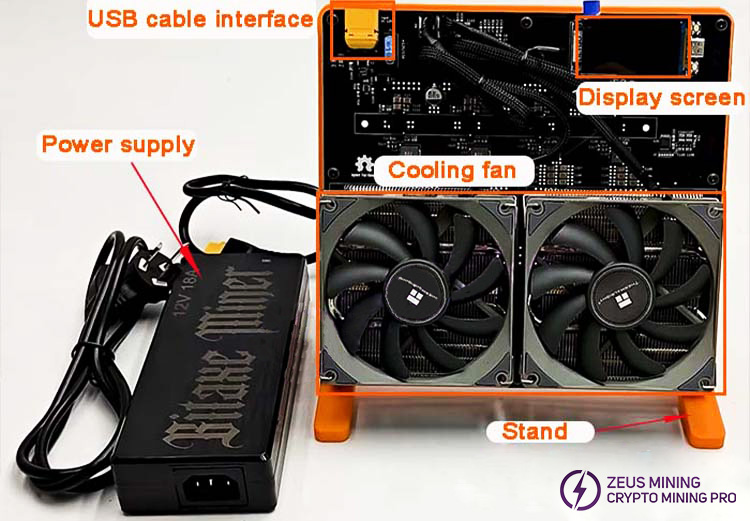
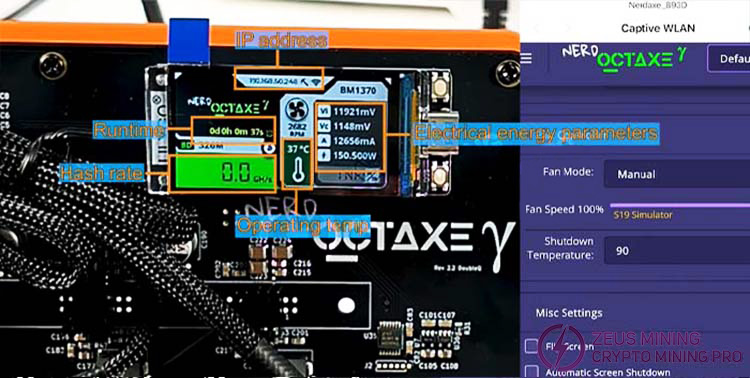
The display shows the miner’s operating information. The cooling fan dissipates heat for the 9.6T miner. The USB cable interface is at the top right. The stand below supports the miner for easy data viewing.
III. SOLO Miner Setup Steps:
1. Connect the 12V power adapter to the miner’s power interface, then plug the other end into a suitable outlet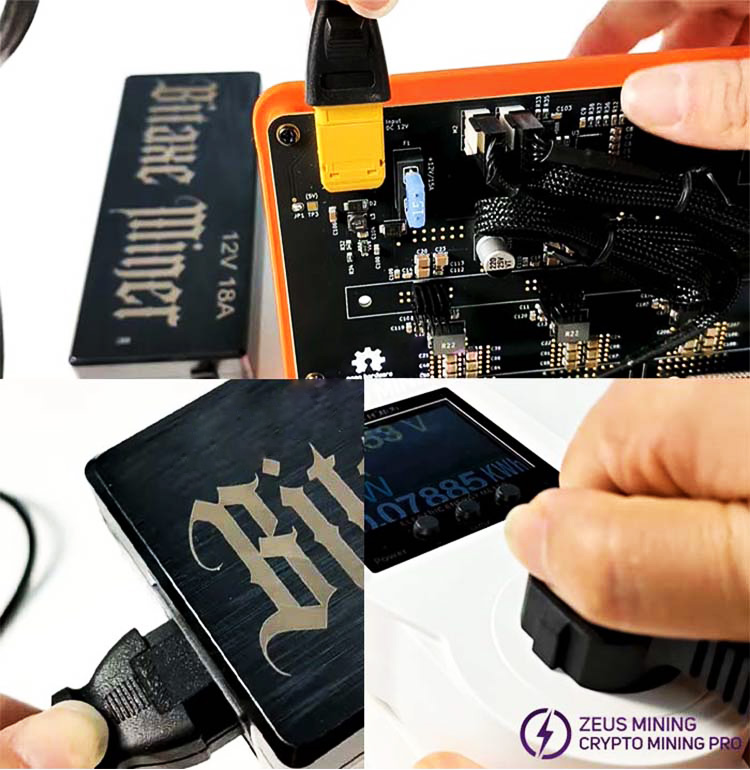
2.Once the screen displays information, setup can begin. The bottom bar of the LED screen shows the miner’s network as Nerdaxe_893D.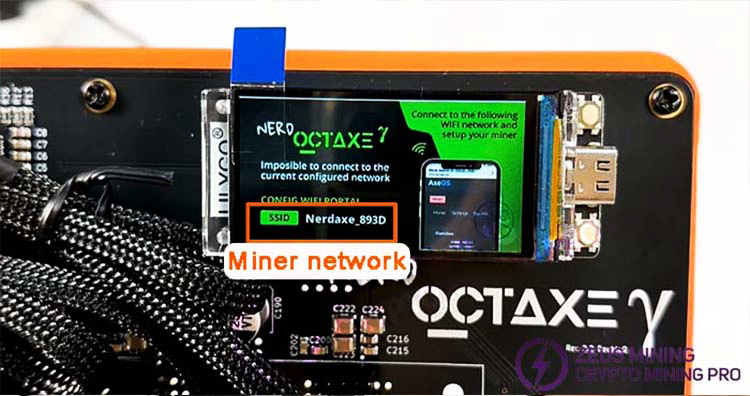
3. Connect to Nerdaxe_893D via phone or computer. After a successful connection, it will automatically redirect to the mining homepage.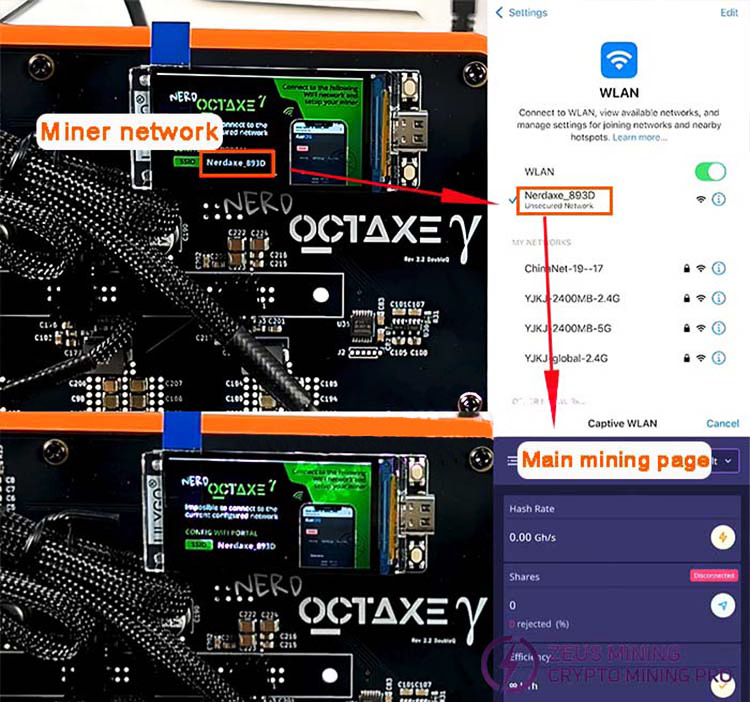
4.Locate the "three-bar" icon, click "Settings," then enter your home 2.4 GHz network name and Wi-Fi password.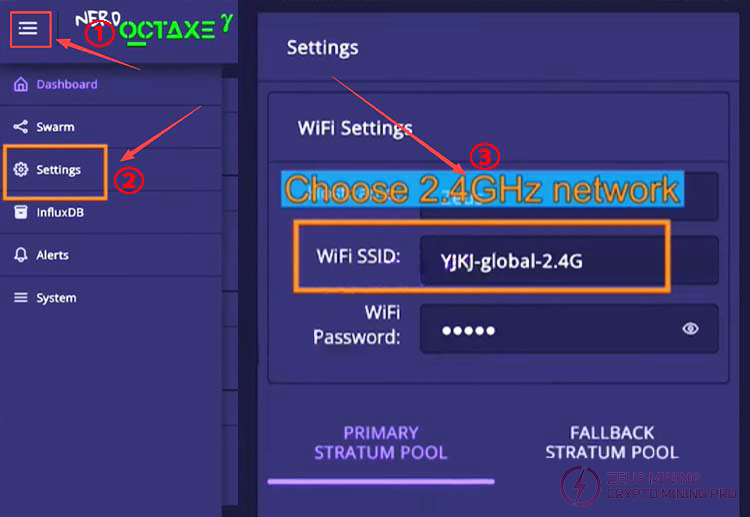
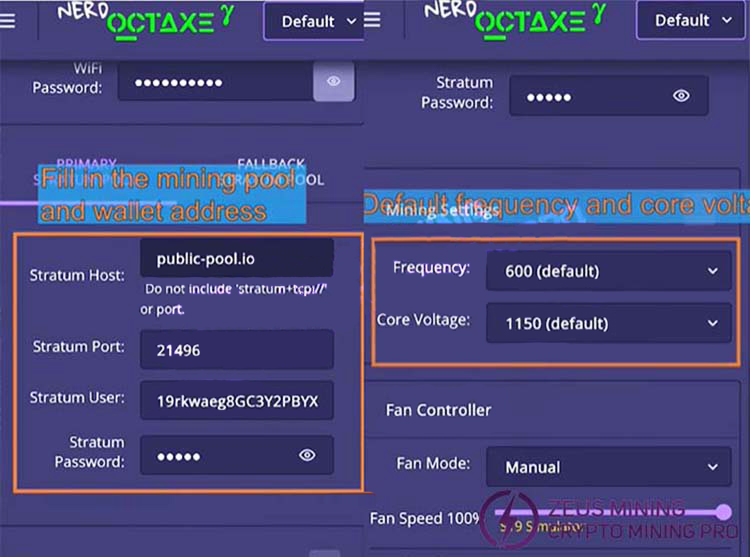
5. Continue to enter the pool address and wallet address. Frequency and core voltage are usually set to their default values.
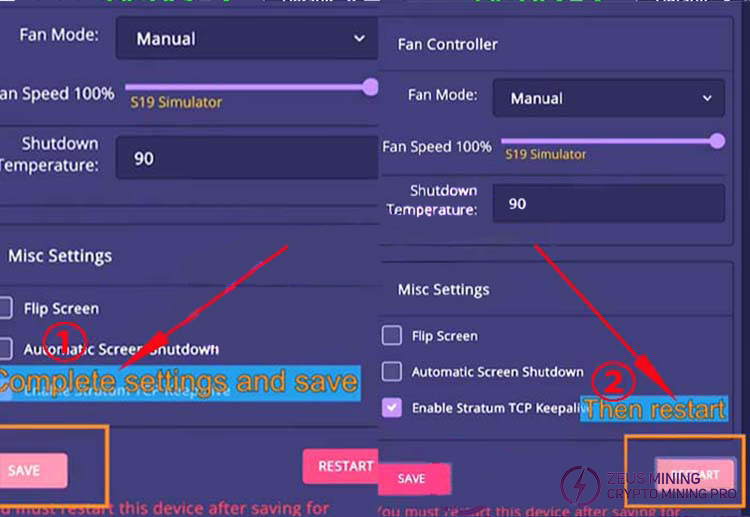
6. ter selection, click "Save," then select "Restart." (A restart is required for changes to take effect; data can be viewed on both phone and computer.)
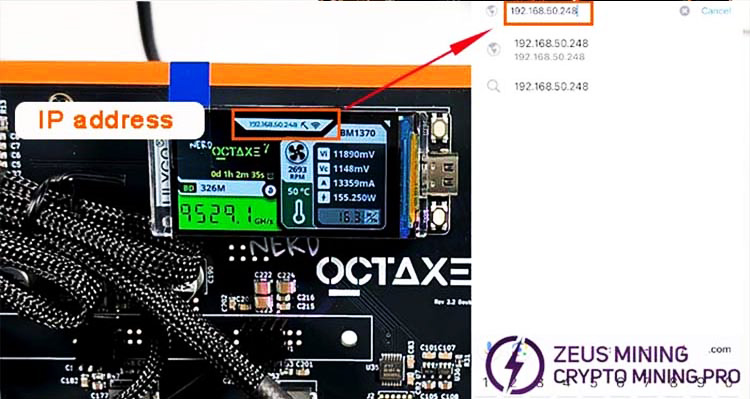
7. After a successful restart, reconnect your phone or computer to the 2.4 GHz network you set up earlier. In Google Chrome, enter the IP address shown on the Bitaxe NerdOCTAXE 9.6’s LED screen, then wait for the mining info interface to load.
8. Wait about 1 minute (network-dependent) for data to display. The top of the page shows real-time hashrate, efficiency, submitted shares, mining difficulty, etc. The middle section is the hashrate curve. The bottom displays power consumption, temperature, performance, pool info, wallet address, etc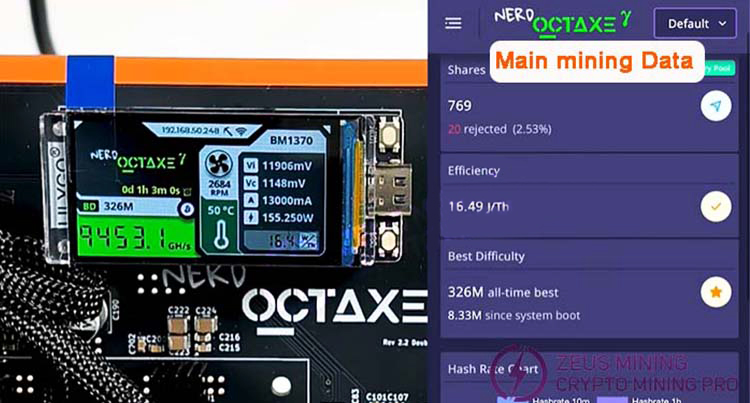
9. The SOLO miner’s LED screen also shows current hashrate, temperature, and other info.
With the above steps, the Bitaxe NerdOCTAXE 9.6TH/s solo miner is successfully configured and operational. With low power consumption, high hashrate, quiet operation, and good heat dissipation, it’s perfect for home or small-scale mining setups. For better performance, try overclocking—but ensure proper cooling for stability. The Bitaxe NerdOCTAXE 9.6TH/s solo miner is ideal for desktop or home mining, designed for individuals and small hobbyists. If you have any questions, please get in touch with technical support. I wish my friends good luck in mining!
Bitaxe Nerd OCTAXE 9.6T Solo Miner Setup and Review
For more product and service information, please click to join our official Telegram channel
 China Mainland Hong Kong
  Business Hours: (GMT+8) 08:30-20:00 Mon to Sat
  Company Phone: +86-023-72227777
