

The Avalon A320X test fixture can help miners quickly detect hash board faults and reduce maintenance costs.
There are two versions of the test fixture: one with a screen and one without, but the functions and interfaces are the same. For the test fixture with a screen, there is no need to connect to a computer; you can directly view the test results by swiping the fixture screen.
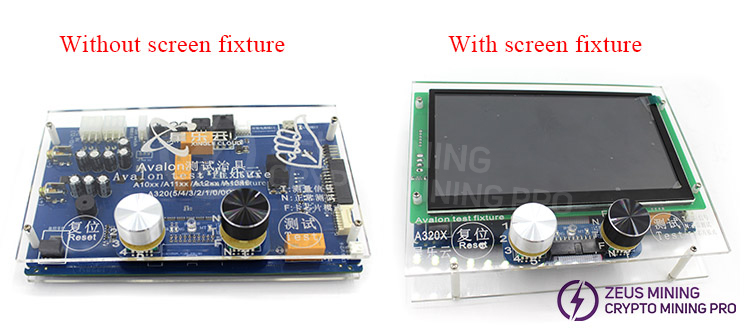
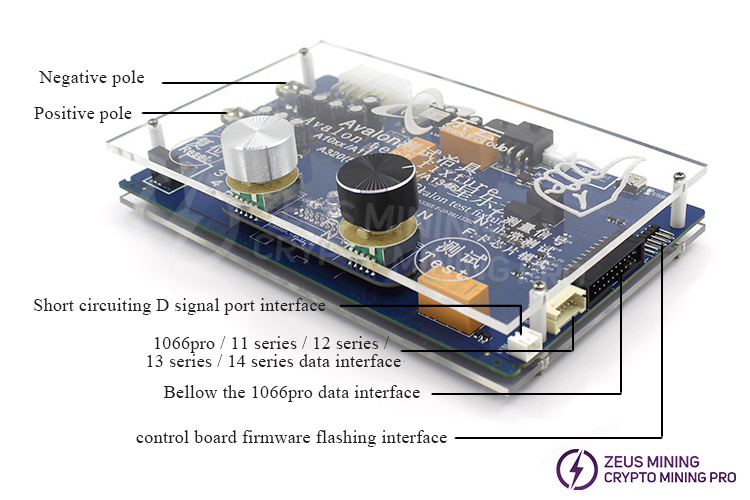
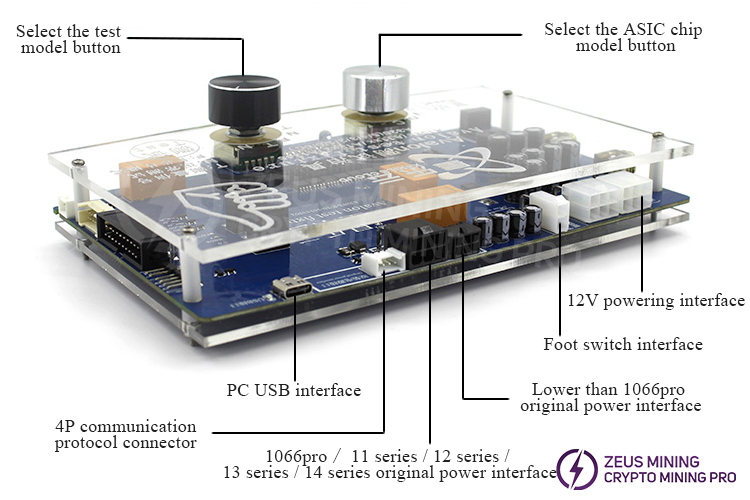
Avalon A320X test fixture without screen interface description:
Next, I will demonstrate how to use the screenless Avalon A320X test fixture to flash the control board firmware:
1. A 12V computer power supply is required, and the test fixture needs to be connected to the computer via a USB cable.
During the firmware flashing process, there is no need to set any specific mode on the fixture; it can be in any state.
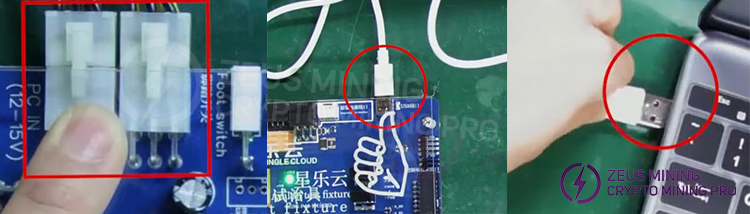
2. This system uses the Avalon universal control board, which requires a 6-pin connector cable to connect the control board and the test fixture.
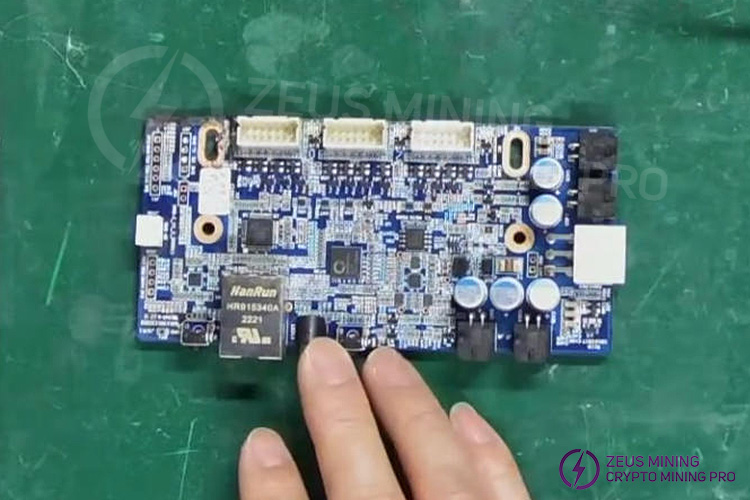
3. Align the blue wire with the last pin of the lamp connector, and connect the remaining pins in sequence; when connecting the other end to the control board, use the blue wire as a reference again, inserting it into the corresponding circular hole, and then insert the other pins in sequence.
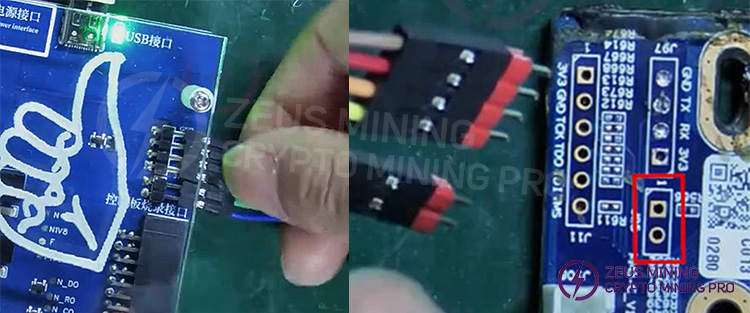
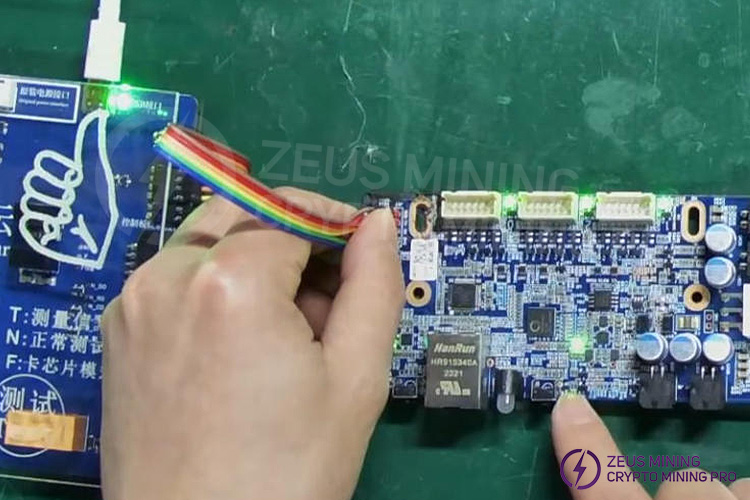
4. During the flashing process, it is recommended to hold the connecting cable to ensure good contact. The indicator light on the control board will light up once the connection is successful.
5. Next, you can begin flashing the firmware. Open the Kflash_gui software. Note that the port selected in the software must match the USB port on the computer connected to the lighting fixture (this can be confirmed through Device Manager).
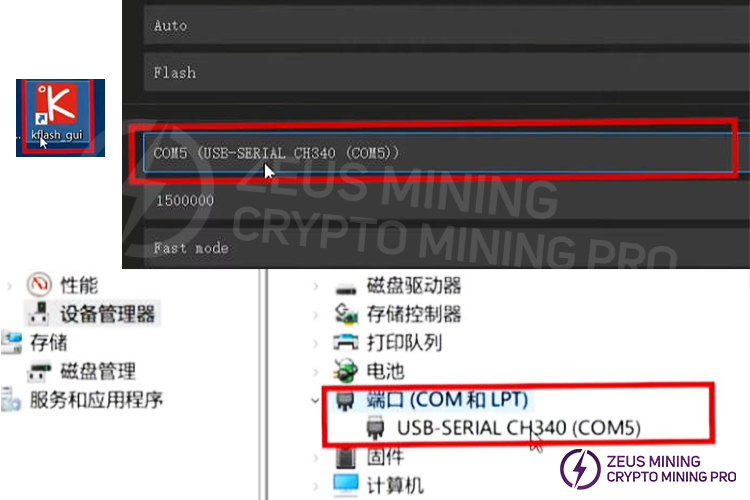
6. Set the baud rate to 2 million and select fast mode. Then, click here to select the control board firmware you want to flash, and click "Download". Once the download is complete, it indicates that the firmware has been successfully flashed to the control board. The entire process is simple, fast, and easy to operate.
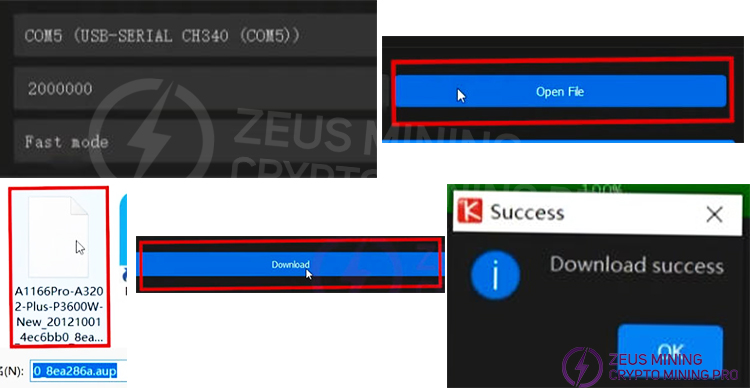
By following the steps above, you can efficiently update and maintain the control board firmware using the Avalon A320X test fixture. This fixture boasts wide compatibility, suitable for testing the hash boards of various mining machine models including A1446, A1466, A1346, A1366, A1326, A1246, A1146, A1146pro, A1166pro, A1056, A1066, and A1047, and supports mainstream control chips such as A3198S, A3205, A3204, A3203, A3202, A3201, A3200, and A3200C. Proper use of this tool will significantly improve the efficiency and accuracy of mining machine maintenance.
Dear Customers,
Hello, September 25, 26, and 27, 2026 (GMT+8) are the traditional Chinese festivals - the Mid-Autumn Festival. Our company will suspend shipments during these 3 days and resume shipments on September 28 (GMT+8). We are deeply sorry for the inconvenience. Thank you for your understanding and support.
Best wishes,
ZEUS MINING CO., LTD.
 China Mainland Hong Kong
  Business Hours: (GMT+8) 08:30-20:00 Mon to Sat
  Company Phone: +86-023-72227777
