

This fixture can test all models below the A1066 Pro, but does not include the A1066 Pro hash board itself.
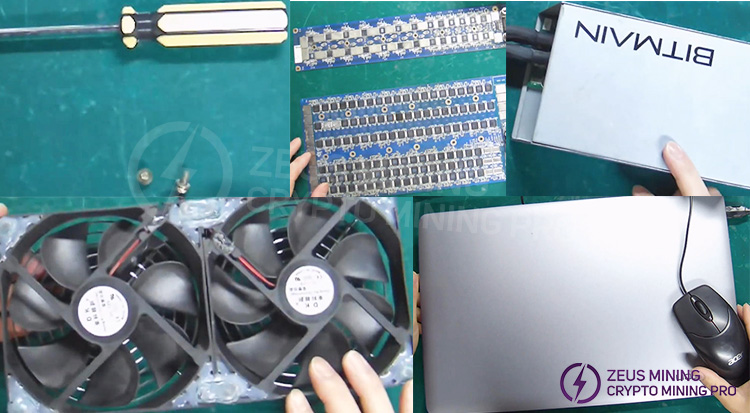
Tools and accessories required for testing the hash board: screwdriver and screws, A921 and A1066 hash boards to be tested, dual-row cooling fan, APW3+ power supply (any power supply with a DC 12V output voltage will work), and a laptop (to view test logs after connecting to the test fixture).
Before testing, you need to understand the functions of the fixture's main control board:
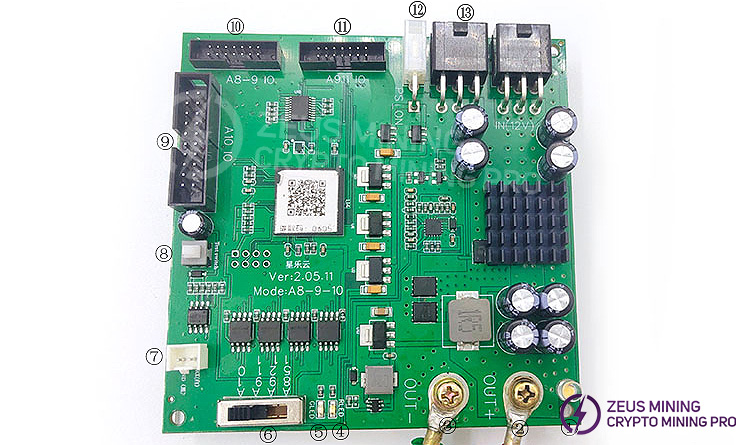
① White LED light: Indicates whether there is an output power supply; if the light is on, it means there is the output voltage, and if the light is not on, it means there is no output voltage.
② OUT+ (red clip): output positive, there are two voltages 10V and 12V, how much voltage is output is controlled by the mode switch. A8* and A9* series are both 10V output, and A10* series are 12V output; before the clip is connected to the board, be sure to confirm whether the model and model switch is switched correctly.
③ OUT- (black clip): negative output pole.
④ GLED (red LED): indicates that the test board is not good and needs to be repaired; the specific problem still depends on the LOG, and some problems can be ignored.
⑤ RLED (green LED): Indicates that the board has passed the test and no maintenance is required.
⑥ Gear switch: a total of 4 gears, the main output voltage is controlled by this switch. The gear models are:
First gear A851: A821 / A841 / A851 / A852
Second gear A921: A920 / A921
Third gear A911: A910 / A911
Fourth gear A10: A10 series (Note: A1066Pro cannot be tested with this fixture)
⑦ USB to TTL port: the white cable is connected to the RX pin, and the black cable is connected to the GND pin;
⑧ PS_ON: Connected to the foot switch, press it to supply power immediately, release it to power off immediately. It is recommended that the continuous pressing time does not exceed 3 seconds. When the continuous pressing time reaches 6 seconds, the fixture will also automatically power off to prevent the hash board from overheating.
⑨ A10 IO: A10* data cable interface, connected to A10* data cable interface of hash board.
⑩ Self-locking switch: Press this switch when you want to maintain and check the signal, the board signal (for example, the C signal will have a high level of one chip and a low level of the chip) will be output regularly, which is more convenient when measuring signals; normal test board When it is good or bad, this switch should be turned on, otherwise there will be no output from the serial port.
⑪ A8-9 IO: The first and second gear data cable interface, connected to the A8*-A920/A921 hash board data cable interface after passing through the adapter board and the cable.
⑫ A911 IO: The data cable interface of the third gear is connected to the data cable interface of the A910/A911 hash board after passing through the adapter board and the cable.
⑬ IN (12V): The 12V output from the PC power supply is connected here to supply power to the fixture, and both interfaces must be connected well.
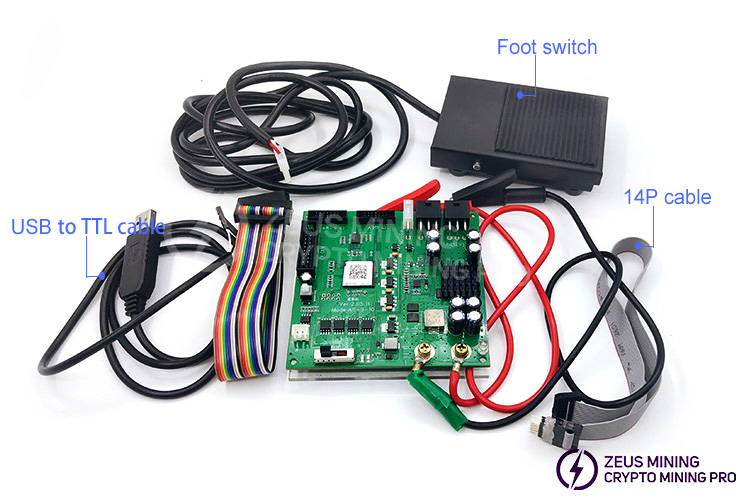
Colored cables are used to connect devices to A10 series hash boards; 14P cables connect A8 and A9 series hash boards; red and black wires are power cables used to connect the fixture and the hash board, with red being the positive terminal and black being the negative terminal; a USB to TTL cable connects one end to the computer and the other end to the test fixture; a foot switch is used to control the power supply by stepping on it. Pressing the foot switch supplies power to the hash board and starts the test, and releasing the foot switch cuts off the power.
The following steps demonstrate how to test the A1066 hash board:
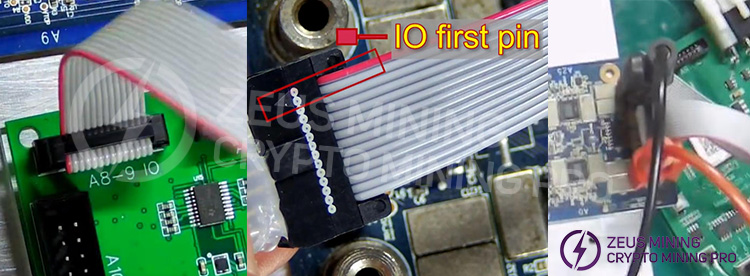
1. Set up the cables as shown in the image;
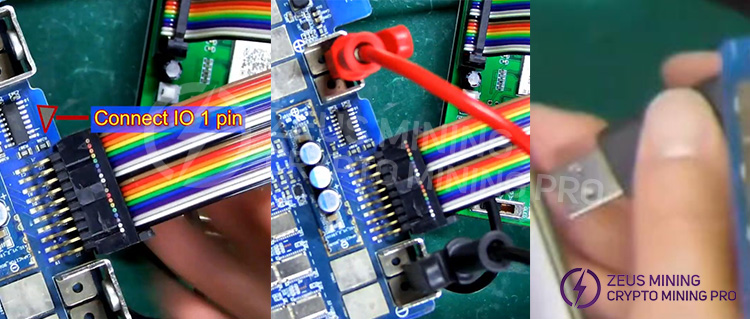
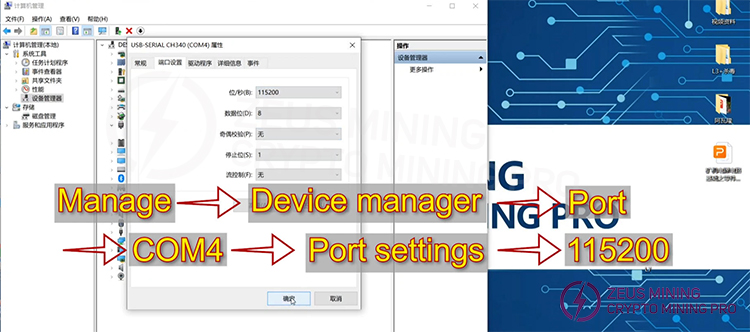
2. Set the parameters on the computer;
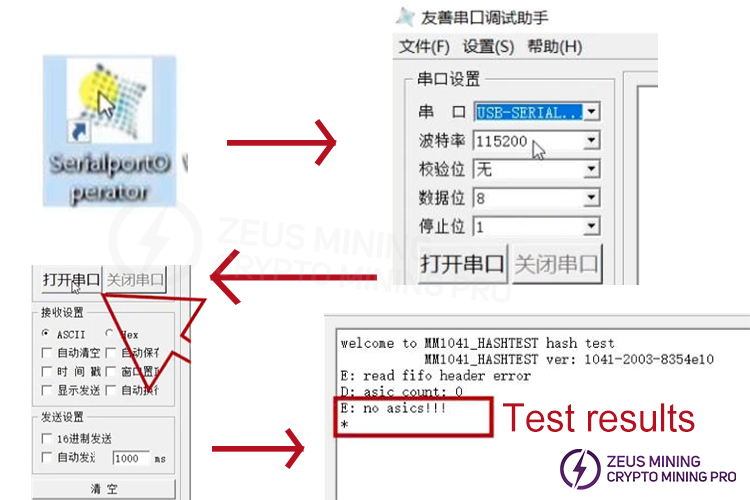
3. Set the parameters of the serial port software;
4. Start testing the hash board: turn on the fixture power and the cooling fan simultaneously; click "Open Serial Port" and press the foot switch; then you can see the test results. Since this is a faulty board, the log displays "no ASICs".
The following steps demonstrate how to test the A921 hash board:
1. Connect all the cables, replace them with the cables used for the A921 and connect them to the corresponding interfaces, then press the foot switch to start the test;
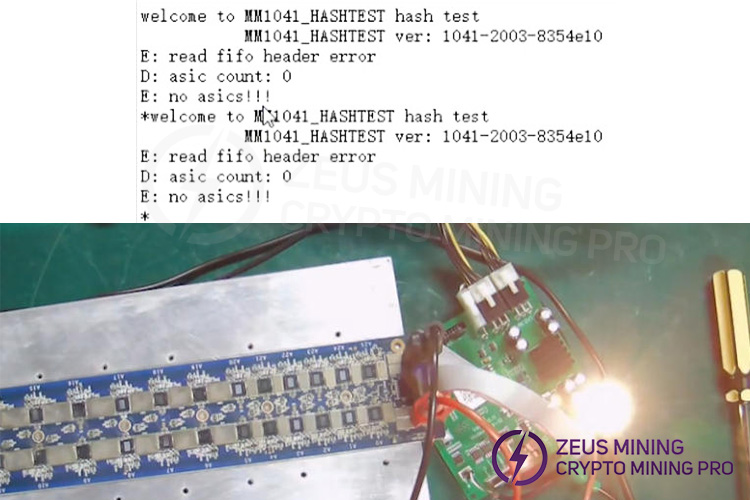
2. The test results will be displayed on the computer; the white indicator light on the test fixture illuminates, indicating that the clamp is receiving power correctly, while a red light indicates a fault with the hash board, hence the log shows "no ASICs" chips.
Avalon 8/9/10 Series Test Stand For testing Avalon miner A821 A841 A851 A852; A920 A921; A910 A911; A1066 A1047 (Note: A1066Pro cannot be tested with this fixture) hash board ASIC chip status, Help us find which area is the ASIC chip damage and find the problem more intuitively can fix the hash board accurately and quickly.
How to use the Avalon repair test fixture to test the A8, A9 and A10 series hash board?
For more product and service information, please click to join our official Telegram channel
 China Mainland Hong Kong
  Business Hours: (GMT+8) 08:30-20:00 Mon to Sat
  Company Phone: +86-023-72227777
