

Dogecoin mining refers to the process of using a computer's computing power to verify transactions on the Dogecoin network and record them on the blockchain, thereby earning Dogecoin as a reward. This is like participating in a vast public accounting system, where miners compete to solve computational problems to maintain the security and decentralization of the network. This entire process requires electricity and hardware resources.
I. What You Need to Prepare Before Starting Mining
Before you begin, you need to prepare the appropriate hardware, software, and a wallet to store your Dogecoin.
1. Mining Hardware
1) CPU (Central Processing Unit): The processor of a regular computer. While it can be used for mining, its computing power is difficult to make a profit in today's competitive environment.
2) GPU (Graphics Processing Unit): More powerful than a CPU, it processes specific calculations faster, but even with a single or a few GPUs, independent mining is quite challenging to be profitable.
3) ASIC Miner (Application-Specific Integrated Circuit): This is professional equipment specifically designed for mining, offering the strongest computing power and highest efficiency. To mine Dogecoin, you need to choose an ASIC miner that supports the Scrypt algorithm.
2. Mining Software
1) CudaMiner: Suitable for Nvidia GPUs.
2) EasyMiner: Has a graphical interface and is more user-friendly for beginners using GPUs.
3) MultiMiner: Suitable for ASIC miners.
3. Dogecoin Wallet
You need a Dogecoin wallet to store the Dogecoin you mine. For example, Dogecoin Core and MyDoge.
Wallets that support multiple currencies (such as Ledger, Trezor, and Coinbase Wallet) are also an option.
II. Dogecoin Mining Methods
1. Solo Mining
Solo mining refers to miners using their own computing resources to mine Dogecoin independently, without joining any mining pool. In solo mining, miners configure their own hardware and software, connect directly to the Dogecoin network, and attempt to solve the cryptographic puzzle required to add new blocks to the blockchain.
Advantages: You can enjoy the block reward exclusively, without sharing the revenue with others or paying mining pool fees, thus obtaining higher revenue per block.
Disadvantages: Requires a large amount of computing power and energy, and the income is unstable, potentially resulting in no rewards for a long time. For small miners, this may be an inefficient and costly option.
2. Mining Pool
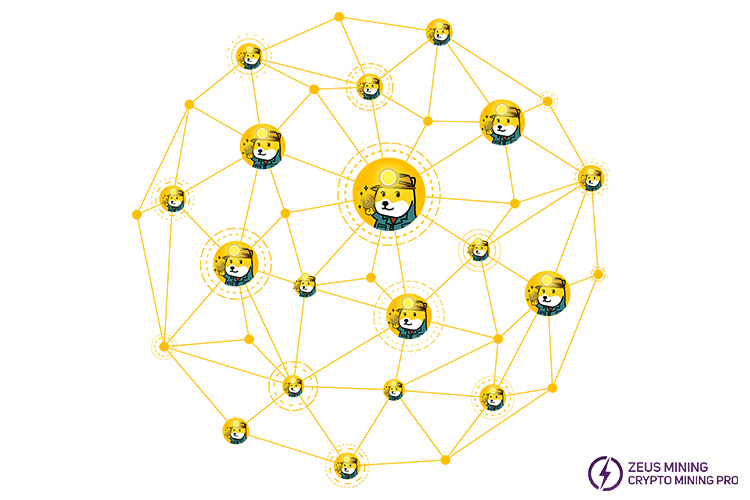
Mining pool mining is a collaborative mining method where multiple miners combine their computing power to increase the probability of solving cryptographic puzzles and obtaining block rewards. After joining a mining pool, miners share the rewards based on their respective contributions to the pool's total computing power. This method is especially beneficial for small miners with limited resources who cannot mine independently. Advantages: Mining in a mining pool provides more stable and frequent returns, as the combined computing power of numerous miners makes it more likely for the pool to regularly mine blocks.
Disadvantages: Mining pool fees are required, and the profits are distributed among all pool members, meaning individual earnings are lower than with solo mining.
3. Cloud Mining
Cloud mining allows individuals to rent computing power from third-party service providers to mine Dogecoin without owning or managing any mining hardware themselves. This method is very convenient for those who lack the technical expertise or resources to set up and maintain mining equipment.
Advantages: Very simple, low initial cost, eliminates the need for purchasing hardware, maintenance, and electricity costs.
Disadvantages: Cloud mining service providers lack transparency, making it difficult to assess the profitability and reliability of the contracts. Furthermore, miners must pay the same rental fee regardless of Dogecoin price fluctuations, which can lead to reduced profitability if the cryptocurrency price falls. Also, cloud mining contracts often lock miners into long-term contracts, limiting their flexibility to change mining strategies or service providers.
III. How to Mine Dogecoin
Step 1: Purchase Dogecoin Mining Hardware
Determine if your existing GPU or CPU is suitable for mining. If not, purchase an ASIC miner based on the scrypt algorithm specifically designed for Dogecoin.
Step 2: Download, Install, and Configure Dogecoin Mining Software
Once your hardware is ready, download, install, and configure mining software compatible with your device. Ensure the software provides a user-friendly interface for easy monitoring.
Step 3: Set Up Your Dogecoin Wallet
Choose a cryptocurrency wallet compatible with Dogecoin to store your mined Dogecoin. Link your wallet address to your mining pool account to receive earnings.
Step 4: Join a Dogecoin Mining Pool
While you can mine individually, joining a mining pool is recommended to increase efficiency and the chances of higher rewards. Follow the mining pool's documentation to configure your mining equipment correctly.
Step 5: Connect Your Mining Hardware to the Mining Pool
Register an account with your chosen mining pool and connect your mining hardware to one of the pool's servers.
Step 6: Start Mining Dogecoin
Once setup is complete, you can monitor your hash rate, earnings, and payments through the mining pool's control panel or application. You can withdraw your rewards to your wallet while mining Dogecoin.
IV. Frequently Asked Questions and Solutions
1. Connection Failure: Check if the mining pool address, port, and account information are entered correctly; try restarting the mining software or miner.
2. Decreased computing power: Check if high hardware temperature is causing frequency reduction, ensure a stable network connection, and update the mining software to the latest version.
3. Earnings not received: Confirm that the wallet address is entered correctly; check the mining pool's payment threshold and payment cycle; some mining pools require manual withdrawal.
4. Hardware overheating: Ensure the miner is placed in a well-ventilated environment, consider adding auxiliary cooling fans, and clean dust regularly.
Disclaimer:
For cryrrenptocucy tutorial purposes only, not investment advice. This website is not responsible for the actions taken by readers based on the information in this article.
For more products and information, please click to join our official Telegram channel.
 China Mainland Hong Kong
  Business Hours: (GMT+8) 08:30-20:00 Mon to Sat
  Company Phone: +86-023-72227777
