

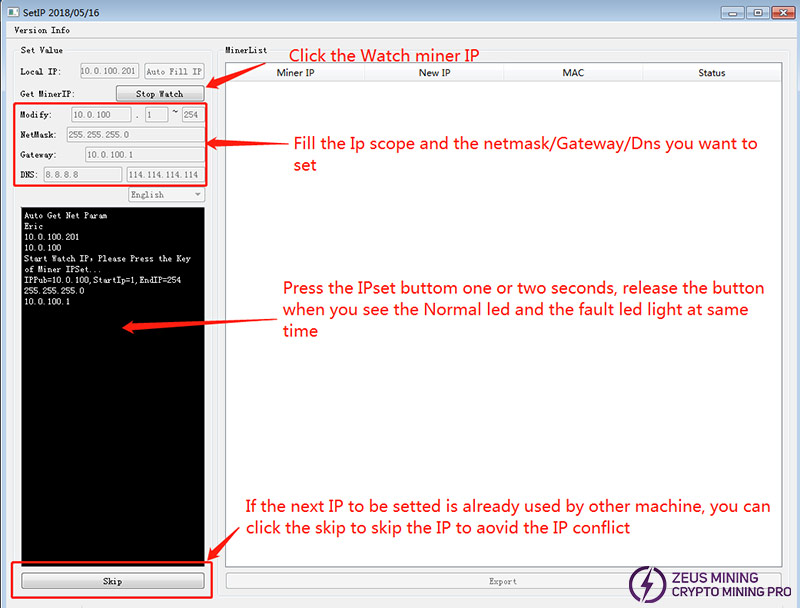
When used in combination with the SetIP tool, Innosilicon miners can set the device to a static IP within the specified range after searching for the IP. This tool will be used when starting or restarting the miners.
1. Unzip the Innosilicon SetIP toolkit into the current folder. The download method is provided at the end of this article.
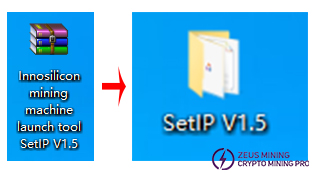
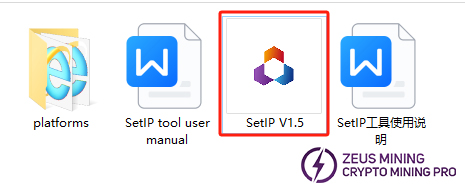
2. The folder contains the SetIP V1.5 application program and its instruction manual. We can run it by double-clicking on the software icon.
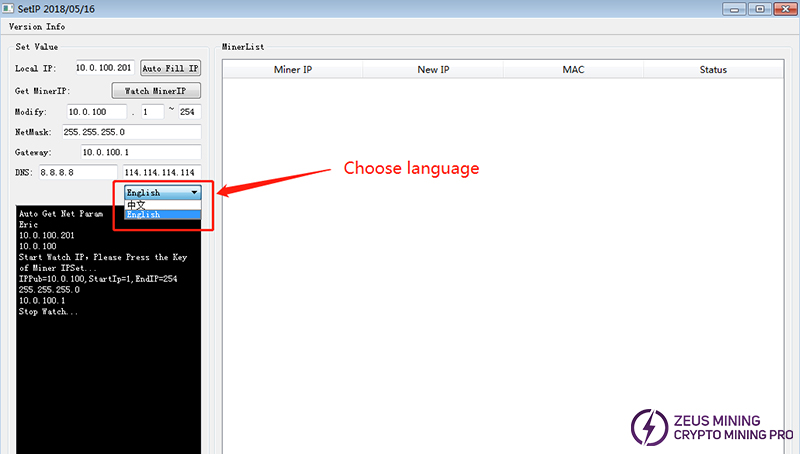
3. Place this tool on a computer connected to the same router as the miner. We can click to switch between Chinese and English.
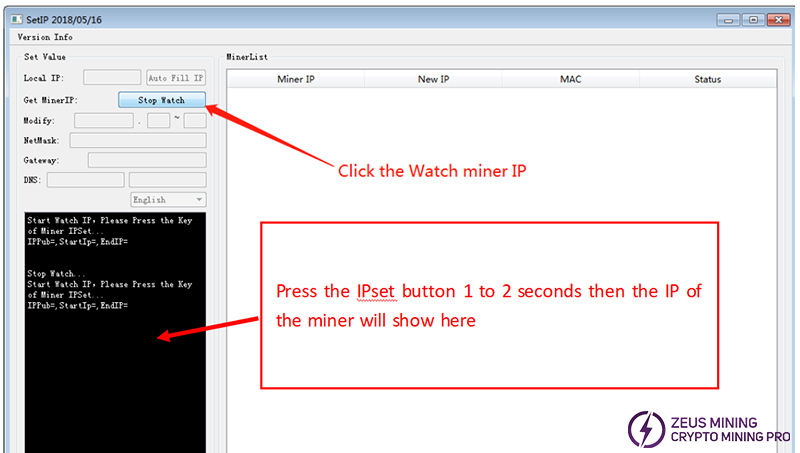
4. Click "Watch MinerIP", and then press and hold the miner's IPset button for 1 to 2 seconds. The IP will be displayed below.
5. Set all miners to static IPs and make the IPs location-related.
To download the Innosilicon SetIP software, please contact Jay, the senior technical engineer of ZEUS MINING, via WhatsApp.
Follow the steps prompted by the software to report the miner's IP address to the specified "SetIP" tool, making it convenient for users to locate the miners for setup and management.
 China Mainland Hong Kong
  Business Hours: (GMT+8) 08:30-20:00 Mon to Sat
  Company Phone: +86-023-72227777
