

Through the analysis of Antminer's kernel log records, we can detect any errors, malfunctions, or abnormal phenomena during the mining process, which is beneficial for understanding the running situation of the miners over time. So, how do we download the current logs and historical logs?
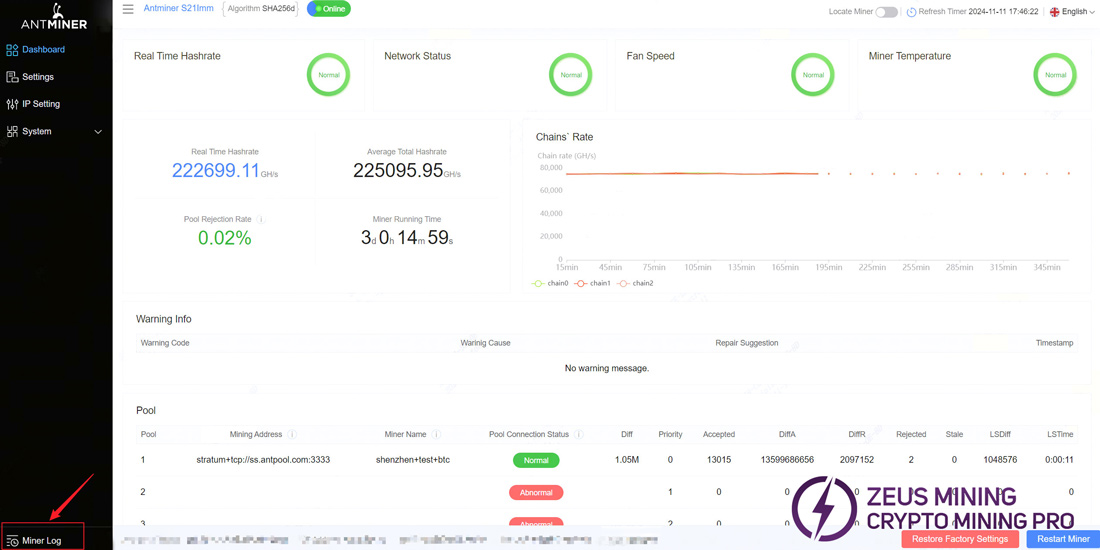
I. Log in to the backend and enter the homepage. Click on "Miner Log" in the lower left corner.
 II. Continue to click "Download Log".
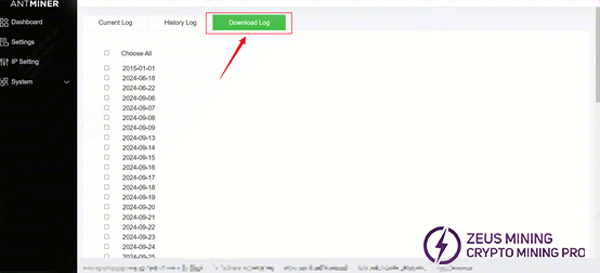
III. Download operation:
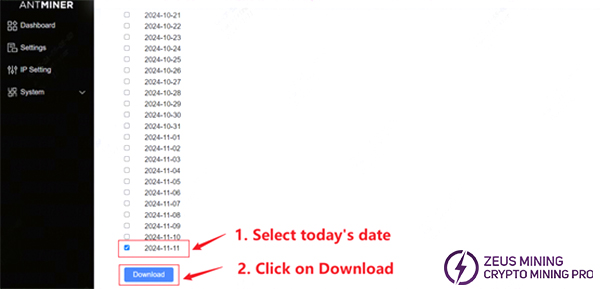
1. Current log download : We need to scroll down to the end, check the latest current date, and click "Download".
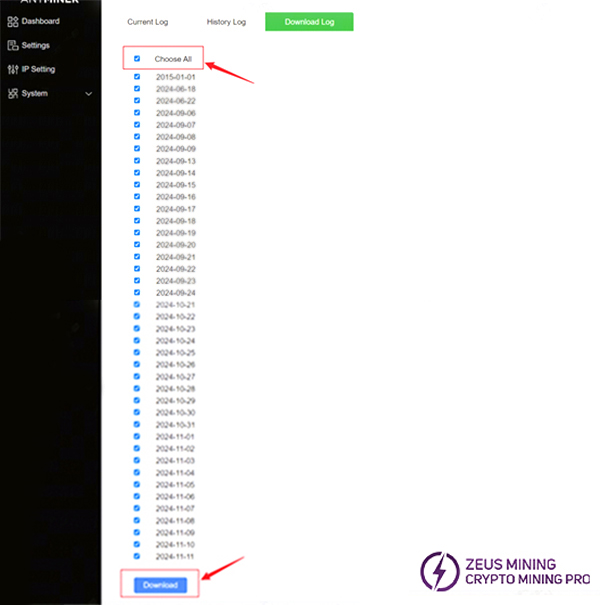
2. Historical logs download: First check "Choose All", scroll to the end of the page, and click "Download" to download logs of all dates. However, if the log file is too large to be downloaded successfully, please uncheck "Choose All" and only download the logs of recent dates.
IV. After the log file is downloaded, a compressed package as shown below should appear:
Current logs:

Historical logs:

The above are the steps to download the logs. The kernel log records various working stages of Antminer and is used to help us solve some common problems.
Further reading:
 China Mainland Hong Kong
  Business Hours: (GMT+8) 08:30-20:00 Mon to Sat
  Company Phone: +86-023-72227777
