

When the Antminer S19k pro Bitcoin miner is operating normally, we observed through the kernel logs that one of the single boards has a fault where the number of ASIC chips is incomplete. We need to investigate the cause of the fault and find a solution.
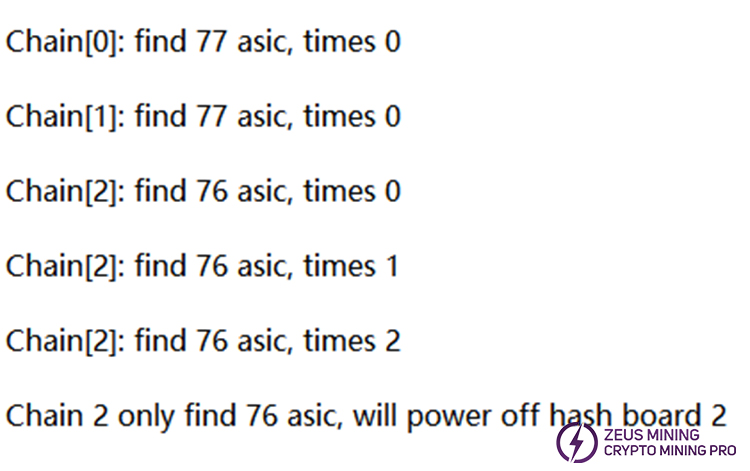
I. Fault phenomenon: The kernel log shows that the hash boards of Chain 0 and Chain 1 have found a complete 77 ASIC chips. According to "Chain[2]: find 76 asic" in the following picture, it means that only 76 chips are found on the Chain 2 hash board. A fault of an incomplete number of chips on the single board is detected, and the power supply will turn off the Chain 2 hash board.
II. Troubleshooting and solutions:
1. Use the PicoBT multifunctional hash board tester or the Antminer universal chip test fixture to test the hash board.
(1) Instructions for using the PicoBT multifunctional hash board tester: Connect the 18-pin data cable on the test fixture to the data interface of the Antminer hash board. Connect the 12V power adapter to the test fixture and the power socket respectively. Use the red and black alligator clips of the PSU to clamp the positive and negative terminals of the hash board to supply power. On the test fixture page, select "Antminer S19k Pro". Press the white button to enter the test interface, set the test mode and number of times, and press the white button to start the test.
Reference video:
(2)Instructions for using the Antminer universal chip test fixture: Insert the 4-pin voltage adjustment cable of the PSU into the fixture interface. Use the 6-pin power cable to power the tester, and one end of the hash board cable is plugged into the fixture. Connect the USB to TTL cable to the fixture and the computer, and let the tester self-test after powering on. Connect the red and black alligator clips to the positive and negative terminals of the hash board and the power supply. Then insert the other end of the hash board cable into the hash board, and press the test button to start the test.
Reference video:
2. To quickly locate the faulty chip, we can use the method of shorting the TX (CO/CI) signal, as shown in the reference diagram below.
• For example, we can start by shorting the TX (CO/CI) signal of chip number 40. After shorting chip number 40, if the test result shows 40 chips, it means there are no abnormalities from chip number 1 to chip number 40.
• Continue by shorting chip number 50. If the test result shows only 49 chips. This indicates that there is an abnormal chip between chip number 41 and chip number 50. Narrow down the range by sequentially shorting from chip number 41 to chip number 50 to find the faulty chip.
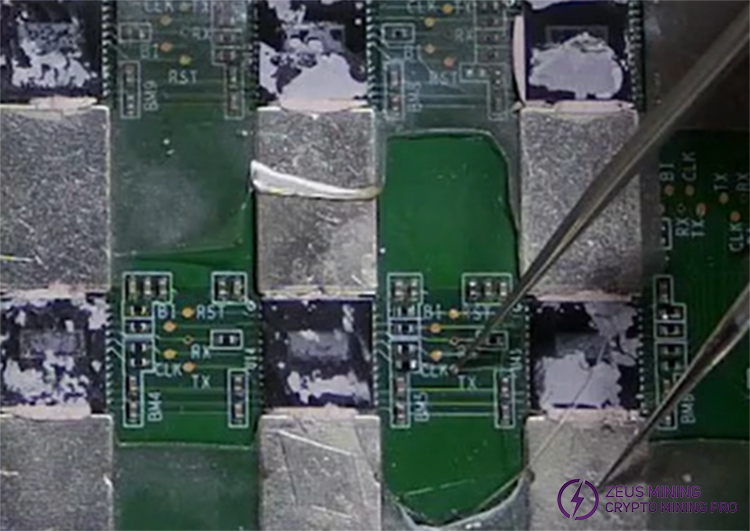
• If the identified faulty chip is number 50, check whether the resistor connected to the TX (CO/CI) signal has a resistance of 33 ohms? Also, check whether the voltage across the resistor is 1.2V? If there is no 1.2V, it is recommended to replace the resistor with the same model.
• If the resistance value and the voltage at both ends of the resistor are normal, it means that chip 50 may be faulty or have a poor solder joint. We can try re-soldering to see if it can be repaired. If it cannot be repaired, replace the faulty ASIC chip number 50.
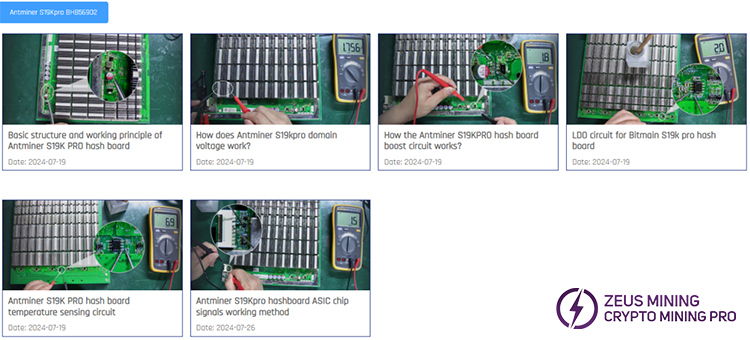
3. If you are interested in learning the repair tips for the Antminer S19k Pro hashboard, it is recommended to click here to learn more.
ZEUS MINING proposes solutions to the problem of the incomplete number of chips on Antminer S19k pro hash boards. This helps users improve the efficiency of maintaining hash boards and can also take preventive measures in advance to avoid more serious losses.
 China Mainland Hong Kong
  Business Hours: (GMT+8) 08:30-20:00 Mon to Sat
  Company Phone: +86-023-72227777
