

When the temperature of the Antminer S19k Pro miner rises abnormally and stops mining, the cooling fan also makes a harsh noise. How to troubleshoot the cause of the fault and repair the miner hash operation?
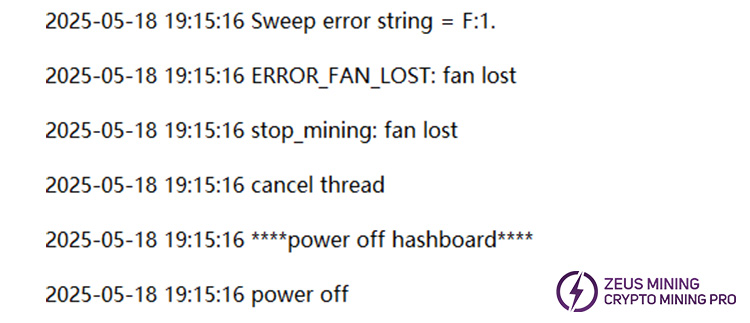
1. Check the key data. The log reports an error "fan lost, only find 2 (< 4)", indicating that the miner cooling fan is lost. Only two of the original four fans were found. Next, continue to check what caused the fan to be lost.

2. ID numbers 0, 1, 2, and 3 correspond to cooling fans 1, 2, 3, and 4. Both cooling fans, 1 and 2, have reached their normal speed of 6800. "fan_id=2, fan_speed = 3410" and "fan_id=3, fan_speed = 3400" indicate that the speed of cooling fans 3 and 4 is approximately 3400. The speed is not up to standard, and the fan is lost.
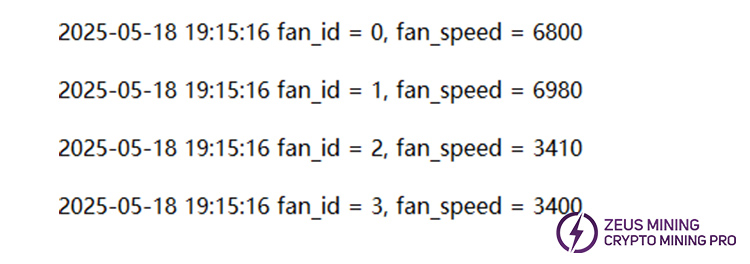
3. The missing fan will affect the cooling effect of the miner, the hash board reports a high temperature fault, and the hash calculation is stopped. How to solve the cooling fan failure problem?
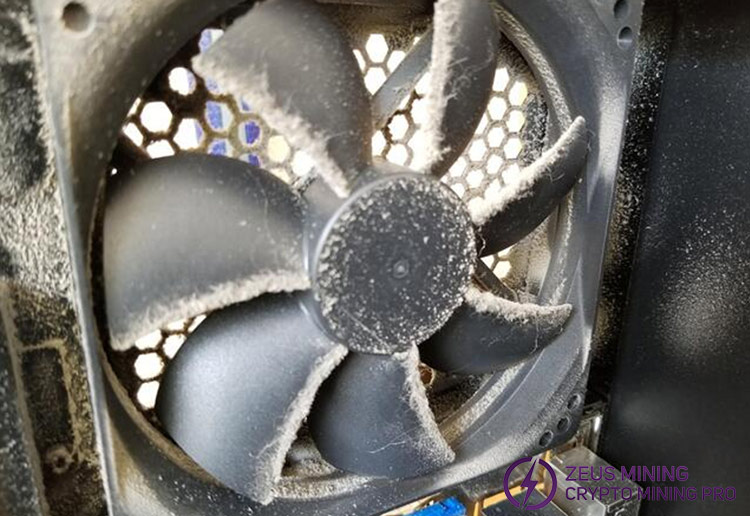
Step 1: Immediately turn off the power to the miner. Check whether the fan blades have accumulated a significant amount of dust, which increases the resistance and causes the speed to drop. If there is, find the faulty cooling fan at the corresponding control board interface. Remove cooling fans 3 and 4 and clean them inside and out.
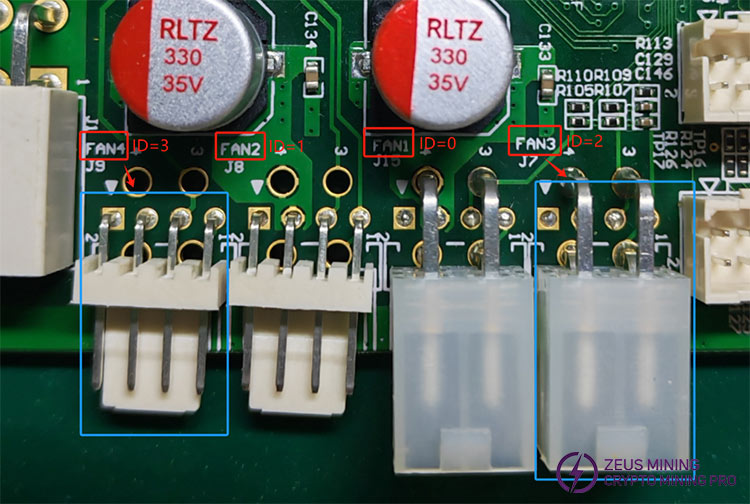
Step 2: Check if the fan interface is loose and if the cable is aging or worn. If so, use a screwdriver to unscrew the fixing screws and replace the original cooling fan.
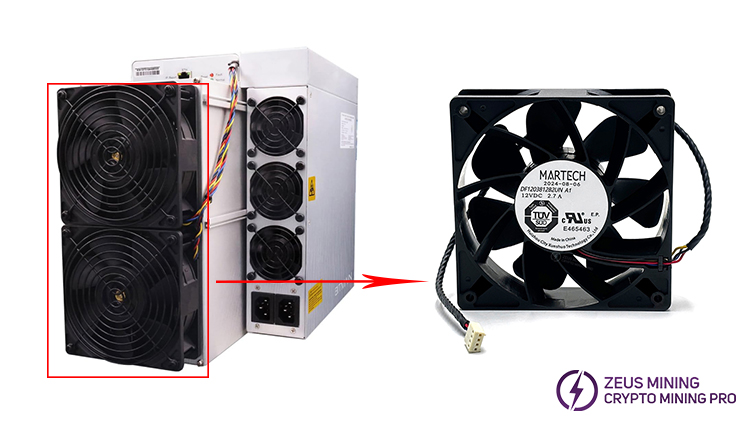
Step 3: After replacing the fan, the miner is powered on, and the log still shows that the speed of fans 3 and 4 is low. Continue to check whether an abnormal power supply to the control board causes the low speed. The power module may become unstable due to overheating, short circuits, or other issues that arise from long-term use, which can affect the fan speed. Continue with the subsequent operation.
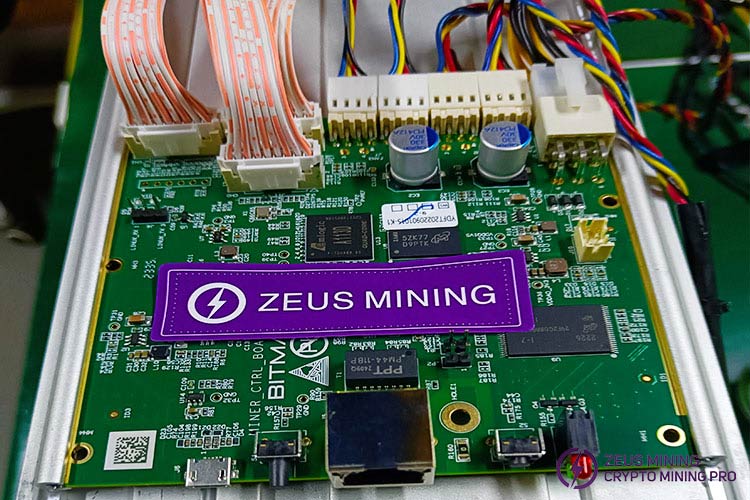
Remove the control board and power it on. Set the multimeter to the DC voltage position. According to the figure below, place the red and black test leads on the pins of the fan interface and the copper conductor of the control board, respectively. If the reading is around 12V, there is no problem. On the contrary, if the voltage of the power supply pin is not 12V, it means that the control board is faulty and needs to be replaced. You can follow the tutorial on replacing the C76 control board.
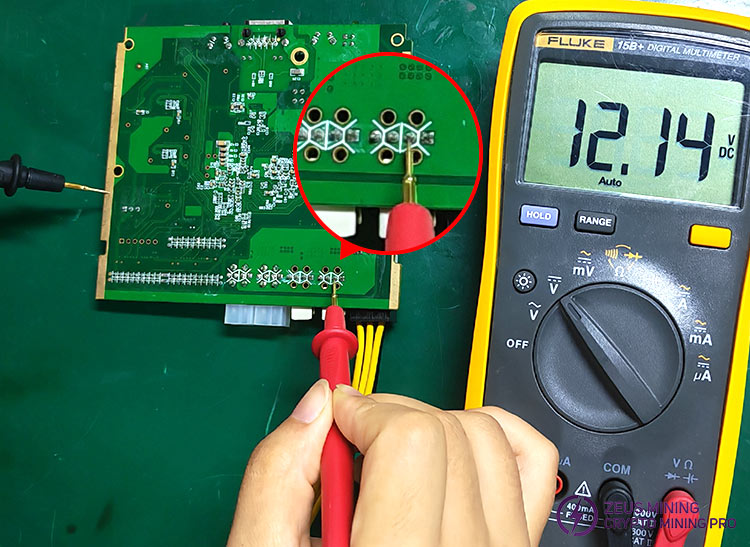
We will continue to provide fan troubleshooting articles for various Antminer ASIC miners, so stay tuned. You can also contact professional technicians for assistance with other troubleshooting problems you encounter.
 China Mainland Hong Kong
  Business Hours: (GMT+8) 08:30-20:00 Mon to Sat
  Company Phone: +86-023-72227777
