

The Bitaxe Gamma 601 is a home BTC ASIC lottery miner for individual and small-scale mining. This tutorial will provide a detailed introduction to completing the hardware connection, network configuration, mining pool setup, and performance monitoring of the miner, helping us mine quickly.
I. Bitaxe Gamma 601 Host Introduction
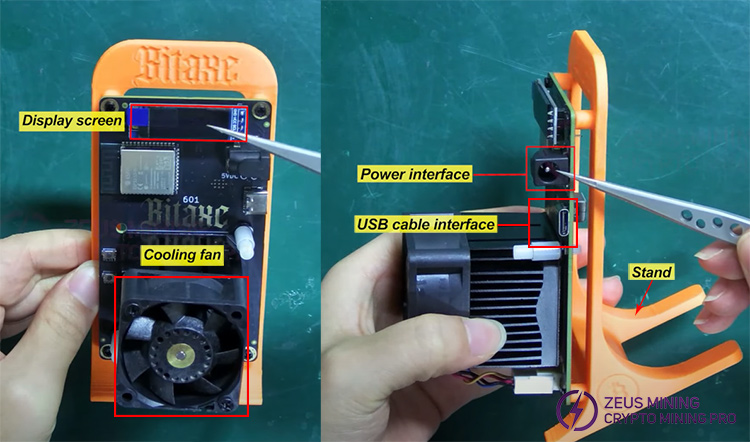
The display screen shows the miner's operating information. The cooling fan dissipates heat for the 601 miner. At the upper right is the power interface, and below it is the USB data cable interface. The stand at the back helps to support the miner, making it convenient to observe the data.
II. Bitaxe Gamma 601 SOLO Miner Setup Steps
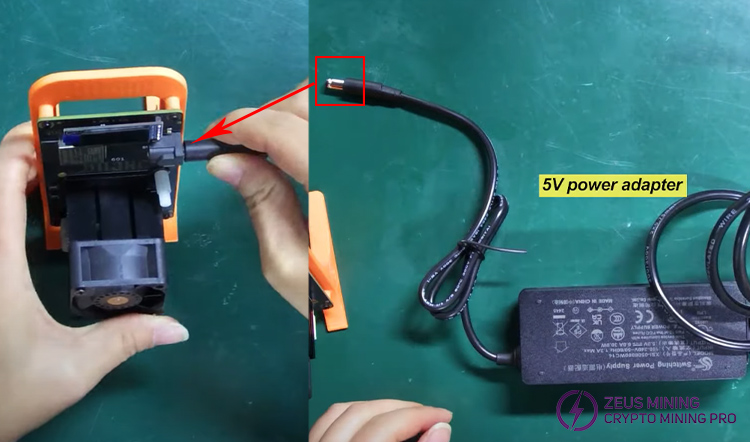
1. Connect the 5V power adapter to the miner's power interface and plug the other end into a suitable wall socket.
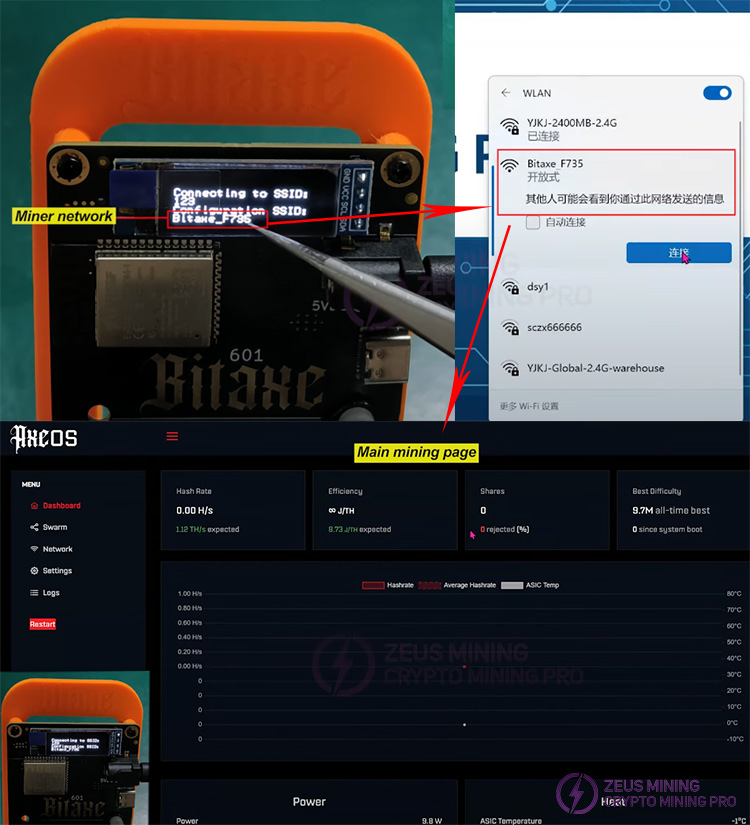
2. The setup can be carried out when information is displayed on the miner's screen. The screen's bottom bar shows that the miner's network is Bitaxe_F735. We can connect to Bitaxe_F735 via a mobile phone or a computer. After establishing the connection, it will automatically jump to the mining home page.
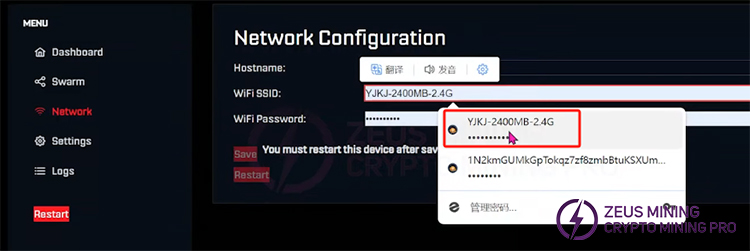
3. Click "Network" to set up the WiFi. Select a 2.4G network and then save the settings.
4. Select "Settings". We can configure two mining pools and two wallet addresses on the settings page. We can use the same one here if we only have one wallet address. Usually, the frequency is set to 550, the voltage is set to 1250, and the subsequent options are checked by default. After making the selections, click "Save". Once the saving is completed, it will prompt that the settings have been saved successfully. Click "Restart," and the miner will automatically synchronize and restart.

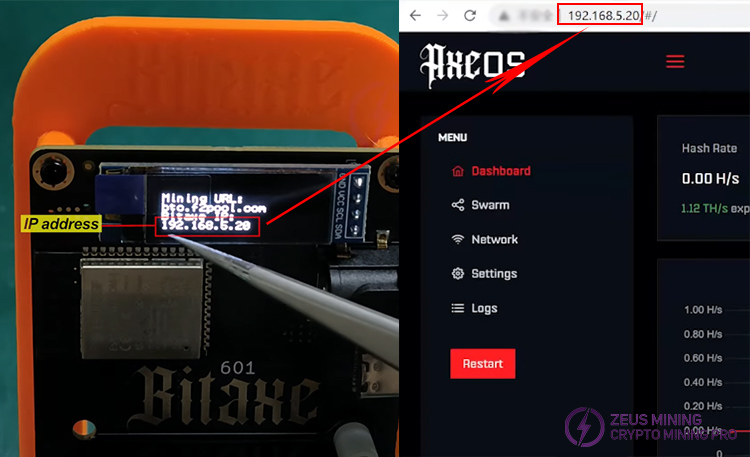
5. After the restart, reconnect the computer to the 2.4G network we set up previously. In the Google Chrome browser, enter the IP address that appears on the Bitaxe Gamma 601 device and wait for the mining information interface to be displayed.
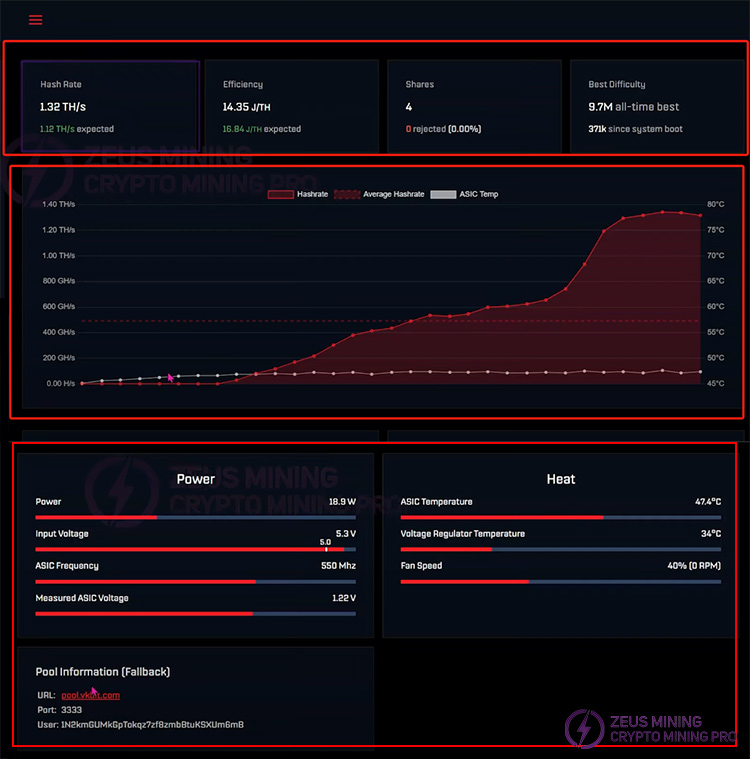
6. Wait about 1 minute for the data information to be displayed. At the top of the page are the real-time hash rate, operating efficiency, the number of submitted tasks, mining difficulty, etc. The middle part is the hash rate curve graph. Below are the operating power consumption, temperature, mining pool information, wallet address, etc.
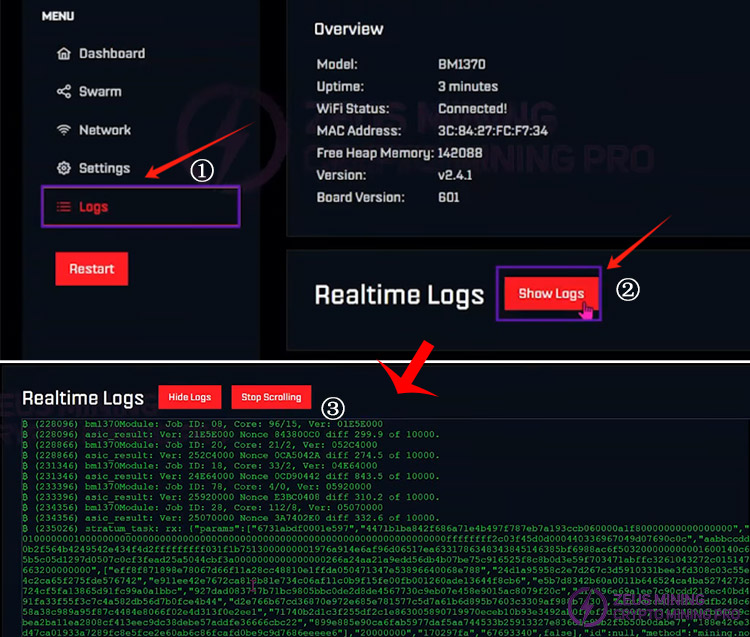
7. Click "Logs" to view the miner's logs.
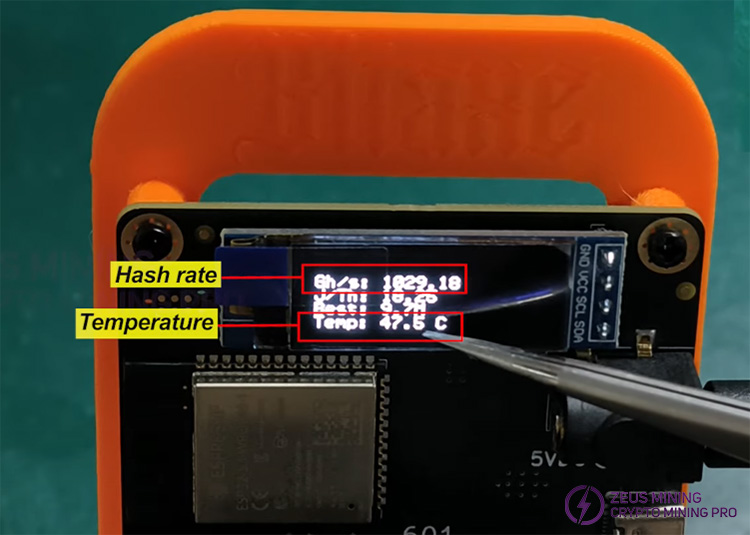
8. The miner's screen also displays the current hash rate, temperature, and other information.
>>Bitaxe Gamma 601 Reset System And Firmware Update Guide
Through the above steps, the Bitaxe Gamma 601 miner has been successfully configured and started to run. With its low power consumption, high hash rate, quiet operation, and good heat dissipation, this miner is particularly suitable for use in homes or small-scale mining farms. If we want to improve its performance further, we can try overclocking settings, but ensure good heat dissipation to maintain stable operation. The Bitaxe Gamma 601 can provide a stable and efficient mining experience for home mining or small-scale mining farm deployment. If you have any questions, please refer to the official documentation or contact technical support. I wish my friends good luck in mining!
 China Mainland Hong Kong
  Business Hours: (GMT+8) 08:30-20:00 Mon to Sat
  Company Phone: +86-023-72227777
