

The Bitaxe Gamma 601 1.2TH/s solo miner exhibits issues such as no hash rate display, abnormal restarts, unstable operation, and overheating. This article walks you through how to reset the system and flash the firmware to resolve common faults in the Bitaxe Gamma 601.
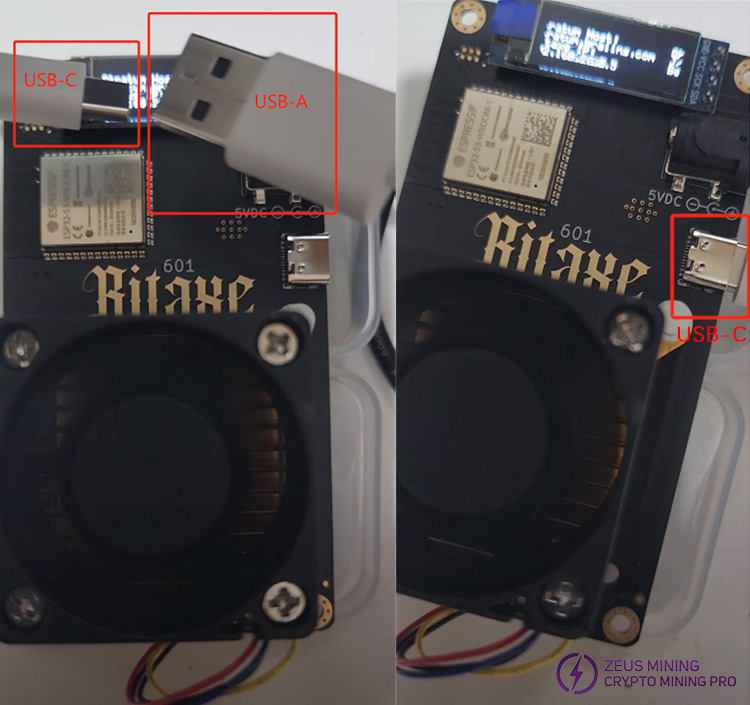
1. Power on the Bitaxe Gamma 601. First, we must prepare a dedicated USB-C to USB-A cable. Plug the USB-C port into the Bitaxe Gamma 601 miner. The other end connects to our computer.
2. Enter https://bitaxeorg.github.io/bitaxe-web-flasher/ on the computer web page and press Enter to access.

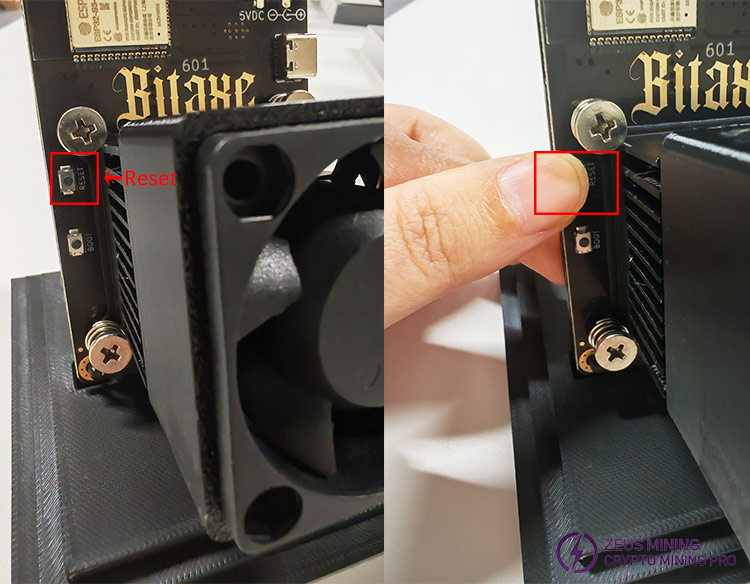
3. Disconnect the Bitaxe Gamma 601 from the computer backend management interface. Find the "Reset" button on the left side of the miner, press and hold it, and then release it to restore the miner to factory settings.
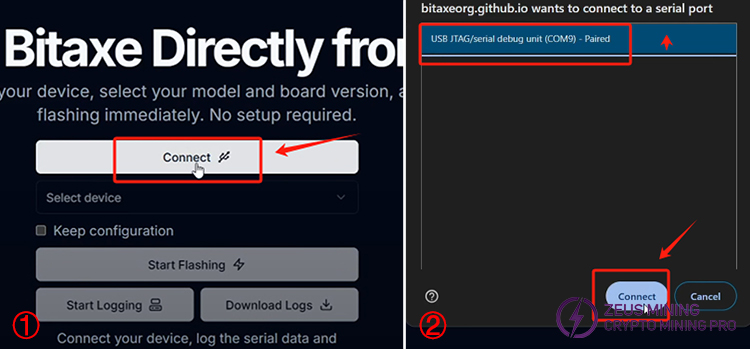
4. Now, we return to the Bitaxe web flasher web page and click the "Connect" button on the page. Select "USB JTAG/serial debug unit (COM9) - Paired" in the pop-up box and click "Connect" to establish a connection.
5. Click "Select device" and click to select Gamma. Select "601" and then click the latest firmware version. Click "Start Flashing" to start flashing. Please wait a few minutes.
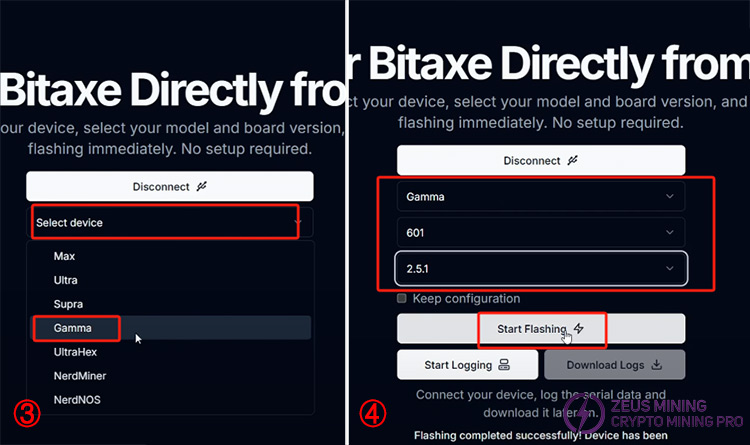
6. After the firmware is flashed, restart the Bitaxe Gamma 601. Perform a self-test to ensure the device is functioning correctly.
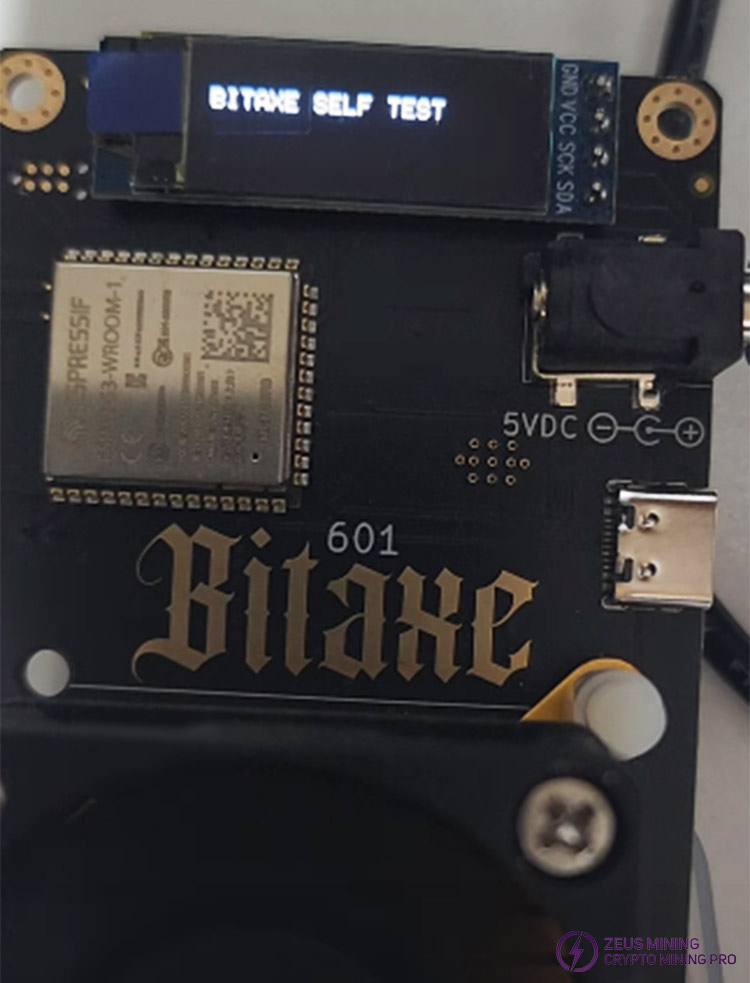
7. If the test result is typical, press and hold the "Boot" button for two seconds to cancel the test, or press the "Reset" button. The miner screen will then return to the running interface.
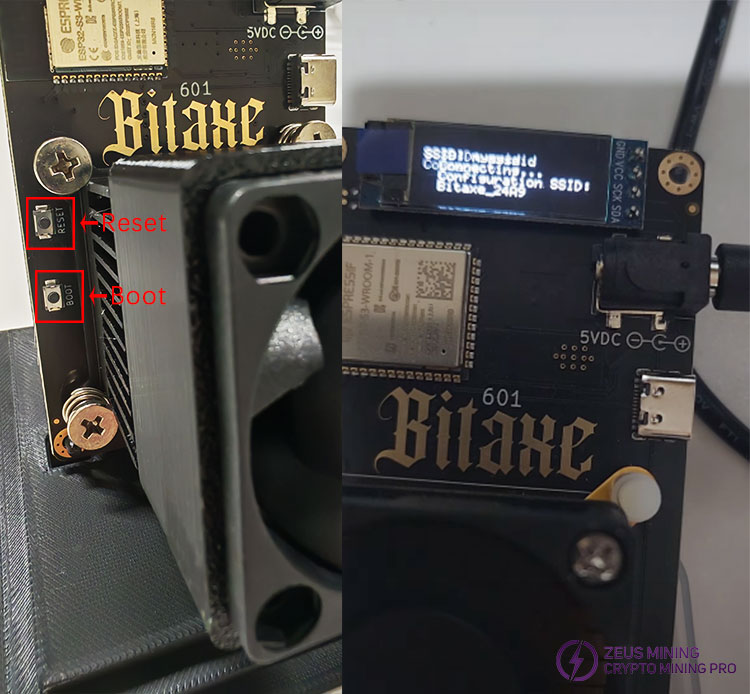
Through this tutorial, we will guide you through the steps to reset the system and flash the firmware of the Bitaxe Gamma 601, helping you to resolve miner failure and restore it to smooth operation.
>>How To Set Up The Bitaxe Gamma 601 Solo Miner?
Disclaimer:
This article is intended as a cryptocurrency tutorial only and does not constitute investment advice. This website does not assume any responsibility for the actions taken by readers based on the information in this article.
About authorJerry Xu | ZEUS MINING Senior Engineer
Zeus Mining's senior repair engineer has 6 years of experience in ASIC miner hardware repair and is proficient in fault diagnosis and circuit-level repair of the entire Antminer series.
🏷 Area of expertise: ASIC miner repair
 China Mainland Hong Kong
  Business Hours: (GMT+8) 08:30-20:00 Mon to Sat
  Company Phone: +86-023-72227777
