

The MicroBT Whatsminer immersion cooling miner repair guide focuses on troubleshooting and repairing hash boards for the Whatsminer series of immersion cooling miners.
This repair tutorial applies to the following hash boards. such as Whatsminer M36S+, M36S++, M56, M56S, M56St, M56S++, M66, M66S, M66S+, etc.
The following content briefly introduces information related to environmental setup and tool requirements.
1. Test program
You need to use Mobxterm for testing. If you do not have this program, please contact our after-sales personnel.
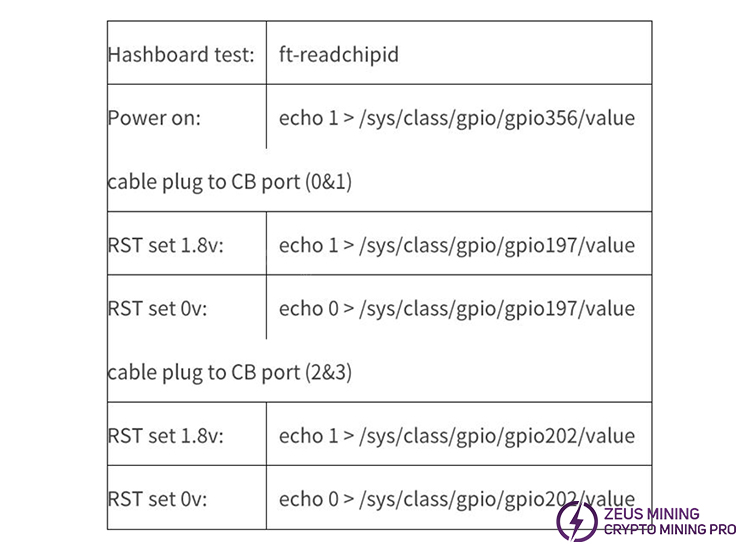
2. Test command
The following content introduces test commands.
3. Test fixture control board CB6 V7
The test fixture is an immersion cooling miner CB6 V7 control board.
4. Test cable
The test cable is an immersion cooling miner original cable.
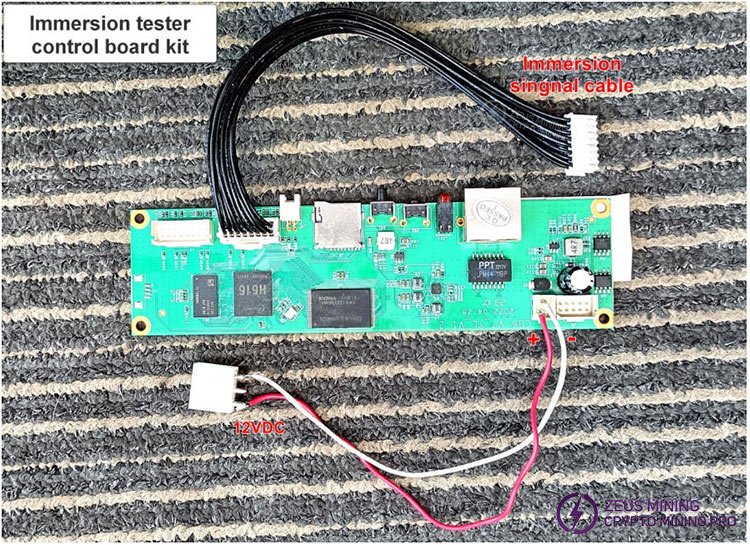
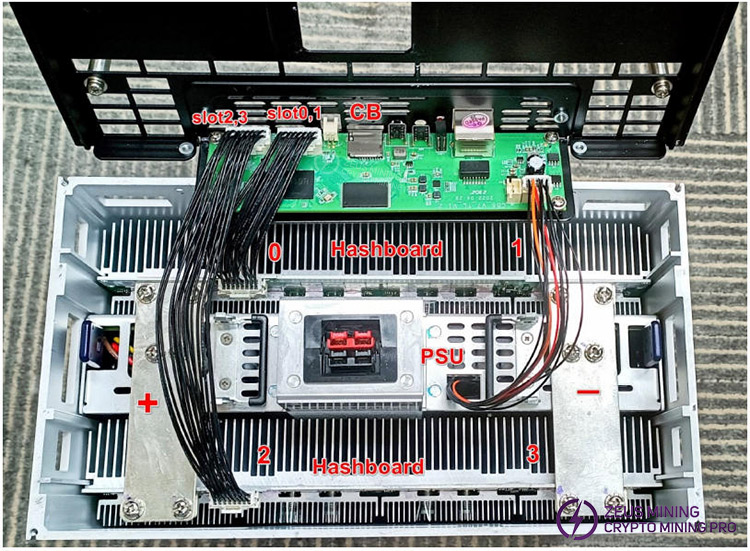
5. Fixture CB6 V7 connection
The following figure shows a connection method for a CB6 V7 fixture.
6. Power supply requirements
The test setup requires independent power sources for its components, with the following specifications:
Hash board
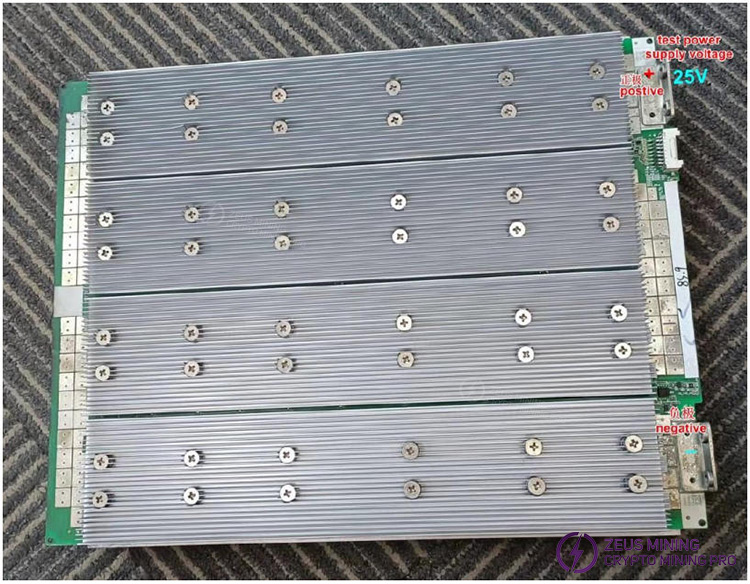
·Voltage: 25VDC
·Current: 15A
Test control board (CB6 V7)
·Voltage: 12VDC
·Current: 2A
7. Tools and accessories
The following tools are required to perform the test and potential rework procedures:
·Soldering/Rework: hot air rework station
·Measurement Instruments: multimeter and oscilloscope
·Hand Tools & Consumables: tweezers, solder paste, and solder flux
1. Hash board circuit principle
The following shows a diagram of the power supply for series-connected chip domains on a hash board.
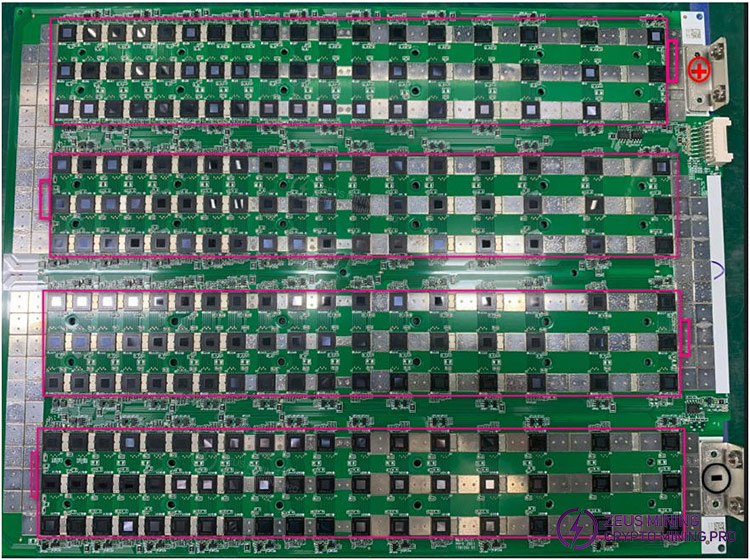
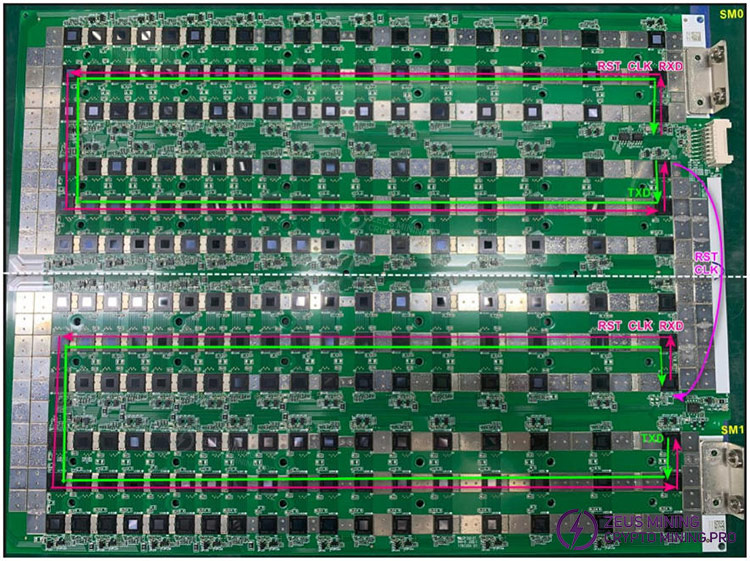
Single flow: a hash board contains SM0 and SM1.
On SM0: Signals RST, RXD, and CLK are transmitted from U1 to U108; and TXD is transmitted from U108 to U1, and then returned to a control board via UP3.
On SM1: Signals RST and CLK (both from SM0’s U108) and RXD (from a control board via UP2) are transmitted from U109 to U216; TXD is transmitted from U216 back to U109, and then sent back to the control board via UP2.
RST and CLK are public signals, transmitted from the start to the end across the whole board; and RXD and TXD are private signals belonging to SM0 or SM1, independent of each other.
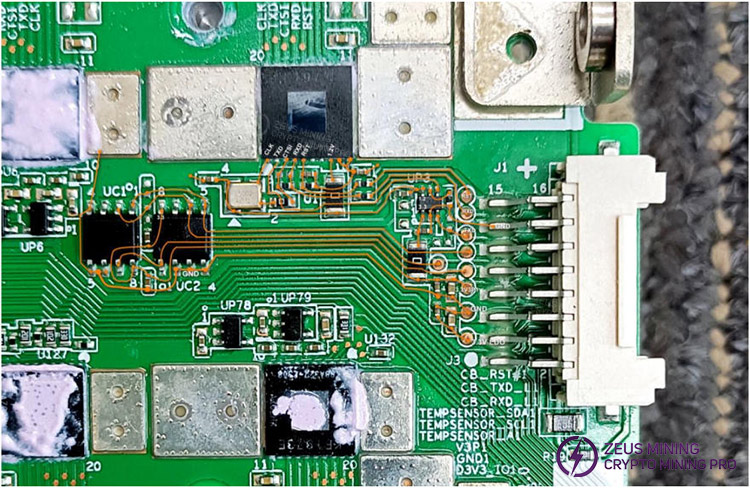
2. SM0 I/O port signal routing diagram
The first 9 groups of LDOs of SM0 have their input power supply coming from a control board via an I/O port.
The initial status is low voltage with no input. When the test is executed, the control board inputs 3.3V to the first 9 groups of LDOs, and the voltage changes to high voltage.
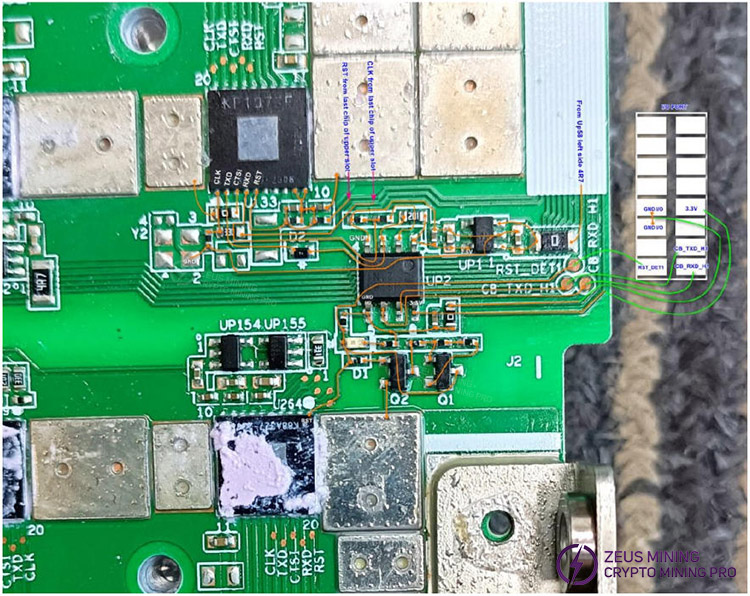
3. SM1 I/O port signal routing diagram
Both RXD and TXD go through a UP2 chip for voltage conversion, and enter and exit a control board via an I/O port.
The output voltage of pin 5 of UP1 is 2.5V, which is sent to pin 1 of UP2.
RST and CLK come from the last chip of SM0.
4. Others
The repair method of other circuits is basically the same as the M3X series air-cooling Hash board. Please refer to the Whatsminer M3x hash board repair manual for the air-cooling miner.
Given that the power supply utilizes a 3-phase AC input, to ensure personal safety:
The power connections for the test fixture control board and hash board power supply must use a three-pin plug (with an earth pin) for reliable grounding.
If measuring signals with an oscilloscope, the oscilloscope must use a two -pin plug (without an earth pin).
Refer to the following figure for details.
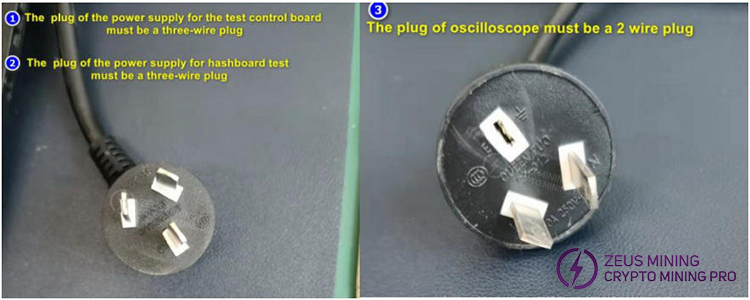
Danger: Failure to do so as said above may expose the hash board to a 110 V AC electric shock hazard.
For chip soldering, follow these steps to ensure proper assembly.
Step 1: Preheat the entire board evenly.
This prepares the board for localized heating and minimizes thermal stress.
Step 2: Clean any oil-contaminated areas that need replacement before soldering to ensure a reliable weld.
Step 3: After the above operation, focus heat only on the area where the chip replacement is needed.
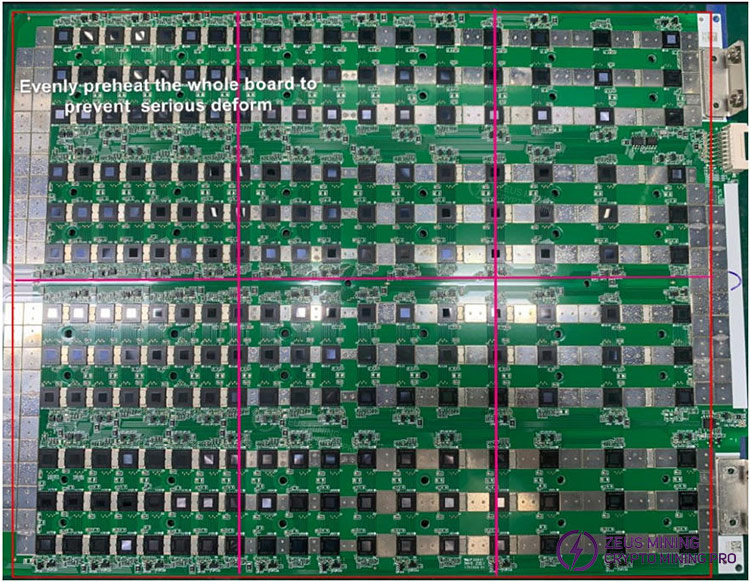
Note: If preheating is skipped, thermal deformation may occur. This can cause the following issues:
·Damage to other chips on the board due to uneven heat exposure.
·Pad detachment (the metal pads connecting components to the board may separate from the substrate).
·Complete board failure (rendering the board scrap).
When installing a hash board onto a cooling plate surface, ensure all screws are tightened evenly, and none are missed. This avoids localized poor heat dissipation.
 China Mainland Hong Kong
  Business Hours: (GMT+8) 08:30-20:00 Mon to Sat
  Company Phone: +86-023-72227777
