

Avalon Mini 3 Miner Disassembly Tutorial
Ⅰ. Introduction to Canaan Avalon Mini 3 Bitcoin Miner
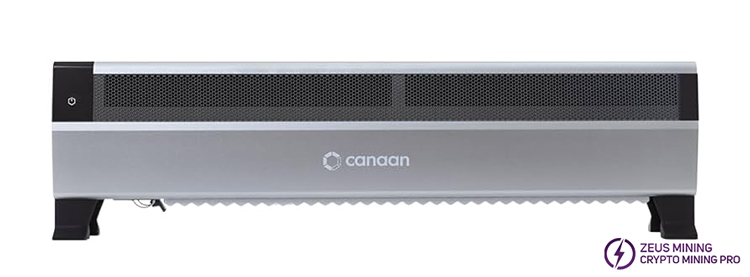
Avalon Mini 3 overall structure

Ⅱ. Correct Disassembly Steps For Mini 3 Miner
1. Remove the left and right base
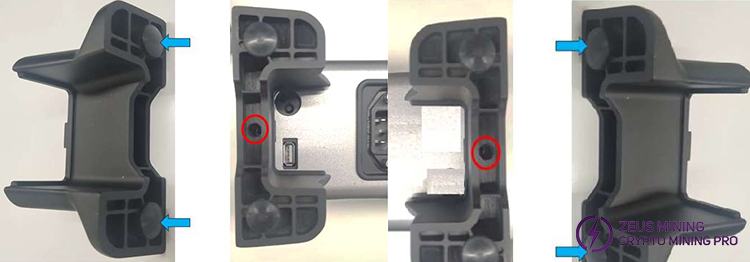
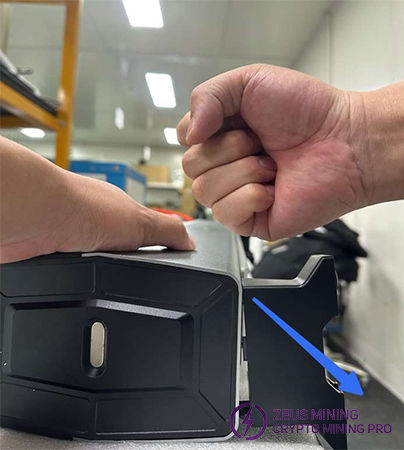
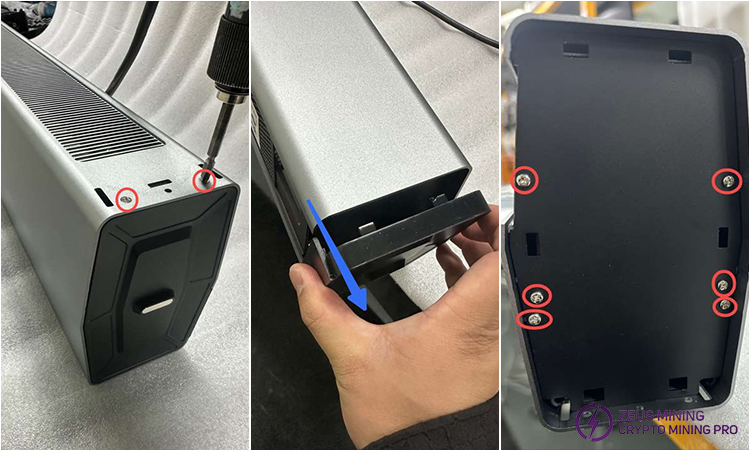
Remove the screws on each side of the base, and then lay the miner flat on the table so that the base is suspended. Hold the miner with one hand, use a rubber hammer or the another hand to hit it diagonally downward to make the plastic buckle of the base separate from the hole at the bottom of the miner.
2. Remove the main control board and LED screen
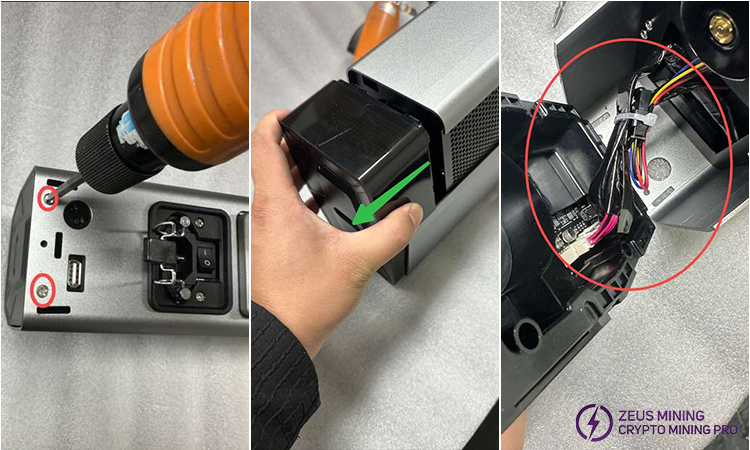
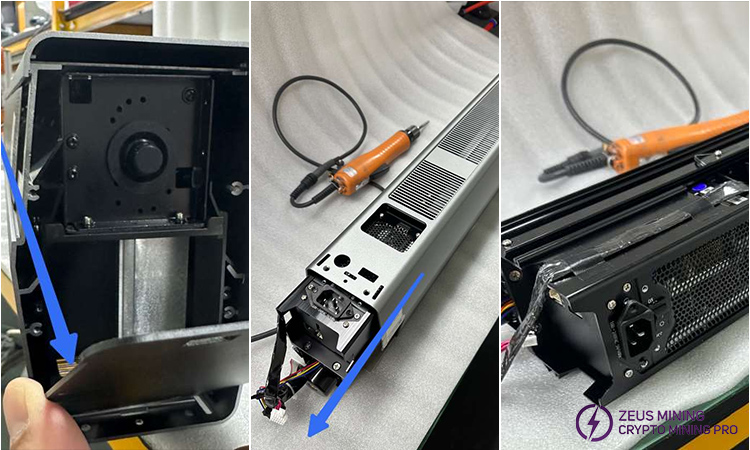
Remove the two screws that fix the plastic box at the bottom (which contains the main control board and LED screen) and gently remove it to the left. Pay attention to the cables connected to the host in this step.
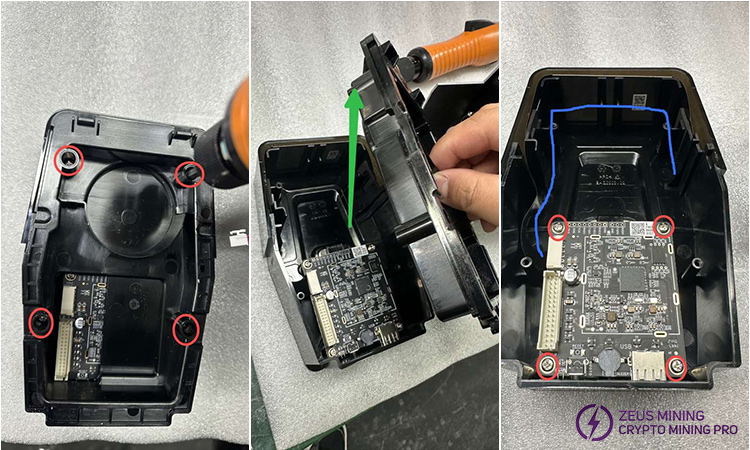
Next, use an electric screwdriver to remove the four fixing screws, open the box upwards, and remove the four screws that fix the control board.
At this point, we can gently remove the control board, but we also need to pay attention to the cables connecting the screen. Finally, remove the LED screen upwards.
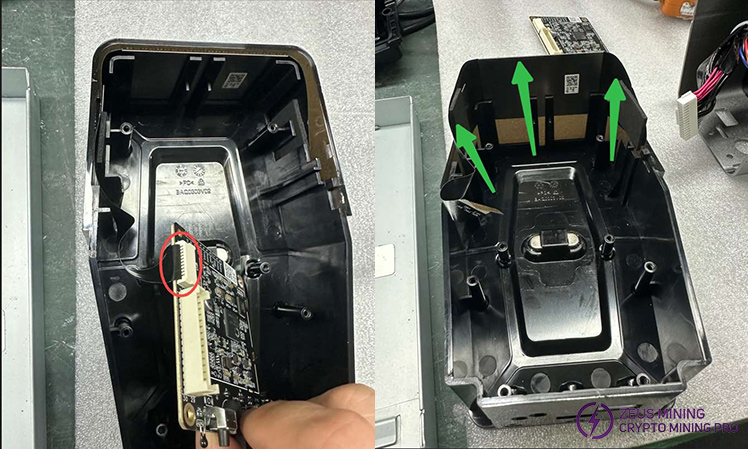
3. Remove the internal black assembly with the fan wheel, PSU and hash board.
(1) Squeeze the PSU fixing spring inward and remove it, then remove the two screws that fix the power interface block and remove the block;
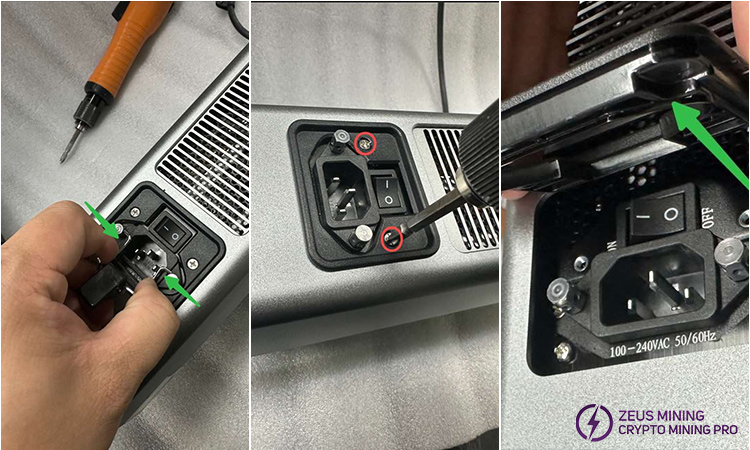
(2) Use the spring iron rod to remove the two studs that fix the power interface, and remove the six screws that fix the left baffle, take the baffle off and untie the connecting cable;
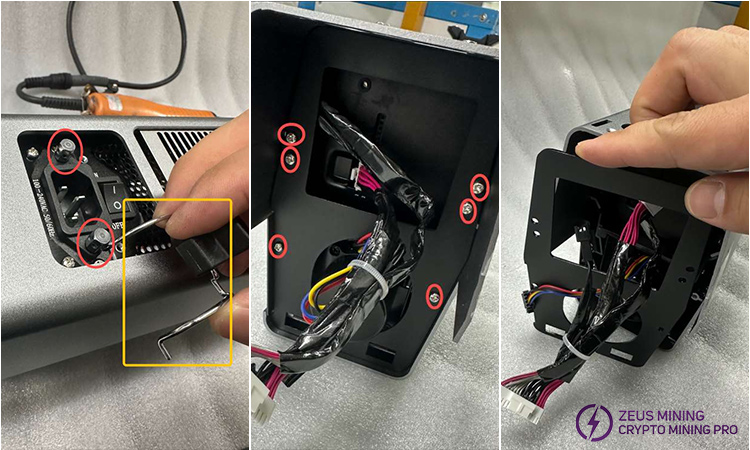
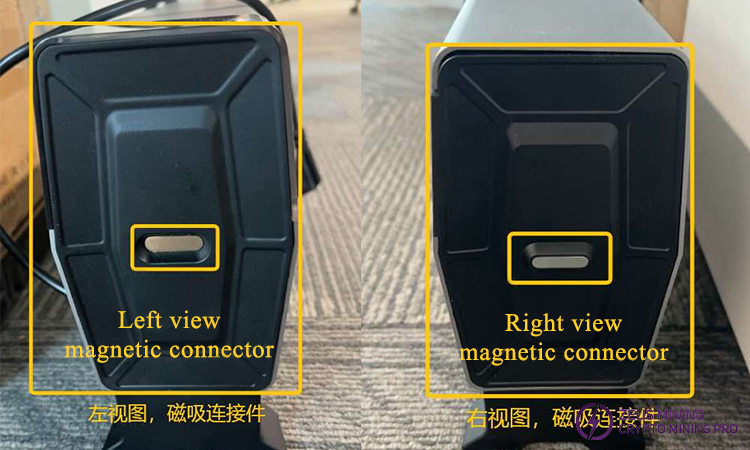
(3) Remove the two screws that fix the magnetic connection at the bottom of the right side and take it out;
(4) Remove the six screws that fix the right baffle and remove it, then remove the internal black assembly along the internal guide rail.
4. Remove the cooling fan wheel
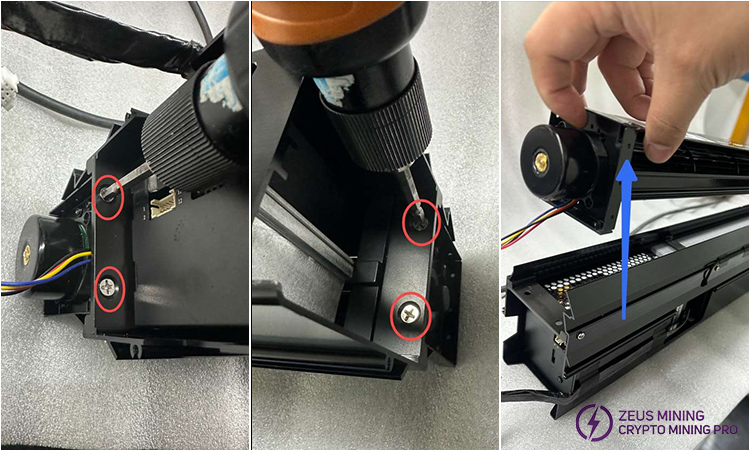
Remove the two screws on each side that secure the fan wheel, and then take it out.
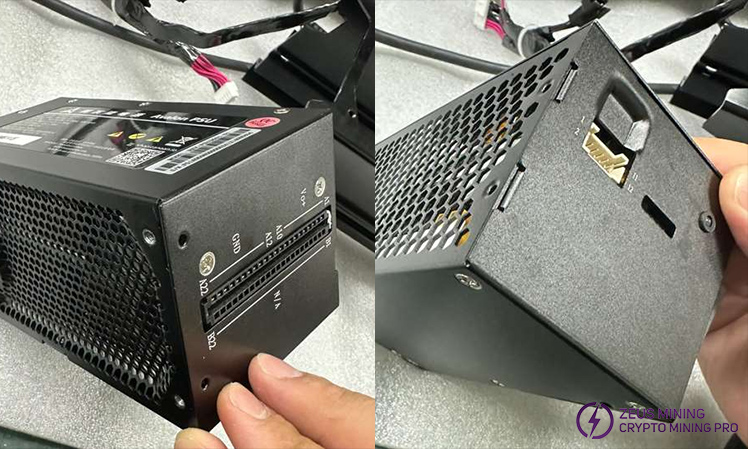
5. Remove the PSU
(1) Unplug the connection cable, remove the 4 screws fixing the PSU from the bottom, and continue to remove the 2 screws fixing the I-shaped iron block on the left, then also the I-shaped iron block;
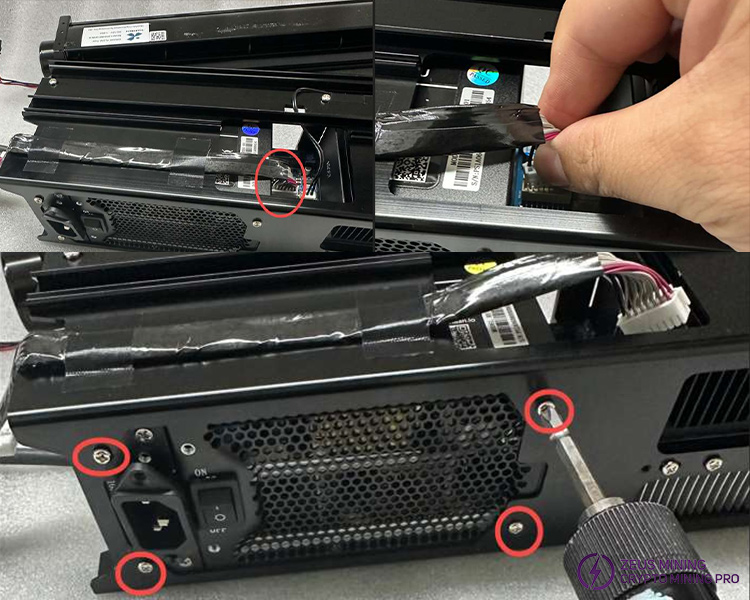
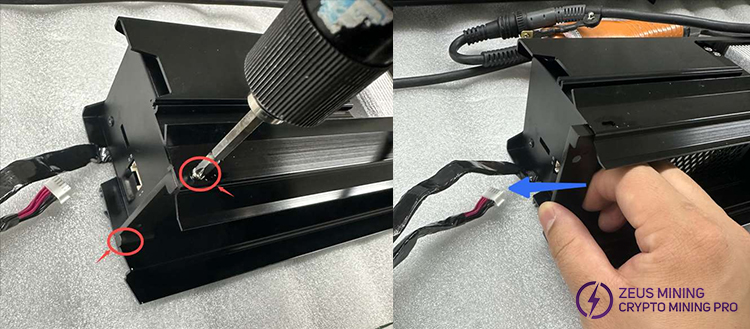
(2) Separate the PSU from the hash board: Apply a little force along the PSU outlet direction. Since the power interface is higher than the black frame, this step is only to loosen it for the convenience of the next step;
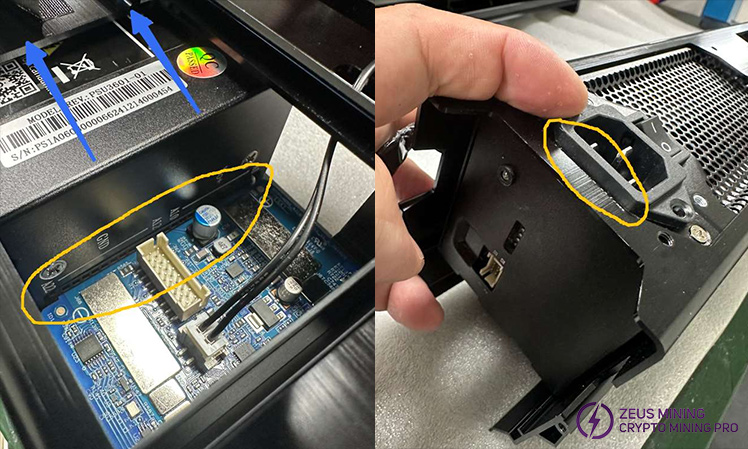
(3) Remove the PSU: Use the index finger and little finger to push outwards, and at the same time press the power interface with the thumb, and slowly use force to remove the PSU;
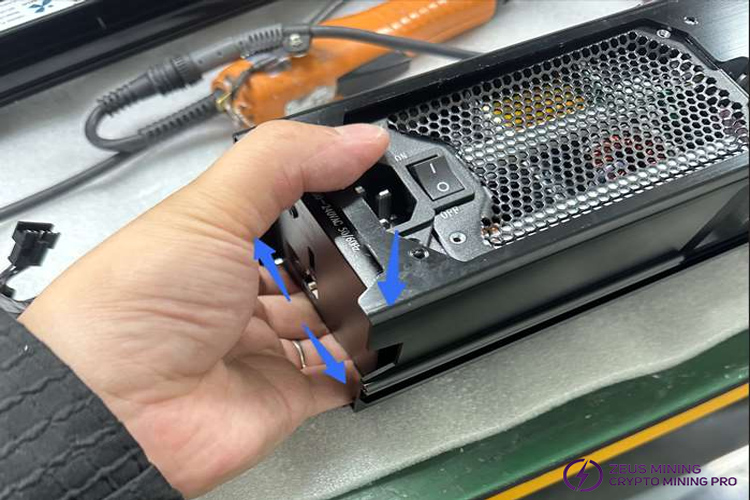
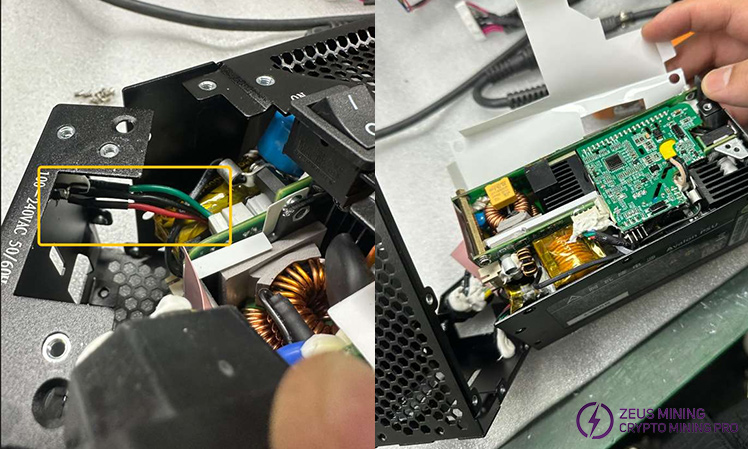
(4) Remove all the fixing screws on the PSU. Attention: we need to pay attention to the internal connection cables when opening the shell.
6. Remove the hash board
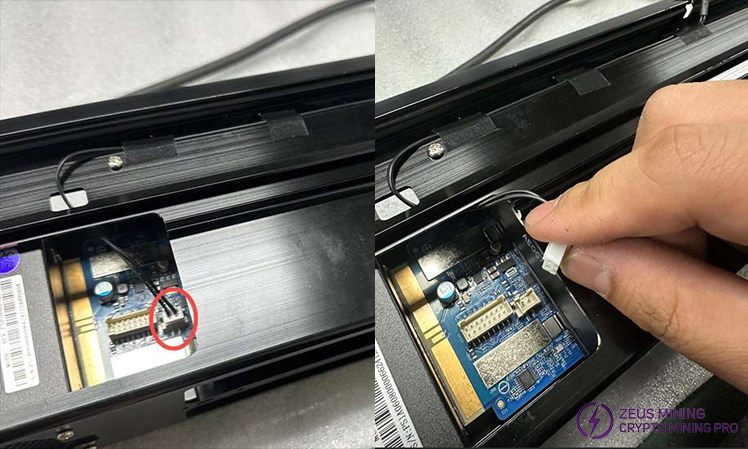
(1) Unplug the temperature sensor cable;
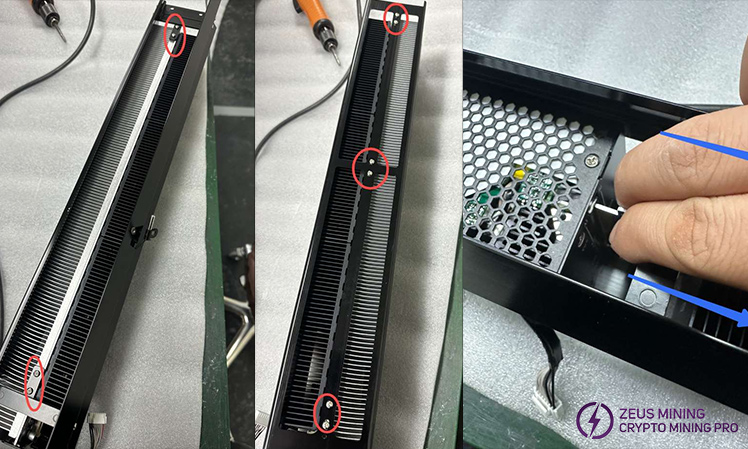
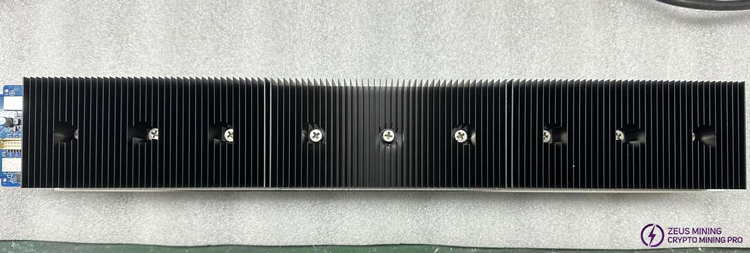
(2) Remove the 10 screws on the top and bottom sides of the hash board assembly, then use the internal guide rails to push the hash board outward.
 China Mainland Hong Kong
  Business Hours: (GMT+8) 08:30-20:00 Mon to Sat
  Company Phone: +86-023-72227777
