

Do you want to mine BTC with a Raspberry Pi but don't know where to start? Users are exploring the compact Raspberry Pi as an interesting and energy-efficient way of mining Blockchain technology. For those who don't want to spend thousands of dollars on professional equipment, the Raspberry Pi offers a unique and low-cost platform. This article will detail how to mine Bitcoin solo with a Raspberry Pi, serving as the ultimate tutorial for beginners and all Blockchain enthusiasts.
I. Preparations for Mining with a Raspberry Pi
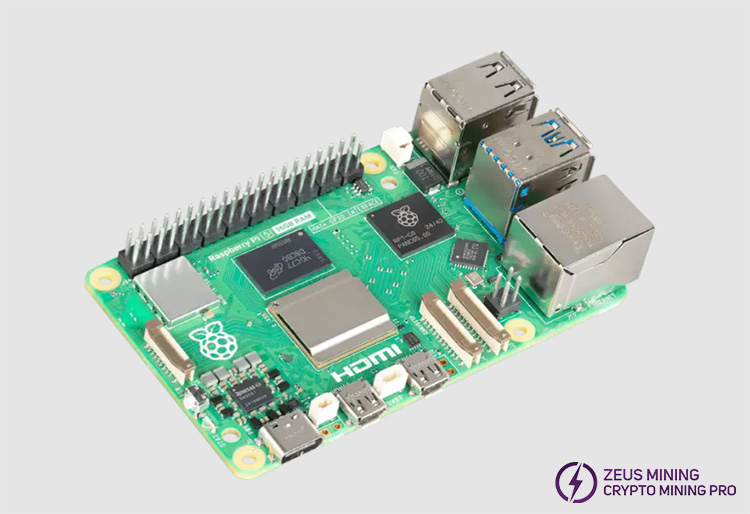
1. Have the latest version of the Raspberry Pi to achieve better performance. The latest version is the Raspberry Pi 5.
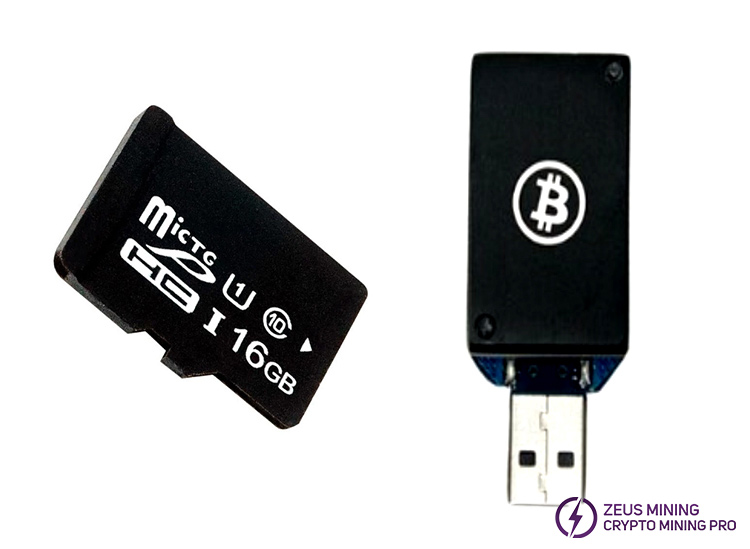
2. We need an SD card with at least 16GB of storage. Since the Raspberry Pi's CPU alone is insufficient for Bitcoin mining, we need a USB Bitcoin miner.
3. We need a pool account and a Bitcoin wallet. Check out the Bitcoin Wallet Creation Tutorial learn.
4. To prevent the device from overheating during mining, we can choose some cooling systems, such as a fan. Or choose to mine in a clean and calm indoor environment.
5. Download mining software such as CGMiner or BFGMiner.
6. Have a stable internet and power connection.
II. Step-by-Step Guide to Setting Up the Raspberry Pi for Solo Mining
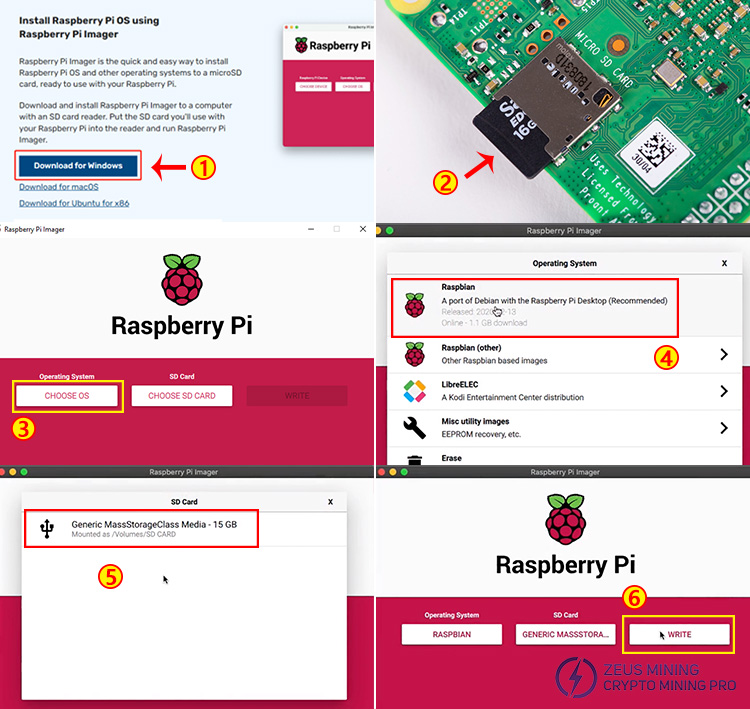
1. Download the Raspberry Pi OS operating system from the official website and use the Raspberry Pi Imager to flash the OS onto the SD card. Insert the SD card into the Raspberry Pi, connect it to a computer monitor, and boot it up. After the Raspberry Pi OS is running, open the terminal and update the system to ensure that all software packages are up to date.
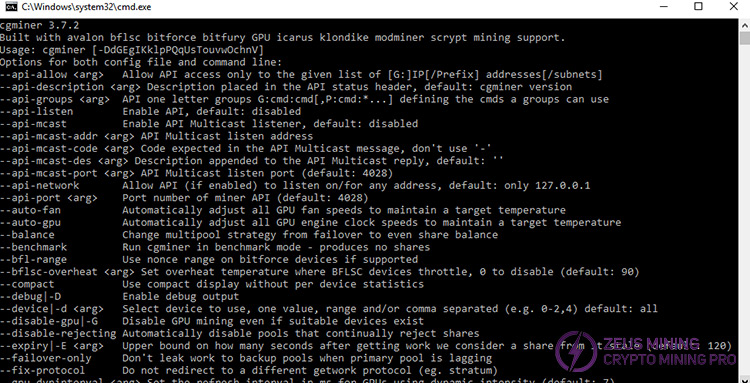
2. Next, before installing the CGMiner mining software, we must install some dependencies, such as USB and Python libraries.
Use the following commands for the dependency programs:
sudo apt-get install libusb-1.0-0-dev
sudo apt-get install libcurl4-openssl-dev
3. Connect the miner. Insert the USB ASIC miner into the USB port of the Raspberry Pi.
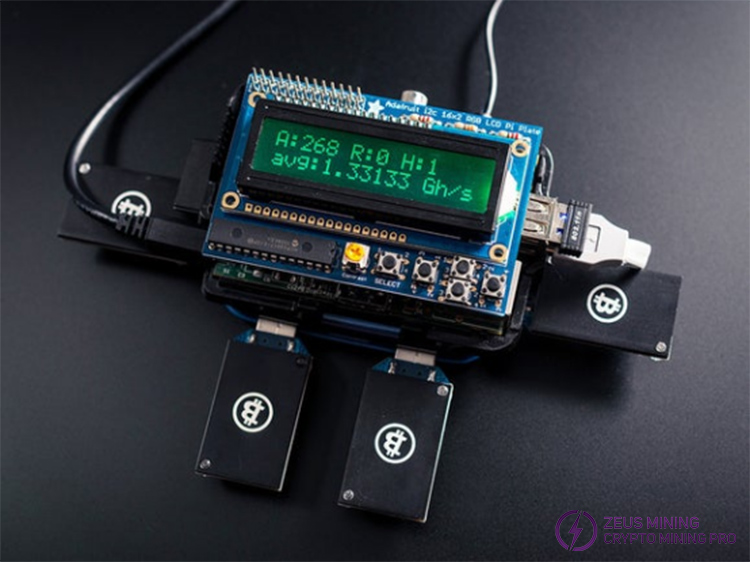
4. Configure solo mining and connect to a Bitcoin node, such as Bitcoin Core. Ensure that the Bitcoin node is running and fully synchronized. Bitcoin Core requires a large amount of storage space. Running in a slim mode on an external SSD or HDD helps reduce the storage requirement while maintaining the full node functionality.
The following is how to configure CGMiner for solo mining:
Add the following content to the Bitcoin.conf file on our Bitcoin node to allow external miners to connect.
server=1
rpcuser=username
rpcpassword=password
rpcport=8332
rpcallowip=IP of our Raspberry Pi
5. Run CGMiner on the Raspberry Pi and connect it to our Bitcoin node to start mining directly against the Bitcoin node.
Enter the information in sequence:
Cgminer btc address=Bitcoin wallet address
url=http://Node IP:8332
userpass=username
userpassword=password
USB: all
6. Monitor the performance
The mining software CGMiner will provide real-time data on the mining process. We can access the startup software through the terminal and monitor key indicators such as the hash rate, hardware errors, and accepted shares to monitor performance. We should also regularly check CPU usage, temperature, and disk space. Overloading system resources may lead to system crashes or reduced mining efficiency.
Based on the above content, we can mine Bitcoin solo using a Raspberry Pi. Considering the current situation, setting up the Raspberry Pi for solo Bitcoin mining is technically feasible. The processing power of the Raspberry Pi is limited, resulting in its inability to mine Bitcoin efficiently, so the success rate of solo mining Bitcoin is very low. Compared with the global Bitcoin mining difficulty, the possibility of it mining a Bitcoin block is extremely small. If it is for educational purposes or mining less resource-intensive cryptocurrencies, setting up the Raspberry Pi for solo mining is still an interesting project.
FAQ:
Is Raspberry Pi mining profitable?
Solo mining with a Raspberry Pi is not profitable, especially at Bitcoin's current difficulty level. However, it can be used for educational purposes to help people understand how cryptocurrency mining works.
Can the Raspberry Pi mine Bitcoin solo?
The Raspberry Pi can mine Bitcoin solo but requires a USB Bitcoin miner to provide a sufficient hash rate. Due to the high difficulty of the Bitcoin network, the probability of successfully mining a block is extremely low.
What exactly does the Raspberry Pi do?
The Raspberry Pi has a dedicated processor, memory, and graphics card driver. It has the Raspberry Pi OS operating system. When connected to a monitor, it can browse the Internet, play high-definition videos, perform word processing, etc., just like a desktop computer.
Disclaimer:
This article is for sharing only and does not constitute any investment advice or invitation to investors. This website assumes no responsibility for the actions taken by readers based on the information in this article.
 China Mainland Hong Kong
  Business Hours: (GMT+8) 08:30-20:00 Mon to Sat
  Company Phone: +86-023-72227777
