

PicoBT is a maintenance tool that integrates an EEPROM editor, a hashboard tester, and a PSU tester. I will now focus on how PicoBT tests the power supply output voltage. No computer equipment is required during the process; I will use the "Antminer APW12 PSU" as an example.
Steps for PicoBT to test power supply output voltage:
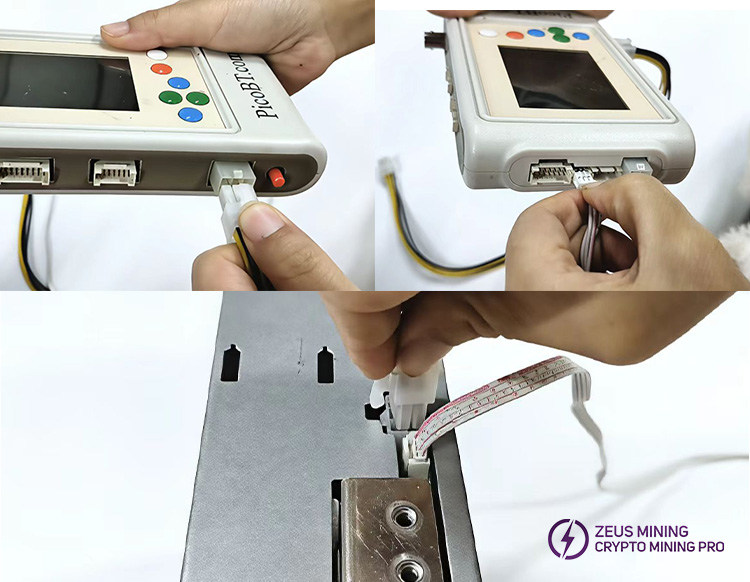
1. Connect all cables
(1) Connect the 6P power cable to the PicoBT;
(2) Connect the 4P regulated line to the PicoBT;
(3) The 6P power cable and 4P stabilized voltage cable are connected to the APW12.
(4) Connect the 220V power cord to the APW12 to supply power to it.
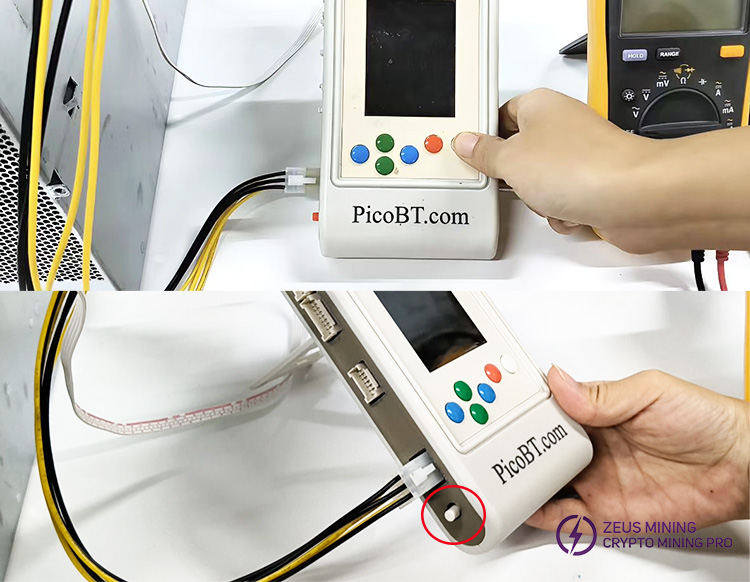
2. PicoBT enters power mode
(1)First,press and hold the white button, then press the switch on the left side of the PicoBT.
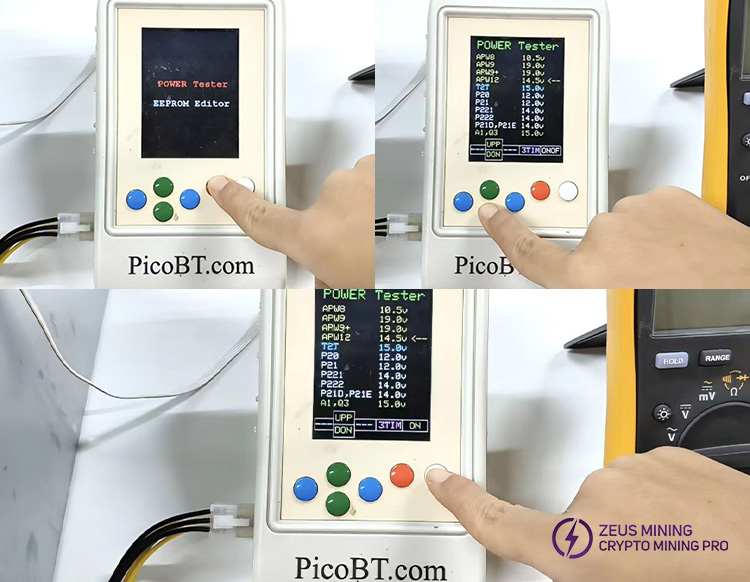
3. Select the power model
(1) Press the orange button to view all power models that the PicoBT can test.
(2) Select APW12 using the green button, then press the white button to start the test.
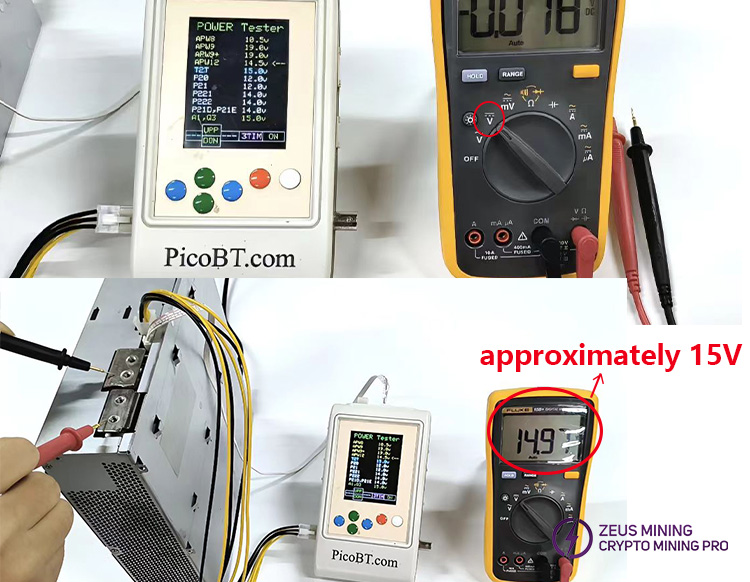
4. Perform the test
(1) Switch the multimeter to the DC voltage range and press the white button on the PicoBT to start the test.
(2) Connect the positive and negative leads of the multimeter to the positive and negative terminals of the power supply, respectively. The multimeter reading should be approximately 15V.
The above describes the testing method. Please use the PicoBT test fixture to test the power supply.
How does the PicoBT test fixture test the power supply? PicoBT test fixture
For more product and service information, please click to join our official Telegram channel
 [email protected] [email protected] [email protected] [email protected]
Dear Customers,
Hello, May 1-5, 2026 (GMT+8) is China's May Day, and international logistics will be suspended. Our company will suspend shipments on the afternoon of April 30, 2026, and resume warehouse shipments on May 6 (GMT+8). We are deeply sorry for the inconvenience caused to you. Thank you for your trust and support.
Best wishes,
ZEUS MINING CO., LTD.
 China Mainland Hong Kong
  Business Hours: (GMT+8) 08:30-20:00 Mon to Sat
  Company Phone: +86-023-72227777
