

IceRiver_MinerTool can help us scan IP addresses, manage and configure ASIC and upgrade firmware, and also modify fan speed. It is a convenient software.
1. After we obtain the MinerTool compressed package, decompress it.
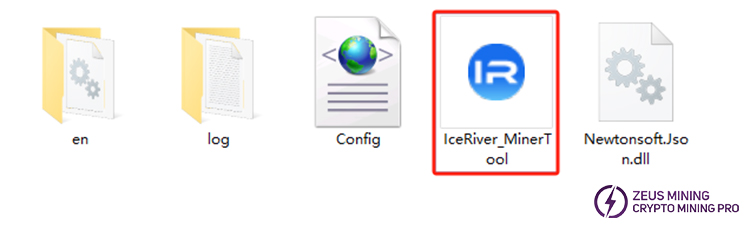
2. Open the file, there is no need to install. Just click the IceRiver_MinerTool icon to run it.
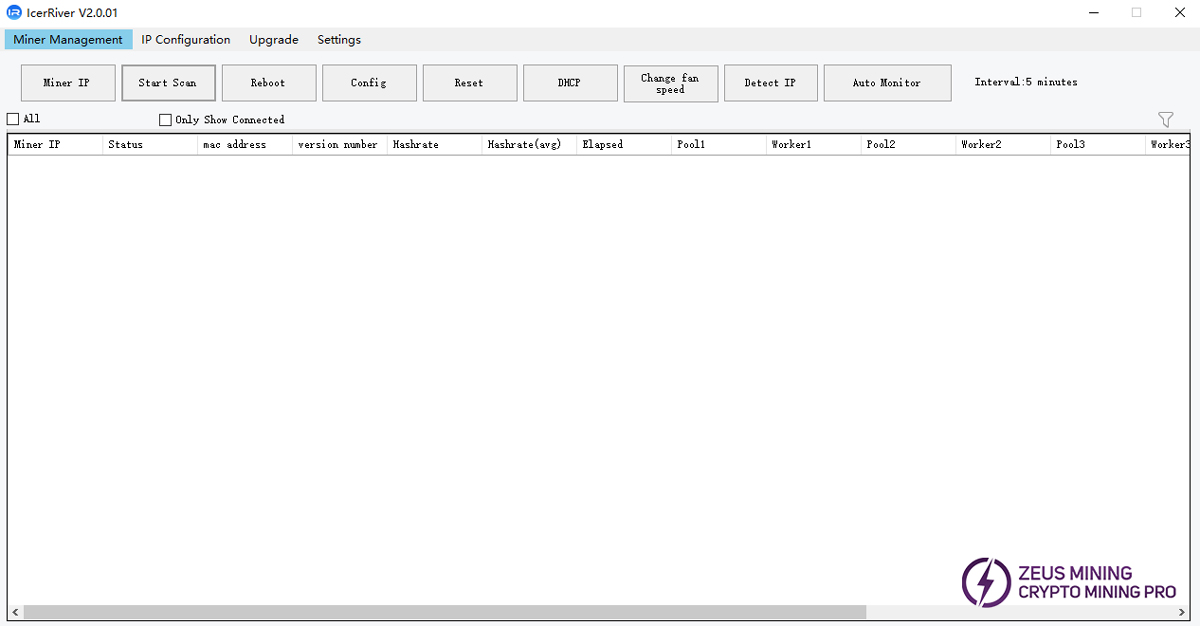
3. Enter the main page, there are mainly four major sections: Miner Management, IP Configuration, Upgrade, and Settings. It can complete operations such as configuration, restart, factory reset restoration, DHCP restoration, and IP lookup.
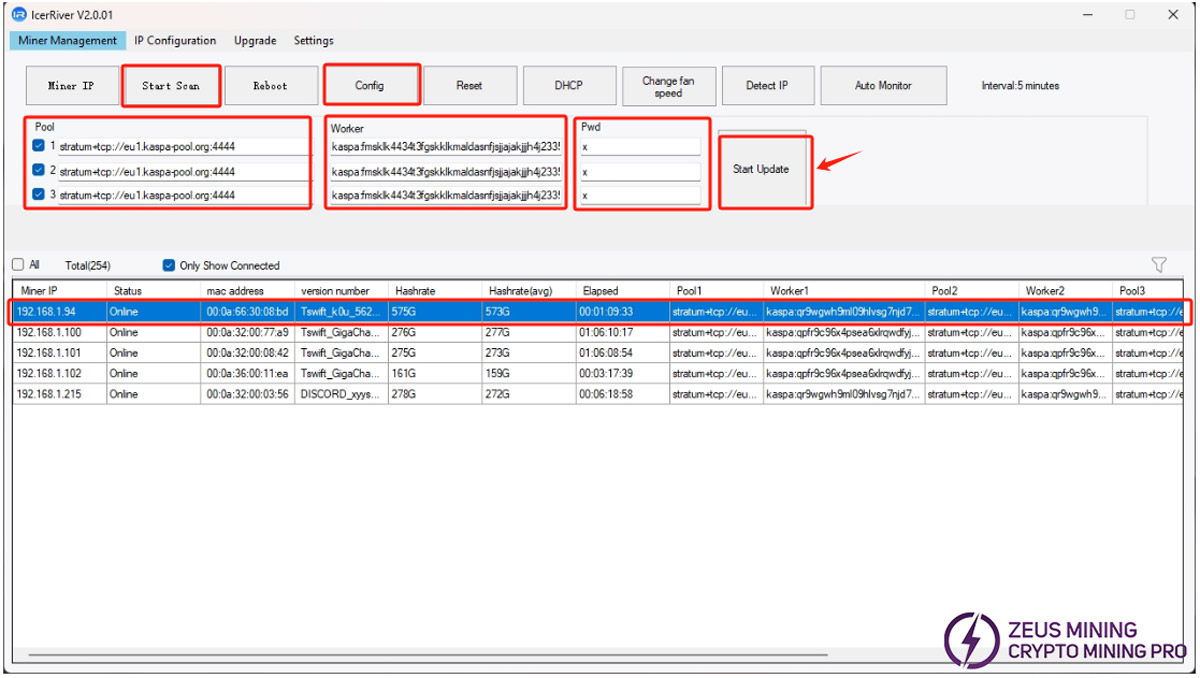
4. To find the IceRiver ASIC, we select the IP range to be scanned and click the "Start Scan" button. After finding the ASIC, click the Config button, select the required ASIC, enter the mining pool address in the Pool line, input the wallet number in the Worker line, write the password in the Pwd line, and then click "Start Update".
Please contact Jay, a senior technical engineer at ZEUS MINING, via WhatsApp to obtain and download IceRiver_MinerTool (IP scanning tool).
IceRiver_MinerTool is a simple software that displays miner information to help identify problems in the mine. It allows us to find IceRiver ASICs on the local network and also allows us to start mining without using the web interface in the browser.
To learn how to install IceRiver monitoring software, please click here.
 China Mainland Hong Kong
  Business Hours: (GMT+8) 08:30-20:00 Mon to Sat
  Company Phone: +86-023-72227777
