

The CH341A programmer software is a professional tool for reading, writing, programming, and erasing EEPROM chips on Antminer hash boards. Whether it's data backup, parameter configuration, or fault repair, this software can help you quickly complete EEPROM chip programming operations, ensuring stable operation of the mining machine.
Read EEPROM Chip Data
Write/Program New Data
Erase Existing Data
Data Verification(Verify)
File Saving and Loading
Automatic Chip Type Identification
Supports Multiple Data Formats
Real-time Connection Status Display
Step 1: Unzip and Install the Driver
After downloading, unzip the compressed file. When using the CH341A programmer software for the first time, you need to install the corresponding driver.
1. Locate the driver installation program (usually SETUP or driverinstall.exe) in the unzipped folder.
2. Double-click to run it and follow the prompts to complete the driver installation.

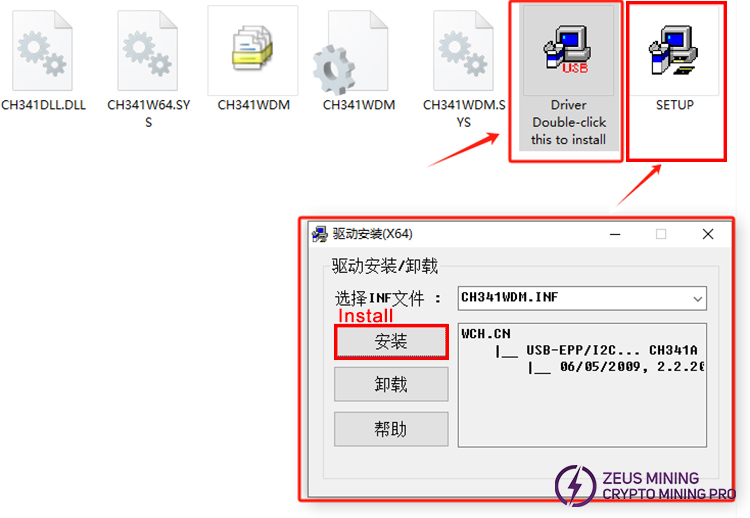
Step 2: Run the Programmer Software
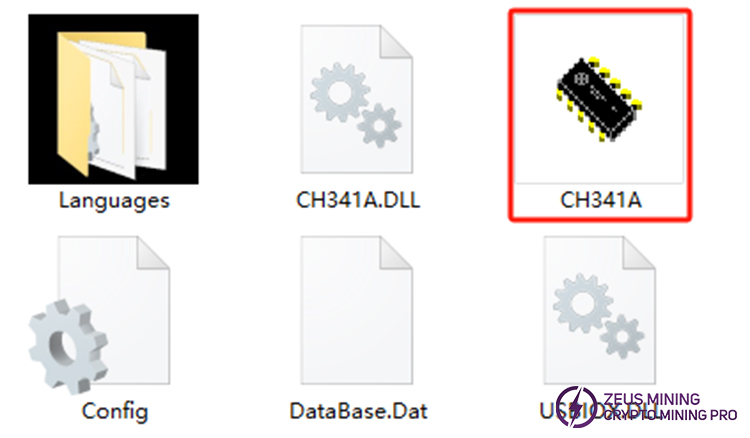
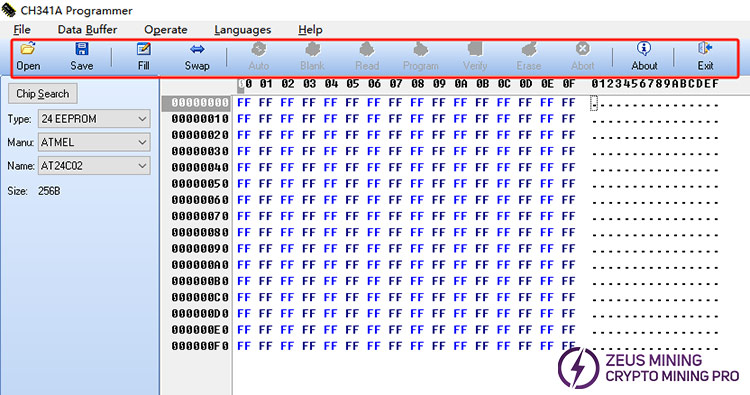
1. Double-click the CH341A.exe icon in the folder to enter the software's main interface.
2. The main interface includes menus for File, Data Buffer, Operate, Languages, and Help.
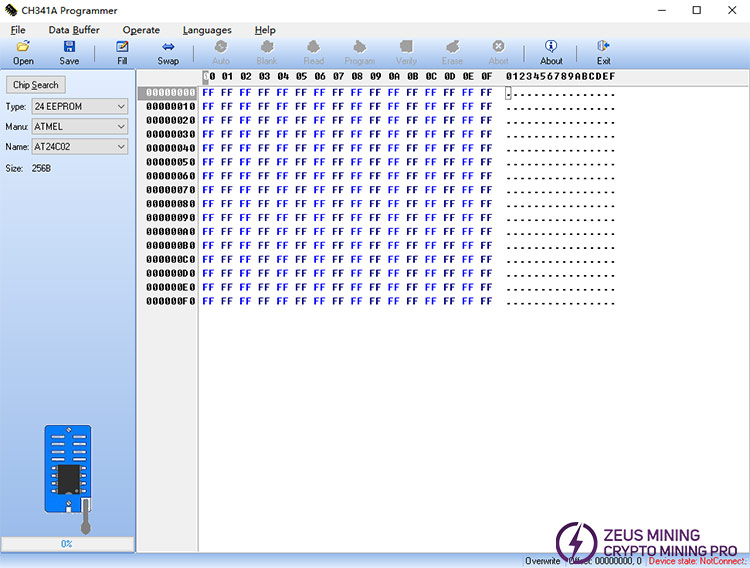
3. Connect the Antminer hash board to the computer using the EEPROM programming cable.
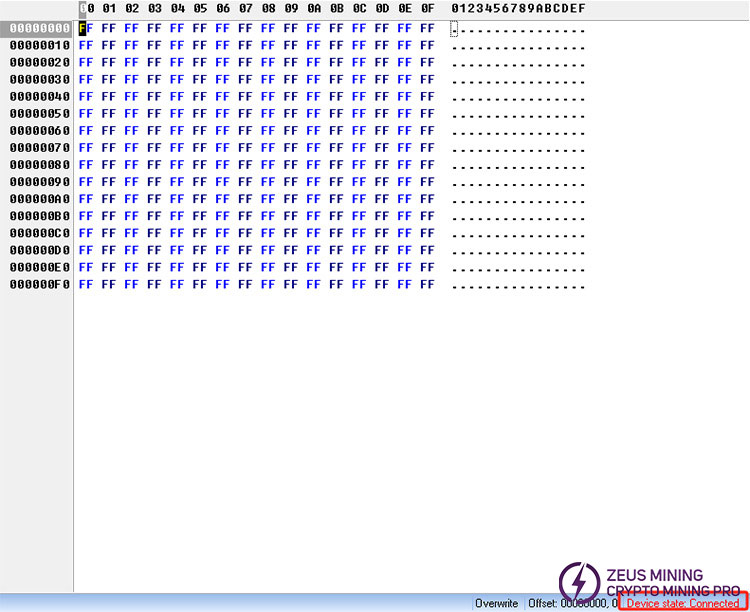
4. After successful connection, the status bar in the lower right corner of the software will display "Connected," indicating that read and write operations are possible.
Step 3: Read/Write and Programming Operations
1. Click the Read button to read the current data from the chip.
2. Click Save to save the read data to a file.
3. To write new data, click Open to load the target file, and then click Program.
4. After programming is complete, click Verify. The system will display "Programmed Successfully" indicating successful programming.
5. If you see "Read/Write Failed, Please Check Connection!", please check the cable connection for security and try again.
Q1: Which Antminer models does the CH341A programmer support?
This software is compatible with most Antminer computing boards (such as the S21, S19, S9, S17, T17 series, etc.). Specific compatibility depends on the EEPROM chip type (such as the 24Cxx, 25 series, etc.).
Q2: What causes the "Verify Failed" message during programming?
This is usually due to poor chip contact, loose cables, or a damaged chip. We recommend reseating the cables or replacing the EEPROM chip and trying again.
Q3: Is the software free?
Yes, the CH341A programmer software is completely free and requires no licensing fees.
⚠ Precautions
• Ensure a stable power supply when operating the EEPROM chip to avoid damage caused by power outages during the writing process.
• It is recommended to back up the original data before operation to prevent accidental operation.
For technical support or to obtain the CH341A EEPROM programmer software, please contact Jay, Senior Technical Engineer at ZEUS MINING:
📱 WhatsApp: +86 19123969124.
About authorJay Zha
 China Mainland Hong Kong
  Business Hours: (GMT+8) 08:30-20:00 Mon to Sat
  Company Phone: +86-023-72227777
