

AntSentry operation and maintenance management platform can help mines achieve systematic and automated management, improve the operation and maintenance efficiency of mines. This platform provides data services and decision support to achieve the final target data for promoting the operation of the entire mining area.
1. We need to have a 64-bit Windows, Linux or Mac system that can connect to the network of all miners in the mine. Deploy on a server or a separate computer and keep it powered on. If it is turned off, the system will not work properly.
2. After obtaining the AntSentry file package, unzip it. As shown in the figure below, there are installation files suitable for 3 computer systems.
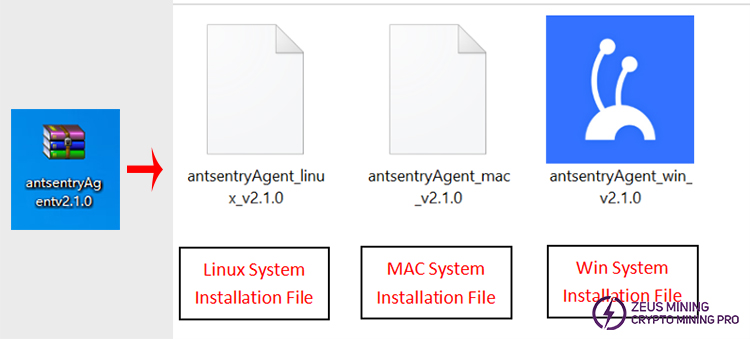
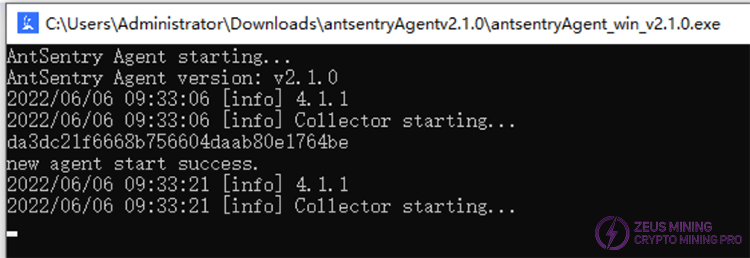
3. Double-click the AntSentry installation icon, and the installation location will be prompted. Select a folder on disk D or E to install it. After the following figure appears, the software installation is completed. Close this window.
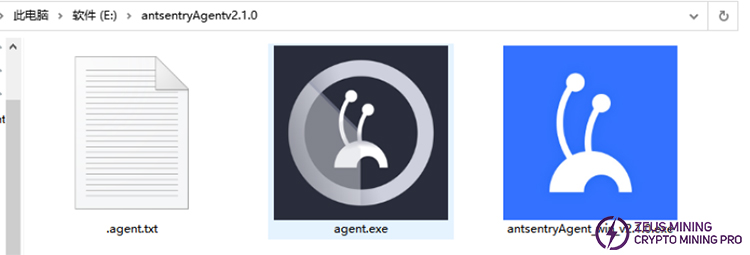
4. After completing the above steps, the running program and text document will appear. The document will be needed when entering the key while creating a mine. Double-click to open the text document to view the key. After successful installation, click run program. AntSentry software must remain in use during monitoring.
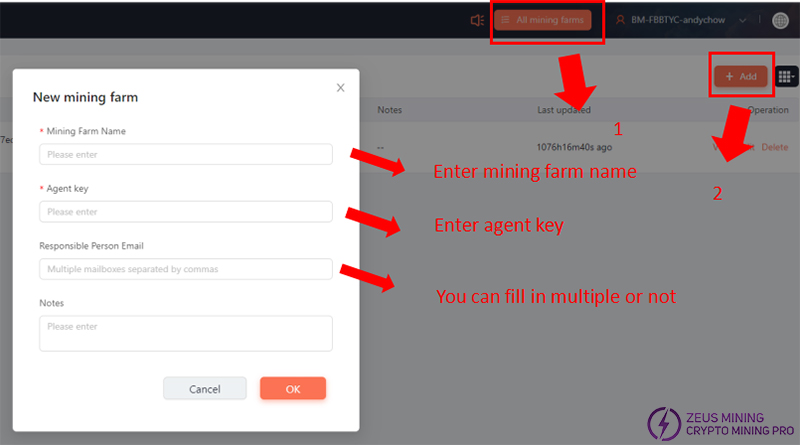
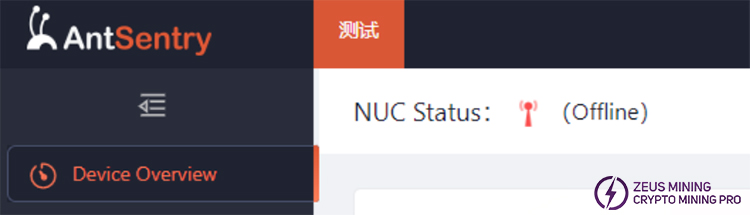
5. After running the software, enter the official website of the AntSentry cloud control platform on the web page. Click on the console in the upper right corner. After logging in, click on "All Mines" and then add the corresponding mines. After completion, the NUC status in the upper left corner of the web page will show as "Online".
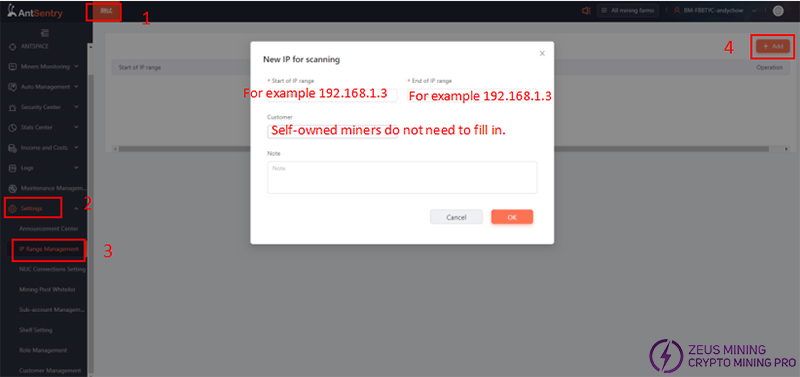
6. Configure the scanning IP range. Under the newly added mine, click "Settings" - "IP Range Management" - "Add" in the left menu, add the IP segments that need to be monitored and scanned. Then we can manage and configure the mine.
Contact Jay, the senior technical engineer of ZEUS MINING, via WhatsApp to download the AntSentry mine automated operation and maintenance management platform software.
Through our proficient use of the AntSentry management system, labor costs can be saved and the refined operation of the mine can be achieved as soon as possible.
 China Mainland Hong Kong
  Business Hours: (GMT+8) 08:30-20:00 Mon to Sat
  Company Phone: +86-023-72227777
