

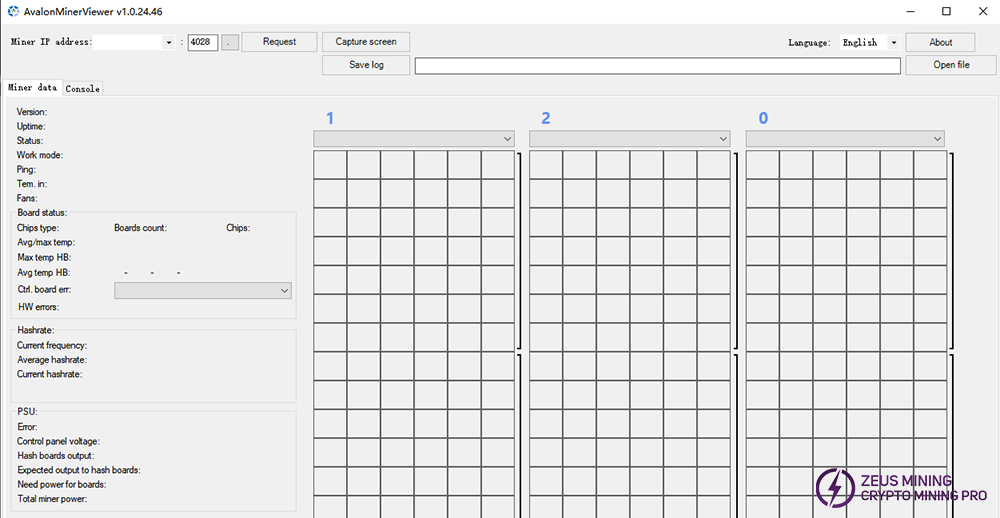
AvalonMinerViewer allows users to control miners by sending commands and visually presents the data of Avalon miners received via the API. In this program, users can easily view the status of mining equipment, it also supports groups and provides some information about Avalon miners. Users can discuss any problems that arise within the group.
1. Download and unzip the AvalonMinerViewer file package. See the download method at the end of the article.
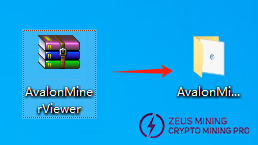
2. Click the AvalonMinerViewer icon to start directly and enter the main page.

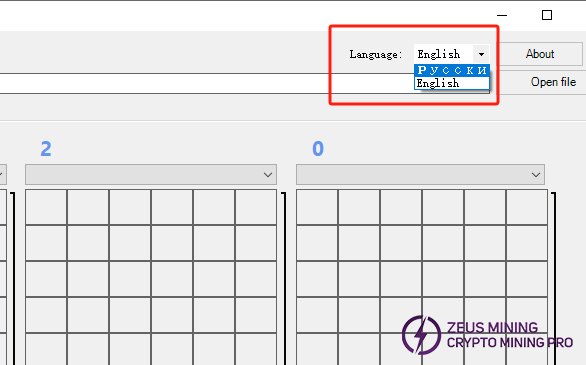
3. The default language mode of this software is Russian, but it can be changed to English mode. Configure the IP address, and then users can view the running status of miners through the graphical interface, including key information such as hash rate, temperature, fan operation, chip and other hardware data. Operations such as prompting error messages, viewing and saving kernel logs are also supported.
Please contact Jay, a senior technical engineer at ZEUS MINING, on WhatsApp to download the AvalonMinerViewer tool.
By downloading and using the Avalon Miner Viewer program, users can view the real-time operating status of miners, efficiently supervise miners, and achieve stable profits.
 China Mainland Hong Kong
  Business Hours: (GMT+8) 08:30-20:00 Mon to Sat
  Company Phone: +86-023-72227777
