

The second-generation ASIC miner fan silencer is a compact noise reduction device suitable for miners such as Antminer (excluding S21XP, S21pro, and S21+), Whatsminer, Avalon, and Iceriver. Its stepless speed control switch and brushless DC motor provide excellent cooling and energy-saving performance.
This document outlines the usage of the second-generation blower silencer.
I. Read before the operation
• Tools and accessories preparation:
Product gift: fan speed simulator, several screws
Self-provided: A screwdriver
• Anti-static protection: Wear an anti-static wrist strap or touch grounded metal when handling the control board or electronic components.
• Power off operation: To avoid high-voltage electric shock, turn off the miner and unplug the power cord before installation.
• Environmental requirements: Ensure a dry, non-flammable environment below 40°C.
II. Blower Silencer Gen2 installation steps (taking Antminer S19 as an example)
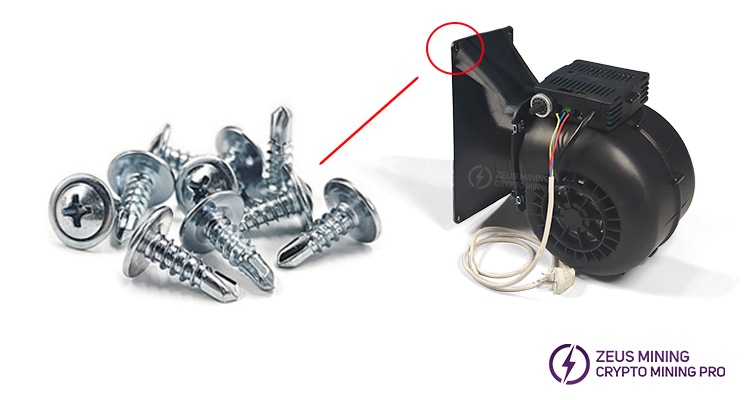
Step 1: Install the air duct hood on the blower
Align the air guide cover with the blower muffler outlet and secure it to the blower with screws.
Step 2: Remove the original cooling fans of the S19 miner
1. Turn off the miner, wait for the fans to stop, and unplug the power cord.
2. Use a screwdriver to remove all the fixing screws around the cooling fan of the mining machine's inlet/outlet, and remove the fan.
3. Remove the fan protection net on the side where the blower silencer does not need to be installed.
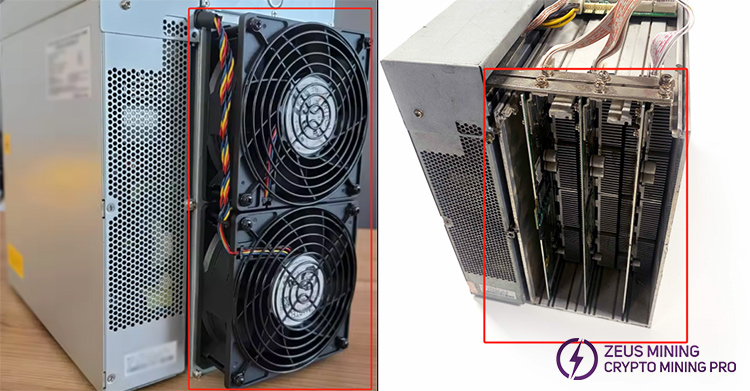
4. There is no need to remove the protection net on the side where the muffler blower is installed.
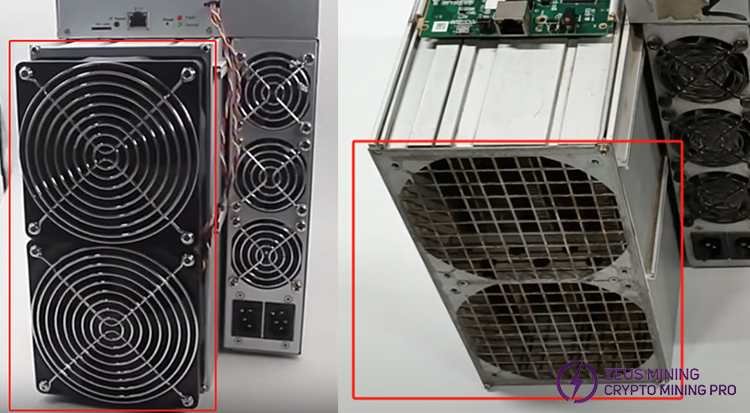
Note: Antminer, Avalonminer, and Iceriver miner can be installed with the blower silencer Gen2 on both the inlet and outlet, choose one side. Whatsminer is only installed on the air outlet.
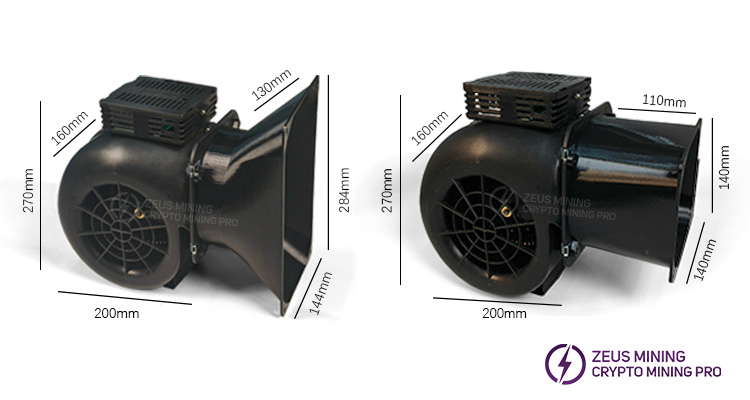
5. Unplug the fan connection cable from the control board and store the old fans properly.
Step 3: Connect the cooling fan speed simulator to the miner
Insert the PWM speed simulator into the cooling fan interface of the miner’s control board.
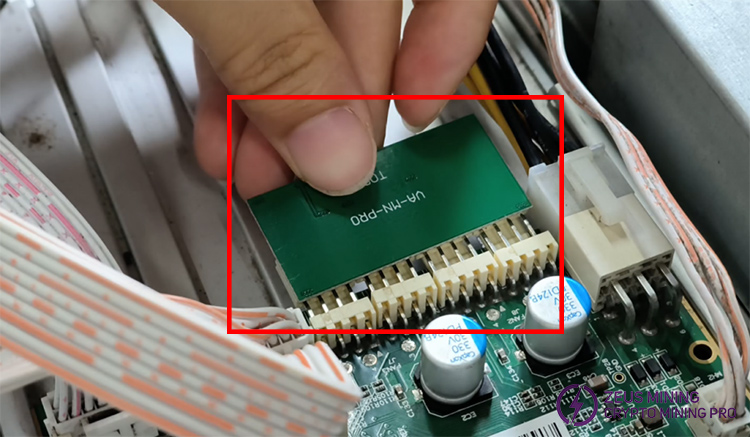
Step 4: Install the blower silencer on the miner
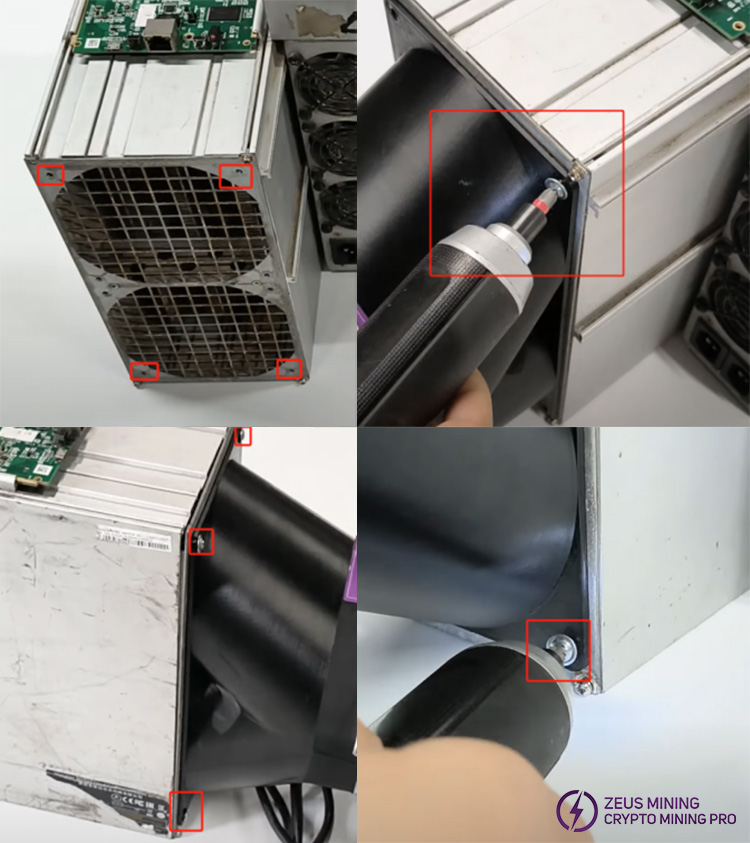
1. Align the air duct hood of the blower silencer with the four screw holes on the protective mesh of the miner's original air inlet or outlet fan.
2. Secure the blower silencer to the miner housing with four screws, ensuring a tight fit and no air leakage.
III. Operation and debugging
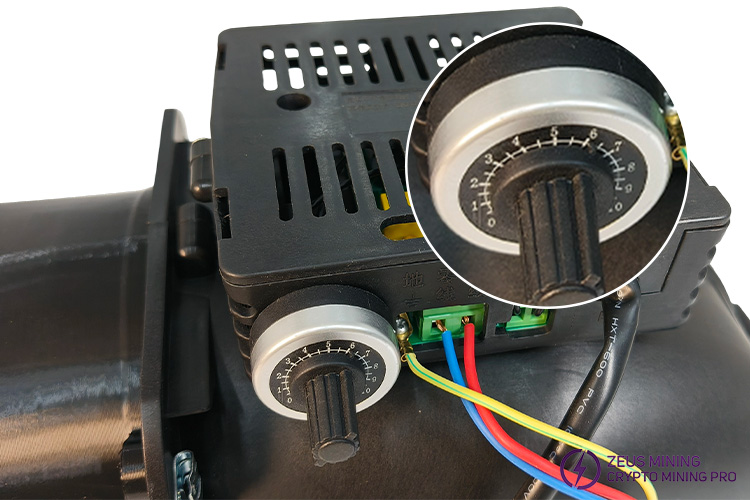
1. First, power on the blower, manually adjust the speed controller knob to increase the speed gradually, and then power on the miner.
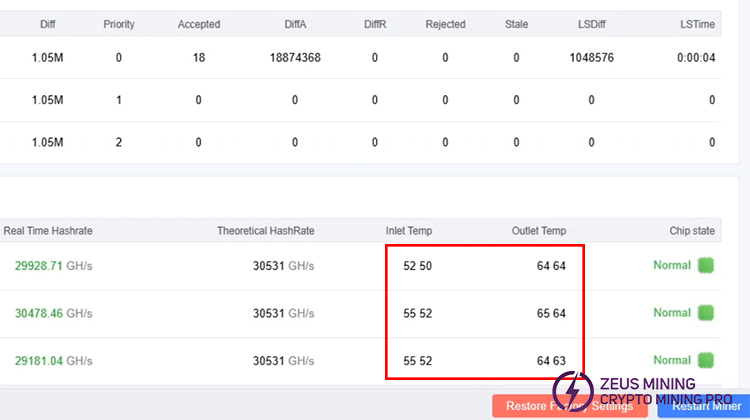
2. Continuously monitor the operation status of the miner's hash boards until heat dissipation is balanced. Maintain the inlet/outlet temperature below 70°C to ensure stable operation of the mining equipment.
IV. Maintenance and troubleshooting
Daily maintenance:
• Clean the surface and interior of the blower silencer Gen2 monthly to remove dust.
• Keep the usage environment ventilated and dry.
• Regularly inspect the tape and hose clamps for aging and replace them promptly.
• Check cables for damage or aging to prevent electric shock hazards.
• Tighten loose screws immediately.
Common Problems | Solutions |
The mining machine reports "fan failure" | Check whether the PWM speed regulator is compatible, plugged in the wrong way, or has poor contact. |
Noise suddenly increases | If the muffler impeller is dusty, it needs to be cleaned, or the bearing needs to be replaced if it is severely worn. |
Insufficient heat dissipation | Increase the PWM speed or check the air guide cover connection to maintain sealing. |
>>ASIC Miner Blower Silencer Gen2 In-depth Review
Disclaimer
This document is for reference only. Please strictly follow the specified installation steps and precautions. The website assumes no liability for equipment damage or other losses caused by improper installation.
 China Mainland Hong Kong
  Business Hours: (GMT+8) 08:30-20:00 Mon to Sat
  Company Phone: +86-023-72227777
