

How to properly disassemble and install the Innosilicon X1 A10 miner? Specific steps are as follows:
Disassembly instructions:
Disassembly tool: Phillips screwdriver or portable electric screwdriver.
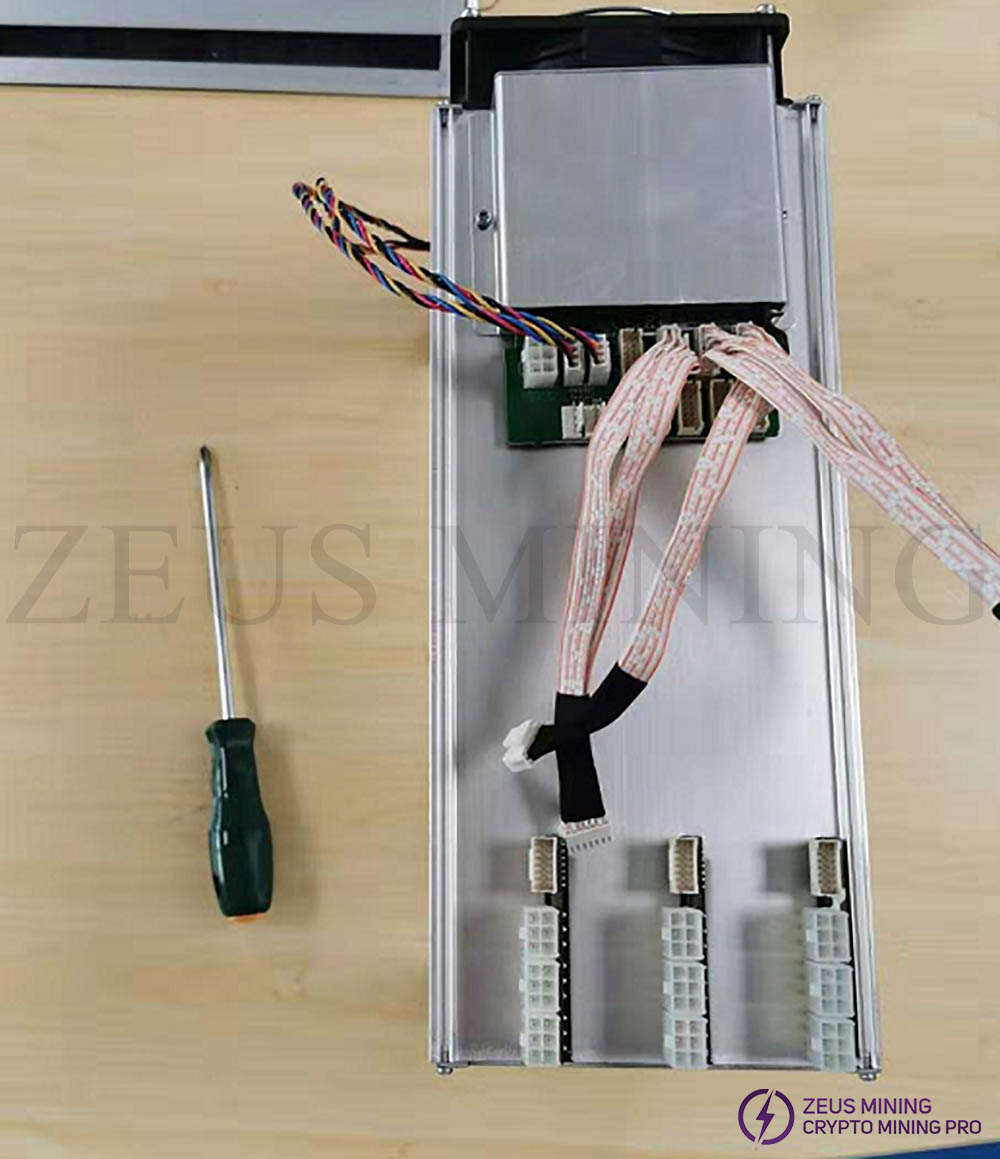
Disassembly steps:
1. Remove the power supply and unplug the data cable.
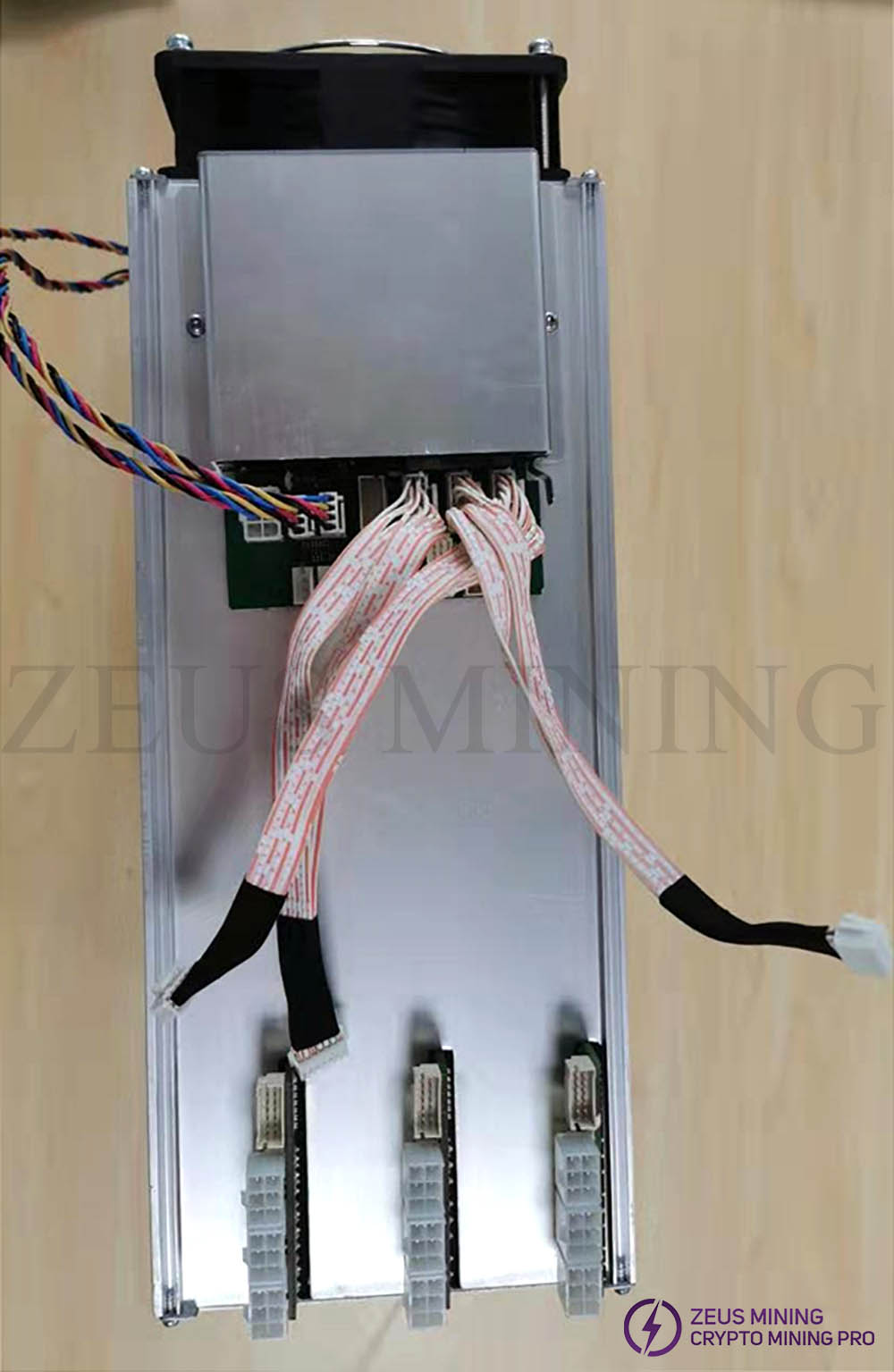
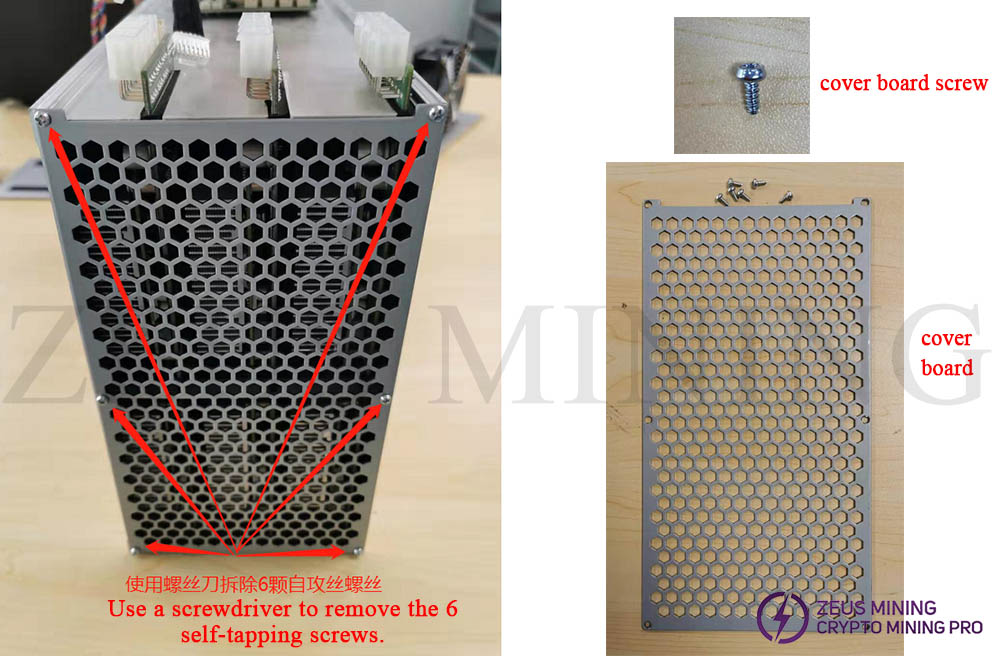
2. Remove the air outlet cover screws and take off the cover.
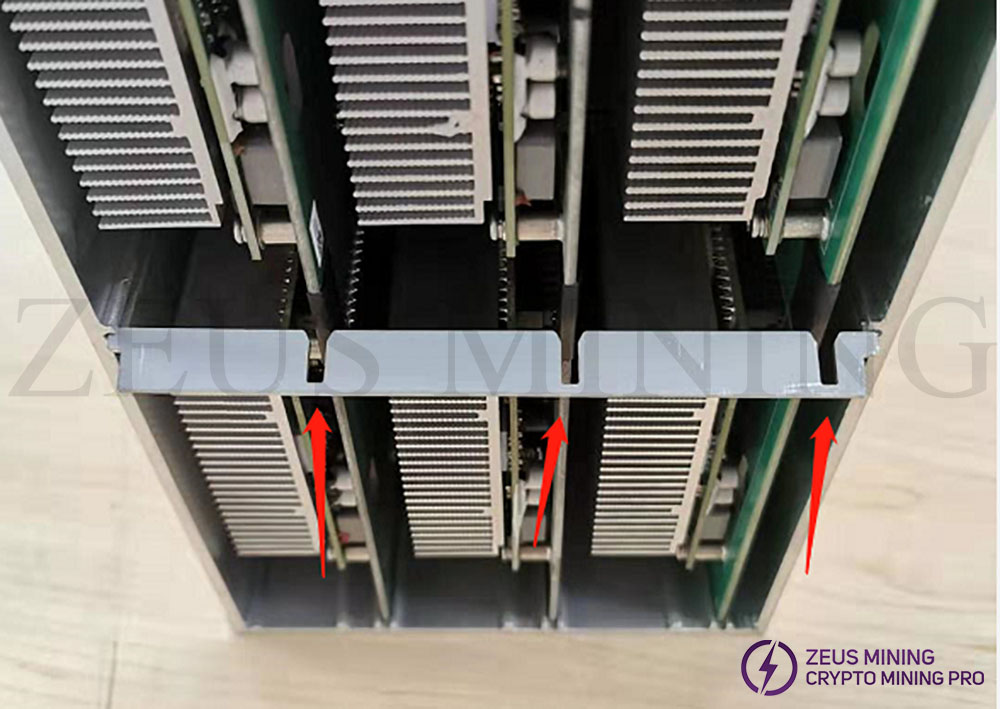
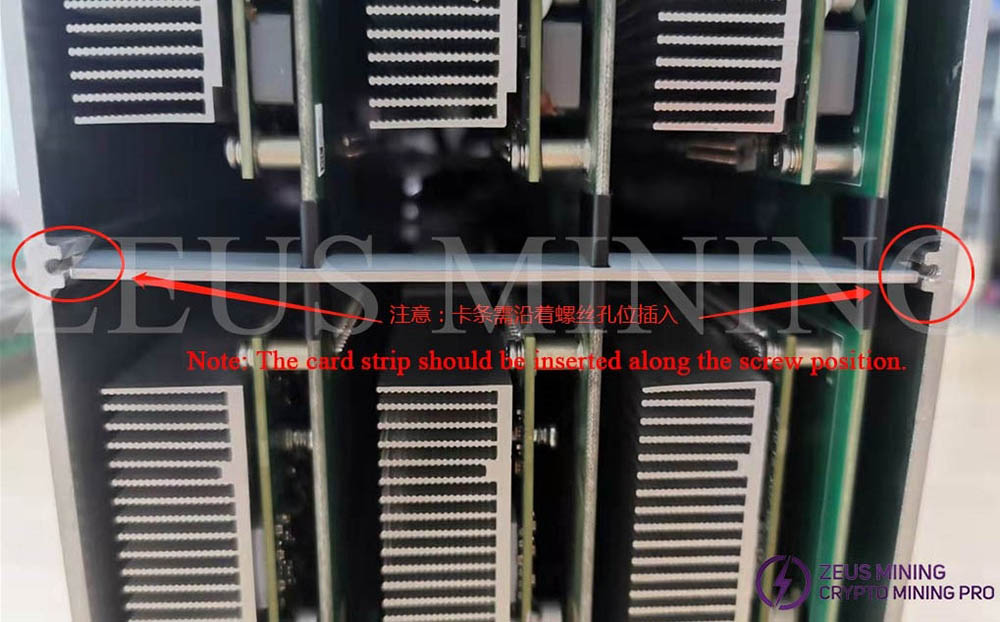
3. Pull out the limit card strip.
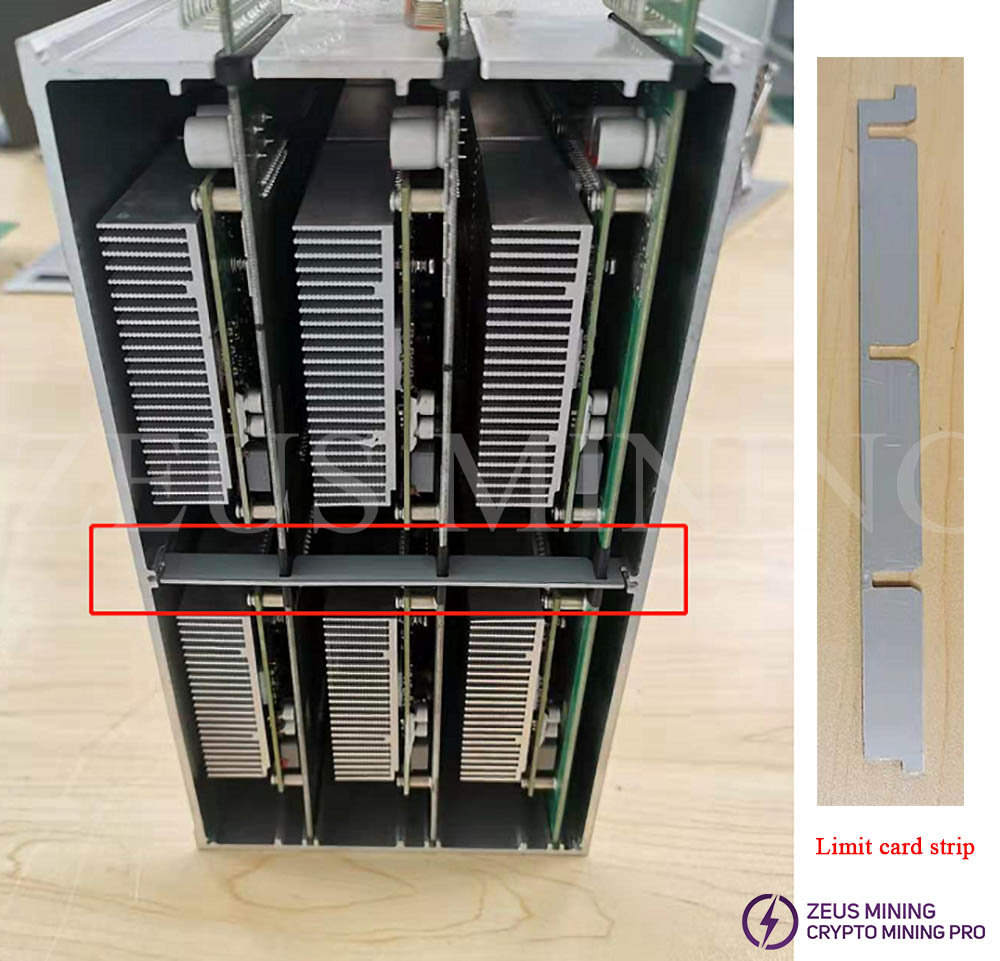
4. Pull out the hash module assembly that needs to be repaired.
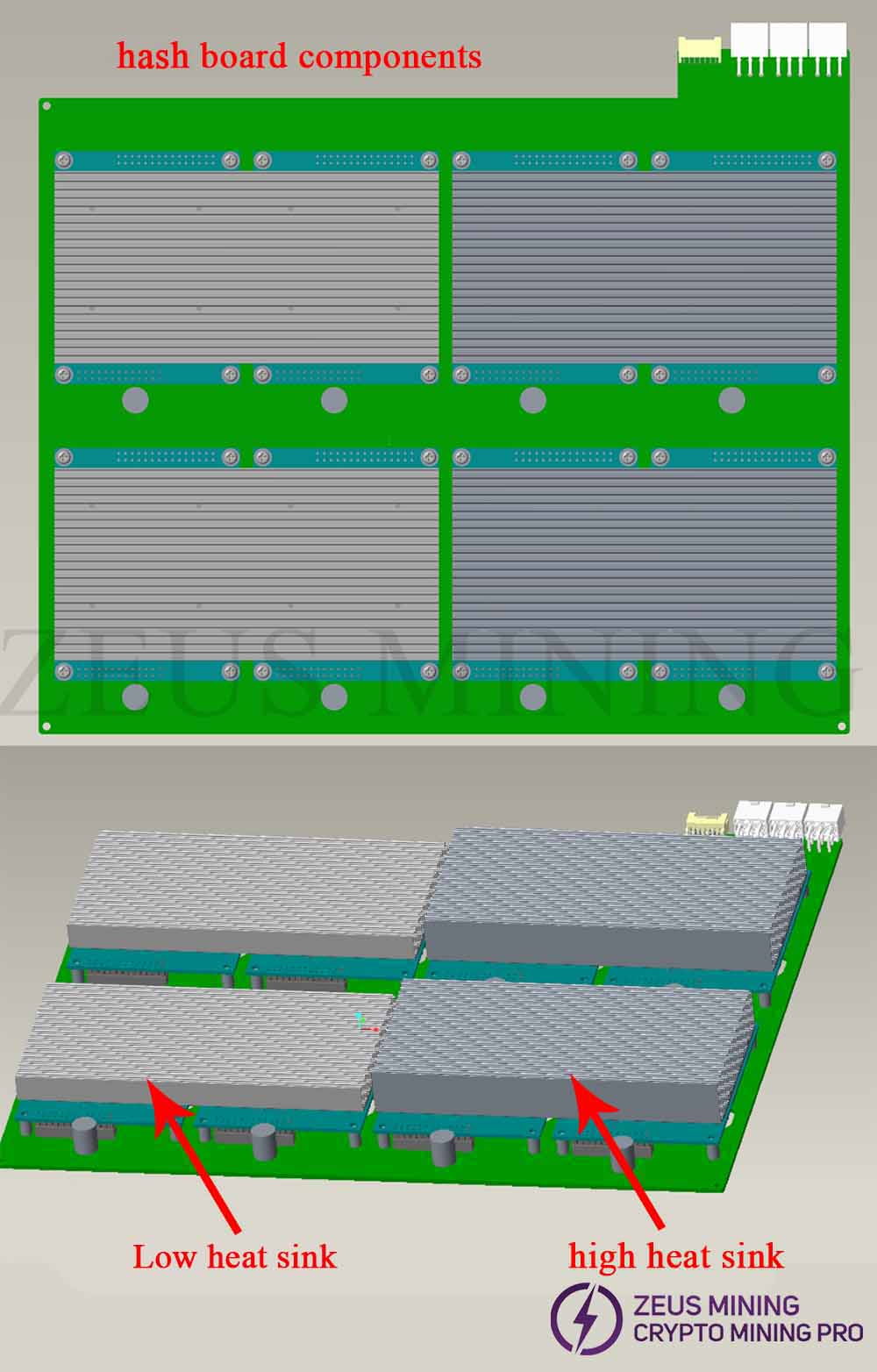
5. Remove the screws of the hash module mechanism to be repaired, and unplug the hash module assembly.
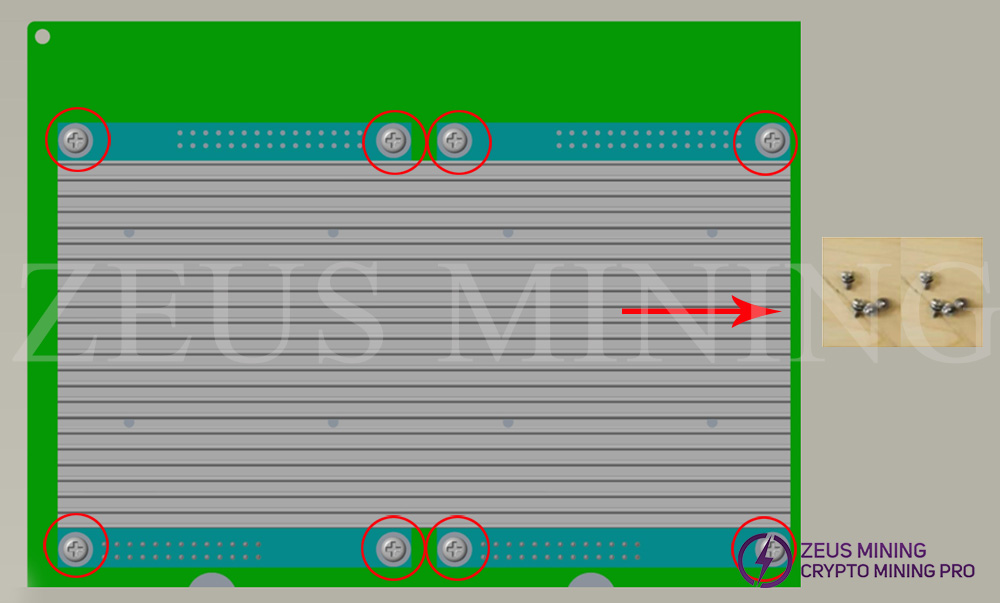
1) Remove the 8 screws in the red circle in the picture;
2) Unplug the heat sink and hash module assembly (be careful not to twist the socket pins on the hash module when unplugging).
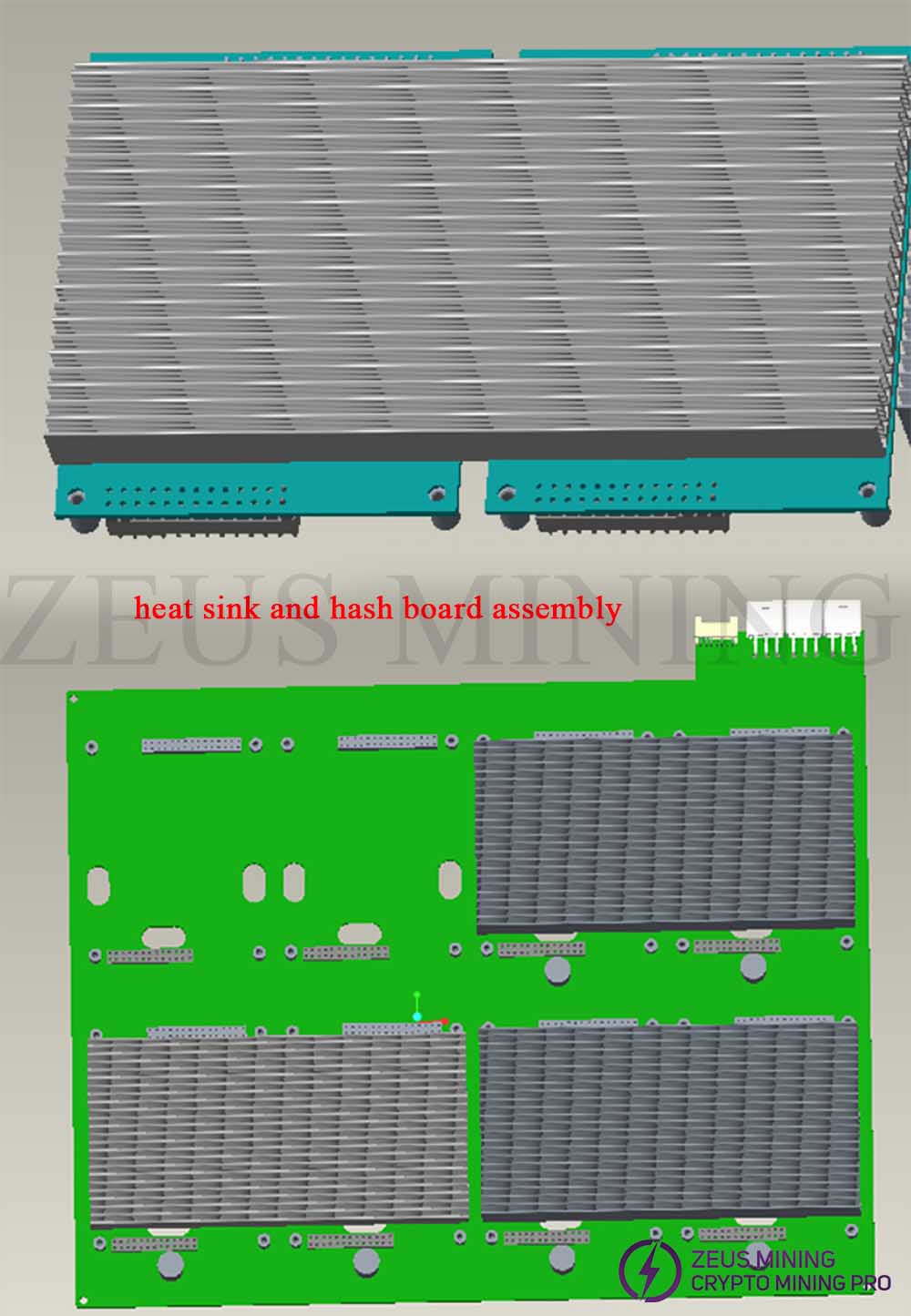
6. Remove the spring screws of the hash module, remove the heat sink, repair the hash module, and complete the disassembly.
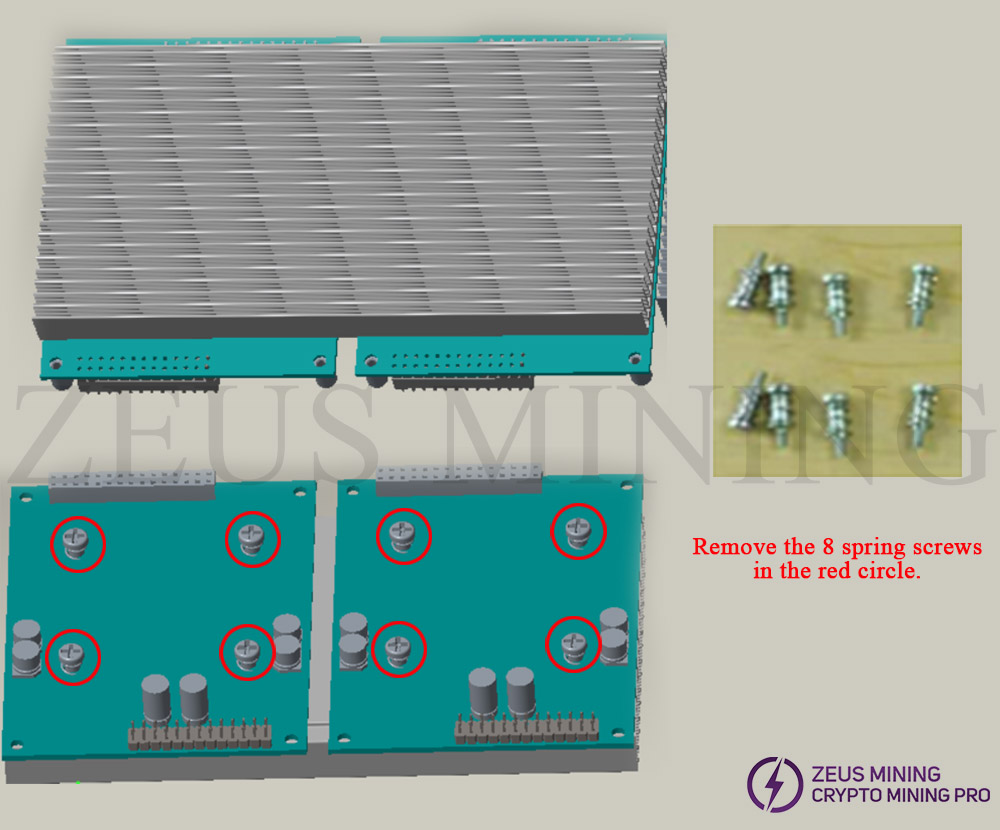
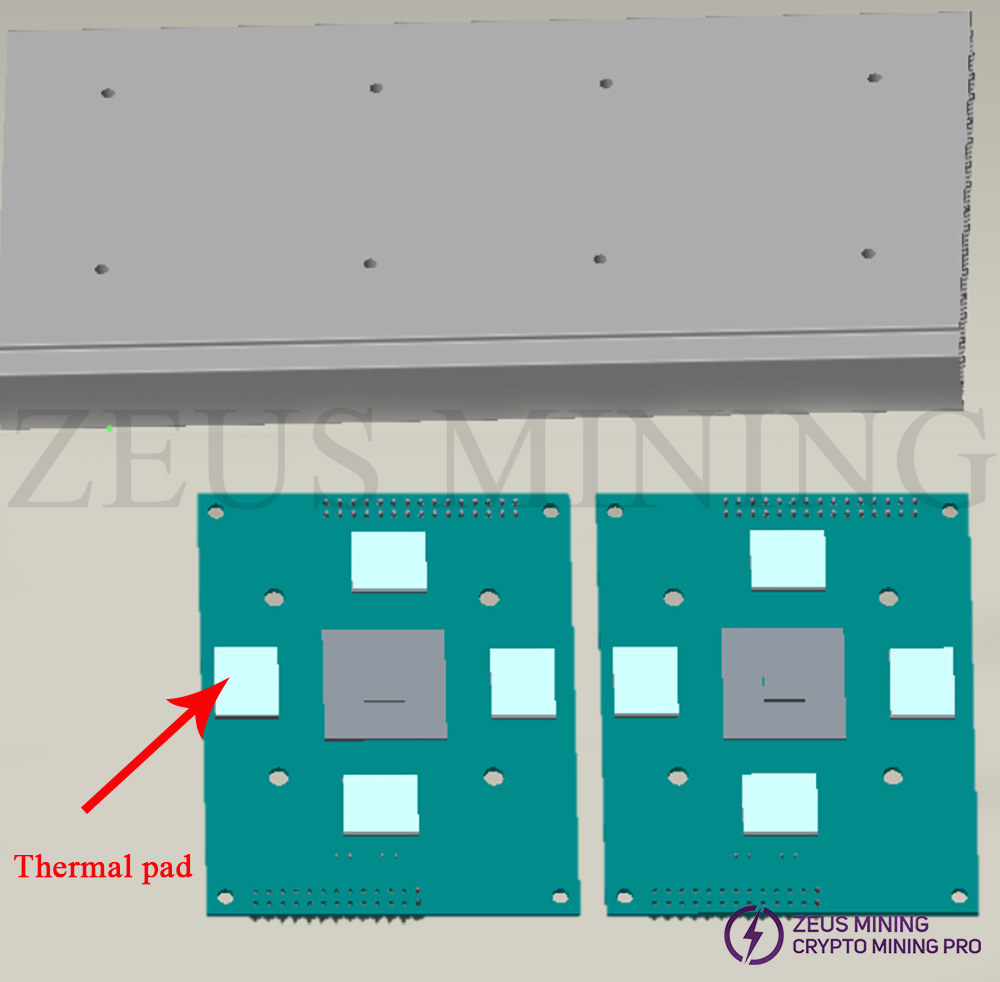
Installation precautions:
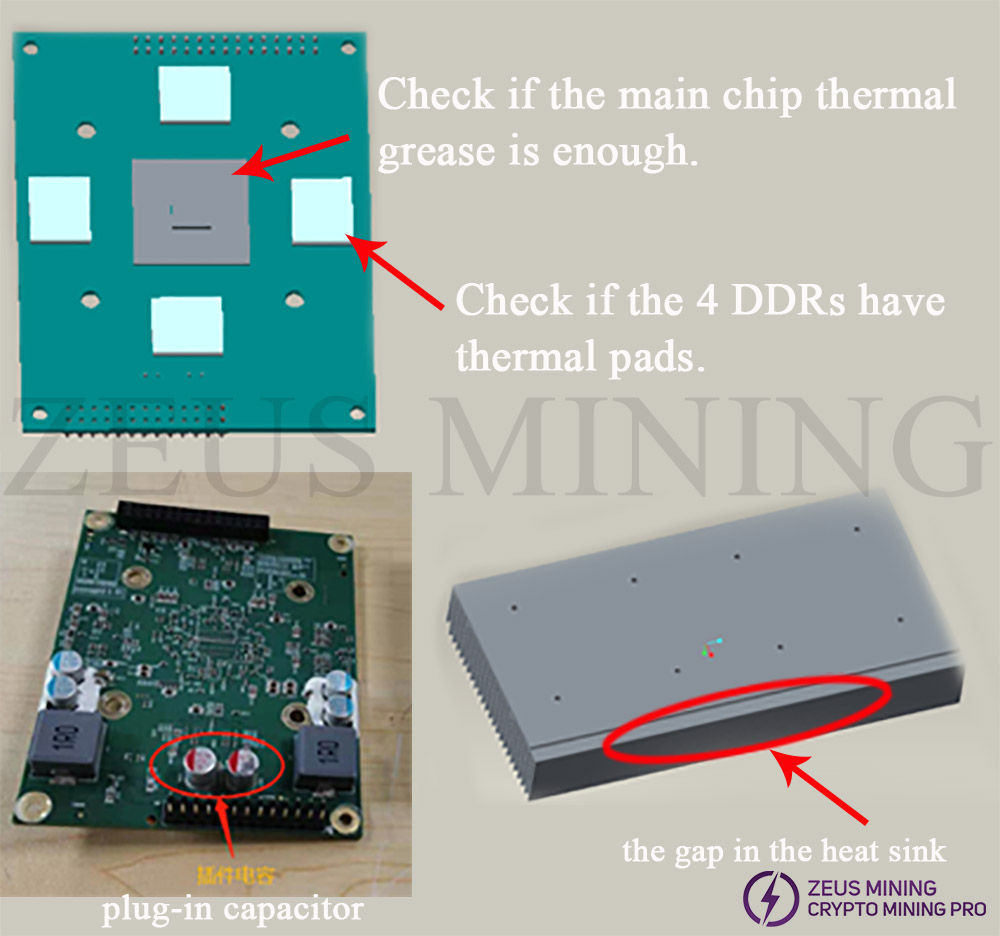
1. The installation and placement of the hash module are as shown in the figure: the two high plug-in capacitors need to be aligned with the gap of the heat sink, just above the gap, and then aligned with the screw holes after placement, and then lock the screws.
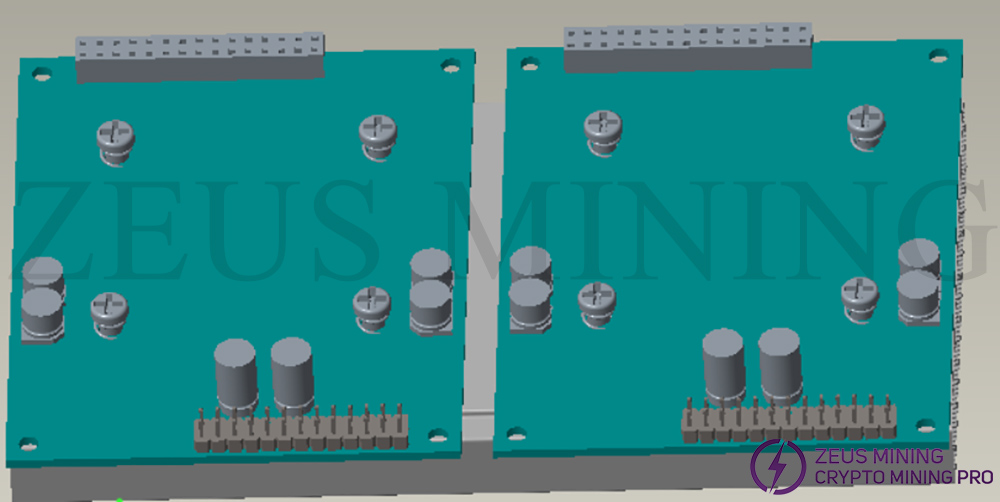
2. Reinstall the hash module to the power board: Align the hash module and install it on the power board; pay attention to the direction, and cannot be installed in the reverse direction;
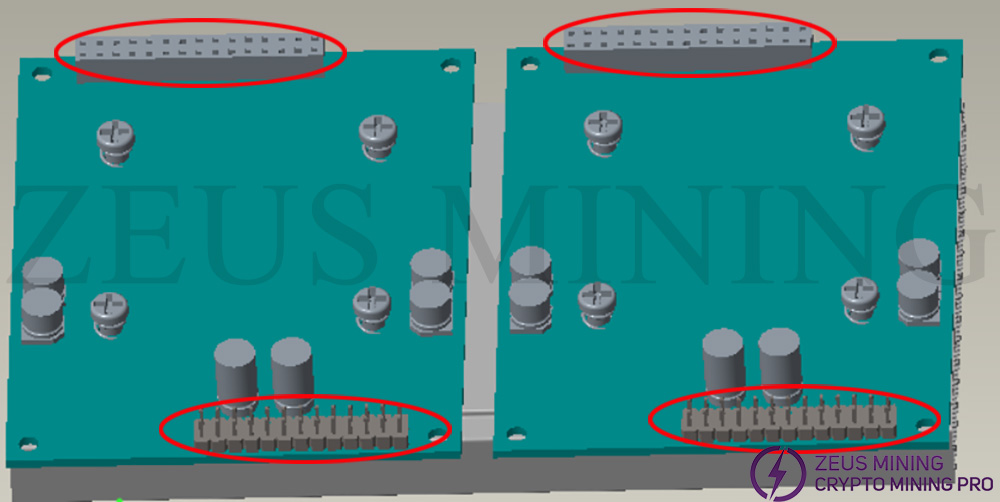
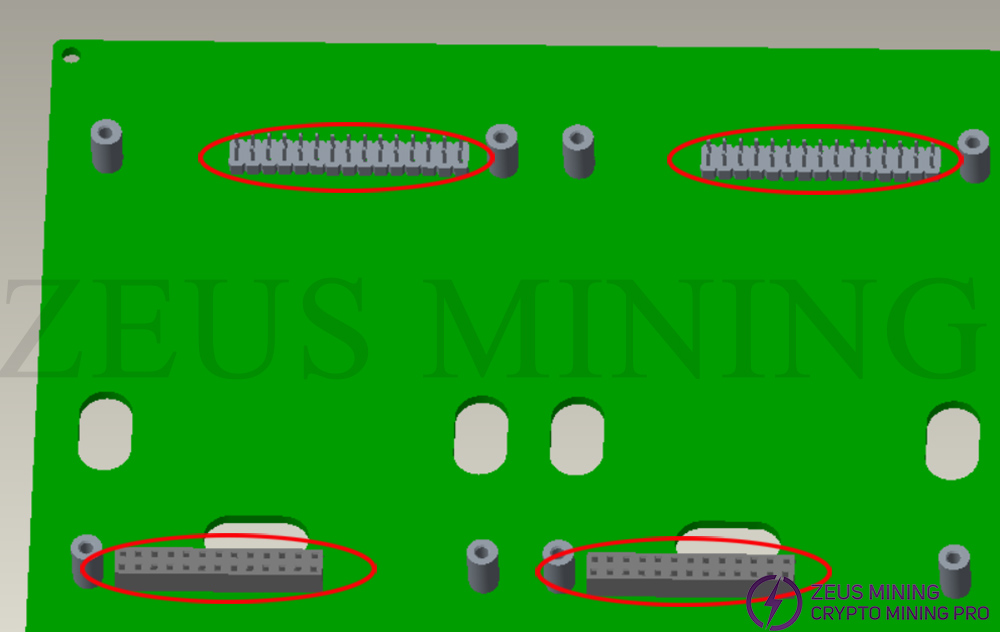
3. Install the power board into the chassis, install the limit card strips, pay attention to the one-to-one correspondence between the notch and the power board, and insert them along the screw holes; finally, install the cover plate, lock the cover plate screws, complete the assembly, and put it on the shelf.
 China Mainland Hong Kong
  Business Hours: (GMT+8) 08:30-20:00 Mon to Sat
  Company Phone: +86-023-72227777
